
Jump to content


Photo
* * * * * 2 votes

CV_DMD_Release_2.1.rar [Visual Pinball X]

Cirqus Voltaire Bally VPX

  • Please log in to reply
288 replies to this topic

#241 Dozer316

Dozer316

    Dozer

  • VIP
  • 669 posts

  • Flag: Australia

  • Favorite Pinball: Cirqus Voltaire

Posted 07 April 2016 - 01:48 PM

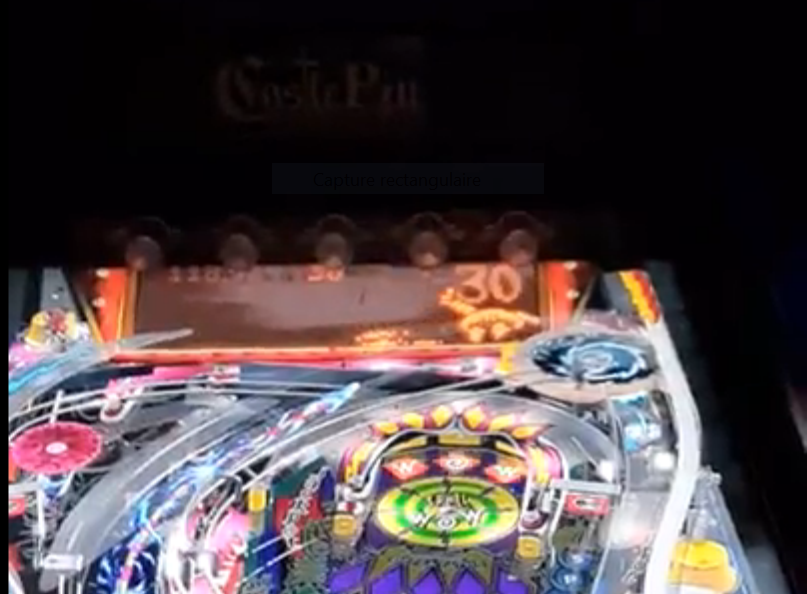
Firstly I'd just like to quickly comment that CV is amazing and should stand as a model as what an ideal VPX table can look like.  Especially impressed with the integrated dmd....I've wanted it like this for a long time.


Secondly on the topic of models and originals,  I've seen some virtual pinball tables like the marvel comic themed ones where they actually have 3D models doing interactive stuff.....stuff that even a more advanced robotic toy could never do on a real table.  I'd really like to see some more creative uses of 3D like this in original tables.  For example, what's to stop that gyro model from spinning up it's propeller and taking off the table, fly around a bit and land back in it's original position?


Hey Dark, thanks for the comments - I'm glad you're enjoying it.   I went through a phase early on with virtual pinball as the result of FX2 where I thought the use of 3D models interacting with the game was quite novel .  As time went on though it kinda lost its shine and now I personally find it a bit cheesy.  It is kinda weird to have the control VP affords us of mesh parts and then purposefully limit them to be crippled in a sense but it (for me anyway) just makes it feel more like pinball and less like a video game trying to be pinball when you see a toy trying its best to behave like a real world version of itself albeit clumsily.

I feel the same way when I look back on the backglasses I created when the b2s designer first came out -  I cringe at some of them now (too much bling) but I thought it cool at the time.   Having said all this though, there are some ideas I have for other games that require ball behavior that would probably not be possible to do with the real thing. 


Hope you're well.


#242 Nemo

Nemo

    Pinball Fan

  • Platinum Supporter
  • 1,283 posts
  • Location:Netherlands

  • Flag: Netherlands

  • Favorite Pinball: Monster Bash

Posted 07 April 2016 - 05:42 PM

Must say, i am MOST impressed with this CV, it's just stunning, love to see what vpx can do,

loving even more to see what authors like yourself can do with it. Job extremely well done  :dblthumb:


Gone fishin', no really.......

My F14 Cab http://www.vpforums....showtopic=21820

My Coffee Table http://www.vpforums....topic=25407&hl=

My Jukebox WIP http://www.vpforums....topic=23825&hl=


#243 arngrim

arngrim

    DJ Force Feedback

  • VIP
  • 2,188 posts
  • Location:Charleroi, Belgium

  • Flag: Belgium

  • Favorite Pinball: Monster bash


Posted 07 April 2016 - 05:51 PM

maybe it's too easy now :D? i finished the game, the 5 stages, i started recording at the first of the final stages and then i ran out of battery :(


118 millions:


qb3u.png


#244 Umpa

Umpa

    Pinball Fan

  • Members
  • PipPipPipPip
  • 740 posts

  • Flag: United States of America

  • Favorite Pinball: AC/DC

Posted 07 April 2016 - 08:17 PM

make sure that dof use the ini you just grabbed by removing any other on your cab, that could be loaded instead of the new ones, if ever

I put the new config on wrong directory it's working fine now. Thanks!

#245 Ben Logan

Ben Logan

    Pinball Wizard

  • Members
  • PipPipPipPipPip
  • 2,275 posts
  • Location:California

  • Flag: ---------

  • Favorite Pinball: System 11

Posted 07 April 2016 - 08:29 PM

You're just that good, arngrim! Mad-skills. 

:P 


#246 chokeee

chokeee

    Enthusiast

  • Members
  • PipPipPip
  • 333 posts

  • Flag: Poland

  • Favorite Pinball: High Speed

Posted 08 April 2016 - 07:43 AM

arngrim what are your backdrop settings?


#247 arngrim

arngrim

    DJ Force Feedback

  • VIP
  • 2,188 posts
  • Location:Charleroi, Belgium

  • Flag: Belgium

  • Favorite Pinball: Monster bash


Posted 08 April 2016 - 08:10 AM

i m not considered a super player, i am sure you all play more than me :)
you need to be very unlucky to loose the ball to the outlanes in this game
i didn't change the backdrop, i use clarkkent version

#248 Sneetch

Sneetch

    Enthusiast

  • Platinum Supporter
  • 293 posts
  • Location:Columbus, Ohio

  • Flag: United States of America

  • Favorite Pinball: Attack From Mars

Posted 08 April 2016 - 03:37 PM

Aw. I just assumed I needed more practice. Now <sniff> I feel I must just be unlucky...

My skills aside what an amazing effort, this table is awesome!

Don't have DOF working yet but will figure that out based on the other posts in the thread.
Edit update: DOF IS working. Needed to update ini and ensure it was only one I had. :)

Edited by Sneetch, 13 April 2016 - 07:48 PM.


#249 ClarkKent

ClarkKent

    Pinball Fan

  • Members
  • PipPipPipPip
  • 1,552 posts

  • Flag: Austria

  • Favorite Pinball: Q*Bert's Quest, Red's and Ted's Road Show, Dialed In, Big Bang Bar

Posted 09 April 2016 - 11:46 AM

I made a new playfield:


https://www.dropbox....yfield.png?dl=0


Edit: Will fit it to the one in the table soon.


Edited by ClarkKent, 09 April 2016 - 01:22 PM.


#250 imagamejunky

imagamejunky

    Addicted

  • Members
  • PipPipPip
  • 104 posts
  • Location:CA Bay Area

  • Flag: United States of America

  • Favorite Pinball: TZ, IJ, MM, TOTAN, CV, TAF, AFM, STTNG, T2

Posted 13 April 2016 - 07:37 PM

This table is just fantastic.  It plays perfectly when I load it directly from VPX.


However, I am getting an error in VPX when I try to load it from PinballX.  This is strange. The error is:


Line 2339

Object doesn't support this property or method: 'LBumper1.collidable'


Does anyone else see this?


Junky


#251 jpreville

jpreville

    Hobbyist

  • Members
  • PipPip
  • 30 posts
  • Location:Waterford, MI

  • Flag: United States of America

  • Favorite Pinball: attack from mars

Posted 13 April 2016 - 07:55 PM

Do you have more than one version of virtual pinball setup ? If so. Possibly it's not pointing to beta build that this tables runs under?

Sent from my SAMSUNG-SM-N910A using Tapatalk

#252 imagamejunky

imagamejunky

    Addicted

  • Members
  • PipPipPip
  • 104 posts
  • Location:CA Bay Area

  • Flag: United States of America

  • Favorite Pinball: TZ, IJ, MM, TOTAN, CV, TAF, AFM, STTNG, T2

Posted 13 April 2016 - 10:46 PM

Good point. But I'm only running one version of vpx (10.1 beta).
Thanks though

#253 Totaltimo

Totaltimo

    Enthusiast

  • Members
  • PipPipPip
  • 61 posts
  • Location:Wolfenbuettel - Germany

  • Flag: Germany

  • Favorite Pinball: Cirqus Voltaire

Posted 14 April 2016 - 12:29 PM

This table is just fantastic.  It plays perfectly when I load it directly from VPX.


However, I am getting an error in VPX when I try to load it from PinballX.  This is strange. The error is:


Line 2339

Object doesn't support this property or method: 'LBumper1.collidable'


Does anyone else see this?


Junky


Have you tried turning off compatibility mode of PinballX? I've had similar errors as well, they disappeared afterwards.


Cheers

Timo


#254 Nemo

Nemo

    Pinball Fan

  • Platinum Supporter
  • 1,283 posts
  • Location:Netherlands

  • Flag: Netherlands

  • Favorite Pinball: Monster Bash

Posted 16 April 2016 - 01:37 PM

Dozer, i must say: this iteration of CV is just STELLAR, had a buddy of mine over who owns a CV.

The guy was blown away, not only did it look better than the real thing, it also played better, he had

an absolute blast ! The cab is setup with 10.1 Beta and is comment on the DMD was : "Wow can that

be done ?" Thoroughly impressed he left, mumbling something like "now i want one too" .....


Hehehehe another one lured over to the VP camp :dblthumb:  


Gone fishin', no really.......

My F14 Cab http://www.vpforums....showtopic=21820

My Coffee Table http://www.vpforums....topic=25407&hl=

My Jukebox WIP http://www.vpforums....topic=23825&hl=


#255 VP Fan

VP Fan

    Hobbyist

  • Members
  • PipPip
  • 12 posts

  • Flag: United States of America

  • Favorite Pinball: Attack from Mars

Posted 16 April 2016 - 10:06 PM

This table is just fantastic.  It plays perfectly when I load it directly from VPX.
 
However, I am getting an error in VPX when I try to load it from PinballX.  This is strange. The error is:
 
Line 2339
Object doesn't support this property or method: 'LBumper1.collidable'
 
Does anyone else see this?
 
Junky


I believe this is the problem I run into if I have both a vpx and .vpt version of a table in the tables folder, sharing the same name. Not sure why but pinballx tries to open the table with the wrong vp version. Try renaming your files for this table or move the older .vpt version out of the tables folder.

#256 jpreville

jpreville

    Hobbyist

  • Members
  • PipPip
  • 30 posts
  • Location:Waterford, MI

  • Flag: United States of America

  • Favorite Pinball: attack from mars

Posted 16 April 2016 - 10:41 PM

This table is just fantastic.  It plays perfectly when I load it directly from VPX.
 
However, I am getting an error in VPX when I try to load it from PinballX.  This is strange. The error is:
 
Line 2339
Object doesn't support this property or method: 'LBumper1.collidable'
 
Does anyone else see this?
 
Junky

I believe this is the problem I run into if I have both a vpx and .vpt version of a table in the tables folder, sharing the same name. Not sure why but pinballx tries to open the table with the wrong vp version. Try renaming your files for this table or move the older .vpt version out of the tables folder.
Pinballx u need to use the alternative exe tag in the xml file to choose another version of vp or anothet exe. if u keep all tables in the same tables folder. Unfortunately the game manager does not support that directly and if you manually add the tag and the use game manager it gets rid of the tag for some reason when you save.

Sent from my SAMSUNG-SM-N910A using Tapatalk

#257 imagamejunky

imagamejunky

    Addicted

  • Members
  • PipPipPip
  • 104 posts
  • Location:CA Bay Area

  • Flag: United States of America

  • Favorite Pinball: TZ, IJ, MM, TOTAN, CV, TAF, AFM, STTNG, T2

Posted 16 April 2016 - 11:44 PM

Hi guys.

I appreciate all of the input.  However, none of these suggestions are fixing the problem.

I don't run VPX or PBX in compatibility mode. I have only one CV table in the tables folder.


This error issue is ONLY present when trying to load one of the 2 new CV vpx tables that uses the dmd on the playfield (this one and hanibal's 4k version).  Both of these "dmd" versions run perfect directly from vpx.  Like I said before, all of my other vpx tables run fine from pbx.  Even the "CV_2.0_REDUX_FINAL.vpx" version runs perfect, but this one doesn't have the playfield dmd option.


I know this isn't the pbx forum, I was just hoping someone here might have some insight considering this is a VP error that's coming up.


Thanks again

Junky


#258 bassgeige

bassgeige

    Enthusiast

  • Platinum Supporter
  • 409 posts

  • Flag: Germany

  • Favorite Pinball: Enjoyed on a regular basis.

Posted 17 April 2016 - 09:02 AM

Is a possible slightly CV bell jingle delay timing in comparison to the dB2S and the real pinball useful? I used the same picture amount for the movement as usual. I know that you enable a separate sub for the final CV version. My question is how accurate the bell jingle reflects the real pinball timing and the next question is how real the dB2S looks or how real the dB2S can be? The latest release tries to hit the bell exactly with the cannon ball while the bell sounds. As it is about half times faster than in older version the movement speed from the ball shot goes a bit to the cost of ball flight details. Maybe a delay from about 150 ms for the bell jingle together with the upcomming separate wheel spin timer is able to ensure both, a clean picture wise visible sequence together with the bell jingle and wheel harmony.


I released the latest version so you can see how the actual state looks.


Edited by bassgeige, 17 April 2016 - 09:06 AM.


#259 lizard

lizard

    Enthusiast

  • Platinum Supporter
  • 318 posts
  • Location:Australia

  • Flag: Australia

  • Favorite Pinball: Kiss

Posted 17 April 2016 - 09:45 AM

Hi guys.

I appreciate all of the input.  However, none of these suggestions are fixing the problem.

I don't run VPX or PBX in compatibility mode. I have only one CV table in the tables folder.


This error issue is ONLY present when trying to load one of the 2 new CV vpx tables that uses the dmd on the playfield (this one and hanibal's 4k version).  Both of these "dmd" versions run perfect directly from vpx.  Like I said before, all of my other vpx tables run fine from pbx.  Even the "CV_2.0_REDUX_FINAL.vpx" version runs perfect, but this one doesn't have the playfield dmd option.


I know this isn't the pbx forum, I was just hoping someone here might have some insight considering this is a VP error that's coming up.


Thanks again

Junky

Similar sort of thread at pinballx forums. The last couple of posts mention the tags in the xml for hide backglass and hide dmd Maybe that has something to do with it.

http://www.gameex.in...-launch/?page=2


#260 skpManiac

skpManiac

    Hobbyist

  • Platinum Supporter
  • 38 posts
  • Location:England

  • Flag: United Kingdom

  • Favorite Pinball: Star Trek 25th Anniversary

Posted 03 July 2016 - 01:11 PM

I really like this table, great lighting etc

only issue for me is in my cab the table is too far to the right, I have the Hannibals 4K version and that sits perfect like every other table - any suggestions guys? -  Thanks


Edited by skpManiac, 04 July 2016 - 08:20 PM.


Also tagged with one or more of these keywords: Cirqus, Voltaire, Bally, VPX