Jump to content


Photo
* * * * * 8 votes

Attack from Mars (Midway 1995) [Visual Pinball X]

Attack mars

  • Please log in to reply
277 replies to this topic

#101 bigus1

bigus1

    Pinball Fan

  • Members
  • PipPipPipPip
  • 994 posts
  • Location:Brisbane, Australia

  • Flag: Australia

  • Favorite Pinball: Firepower

Posted 19 August 2019 - 05:10 AM

I used 10.6 for the mod. Dunno if it makes a difference, but easy to find-out :)


#102 Alex123456

Alex123456

    Neophyte

  • Members
  • Pip
  • 7 posts

  • Flag: ---------

  • Favorite Pinball: Indiana Jones

Posted 19 August 2019 - 07:12 AM

Hello, .


Starting game script..., VBScript: Machine "afm_113b" (Attack From Mars (1.13b)) terminated before initialized, check the rom path or rom file!...


Rom file: afm_113b

Rom path:  C:\Visual Pinball\VPinMAME\roms     (The ROM is not unpacked)


VPinmame installation 1.42 (setup64), VPinmame version 3.1


?


Hello!


Op: win10 64bit, VPX installer 10.5.0, rom: afm_113b and dont work... Anyone have an idea?


Thanks for the help!


What does it mean "dont work"? What do you see or what is happening? If you want help, you should at least give some information about what the exact problem is.


Edited by Alex123456, 19 August 2019 - 07:20 AM.


#103 Thalamus

Thalamus

    VPF Veteran

  • Platinum Supporter
  • 5,000 posts

  • Flag: Norway

  • Favorite Pinball: GOT, Alien Star, LOTR, TOM

Posted 19 August 2019 - 10:06 AM

Don't run setup64.exe - You need to use the setup.exe ( 32 bit ) - only guys that know what they are doing and compiling their own VP/VPM/DB2S etc. Should touch that 64bit version.

If it however probably not your problem. Only earlier today I replied to a similar post in another forum. You just have to change the rom in the text I wrote for the rom you mention. And I already mentioned it already in this thread I should add.


https://vpinball.com.../8/#post-142384


Edited by Thalamus, 19 August 2019 - 10:07 AM.

From now on. I won't help anyone here at VPF. Please ask Noah why that is.


#104 Alex123456

Alex123456

    Neophyte

  • Members
  • Pip
  • 7 posts

  • Flag: ---------

  • Favorite Pinball: Indiana Jones

Posted 19 August 2019 - 07:53 PM

Hi, I Couldn't find the link in the registry ...
This table doesn't work for me ...


:(


Unfortunately no Tables is working which requires downloading ROM ... something else might be wrong ...

(Serious Sam and Zelda tables etc. works but it doesn't use ROM ...)


Edited by Alex123456, 19 August 2019 - 08:03 PM.


#105 htamas

htamas

    Pinball Wizard

  • VIP
  • 2,229 posts
  • Location:California

  • Flag: Hungary

  • Favorite Pinball: cannot pick just one, and they change anyway


Posted 19 August 2019 - 08:24 PM

Did you try the all-in-one installer to set up your system?

If no ROM-based table works, then this points to an installation issue.


Edited by htamas, 19 August 2019 - 08:25 PM.


#106 Alex123456

Alex123456

    Neophyte

  • Members
  • Pip
  • 7 posts

  • Flag: ---------

  • Favorite Pinball: Indiana Jones

Posted 20 August 2019 - 12:58 PM

Did you try the all-in-one installer to set up your system?

If no ROM-based table works, then this points to an installation issue.


Yes, I have already reinstalled it 4x but the same error ... (even deleting the system registry manually) does not help, I'm completely stuck ...


I reinstalled Win10, now everything works ... OMG :)


:otvclap:


Edited by Alex123456, 20 August 2019 - 02:11 PM.


#107 BobAlbright

BobAlbright

    Pinball Wizard

  • Platinum Supporter
  • 2,304 posts
  • Location:York, Pa. USA

  • Flag: United States of America

  • Favorite Pinball: Attack from Mars

Posted 20 August 2019 - 05:28 PM

I’ve been reading in these forums that if you have exclusive full screen checked, you will have this problem

"and in the end , the love you take is equal to the love you make"


#108 djlunchbox

djlunchbox

    Enthusiast

  • Members
  • PipPipPip
  • 157 posts

  • Flag: El Salvador

  • Favorite Pinball: WCS 94, Theatre of Magic, TOTAN

Posted 22 August 2019 - 10:00 PM

Yes but its better to have exclusive fullscreen set.

What you need to do is go into the registry under vpinmame. You will see all the rom folders. Find one that says default. Make sure it has the ddraw option in it and set to 0. Delete all roms folders in that registry Just leave the default one. Then when you start the tables they will all default to ddraw 0 and exclusive fullscreen Ill work.


Here's step by step:


In windows search bar look for Registry editor. then go to 


HKEY_CURRENT_USER>

SOFTWARE>

VisualPinMame


the above is where you would see the "default" folder as well as all the folders with the rom names. This is were you delete the rom name folders to start from scratch. 


Once you delete the folders your games will be reset like you're launching them for the first time, but you will now be able to use "Force Exclusive Fullscreen" with no problems. 


Edited by djlunchbox, 22 August 2019 - 10:09 PM.


#109 htamas

htamas

    Pinball Wizard

  • VIP
  • 2,229 posts
  • Location:California

  • Flag: Hungary

  • Favorite Pinball: cannot pick just one, and they change anyway


Posted 23 August 2019 - 04:39 PM

Sounds great, but doesn't ddraw=0 prevent setting the DMD freely to any size? This would be a little problematic for those with a 2-screen cabinet, trying to match the DMD size to each backglass image.


#110 djlunchbox

djlunchbox

    Enthusiast

  • Members
  • PipPipPip
  • 157 posts

  • Flag: El Salvador

  • Favorite Pinball: WCS 94, Theatre of Magic, TOTAN

Posted 23 August 2019 - 08:01 PM

No. When the game launches you right click the DMD and a menu option pops up. You select Show Window Border and it lets you size the DMD


I run a 2 screen system and have never had any issues sizing the internal DMD to the backglass. Most times it will fit however there are a certain times where the dmd image space is a hair too wide but nothing noticeable. You can also run Freezy's external DMD and turn off the internal one and that one sizes bigger so you then cover the entire cutout space in the B2S graphic for where the DMD goes. 


#111 BlackPredator72

BlackPredator72

    I ❤ Pinball

  • Members
  • PipPipPip
  • 372 posts
  • Location:Haarlem, The Netherlands

  • Flag: Netherlands

  • Favorite Pinball: Demolition Man

  • PS3 Gamer Tag: BlackPredator72
  • 360 Gamer Tag: BlackPredator72

Posted 26 August 2019 - 10:28 PM

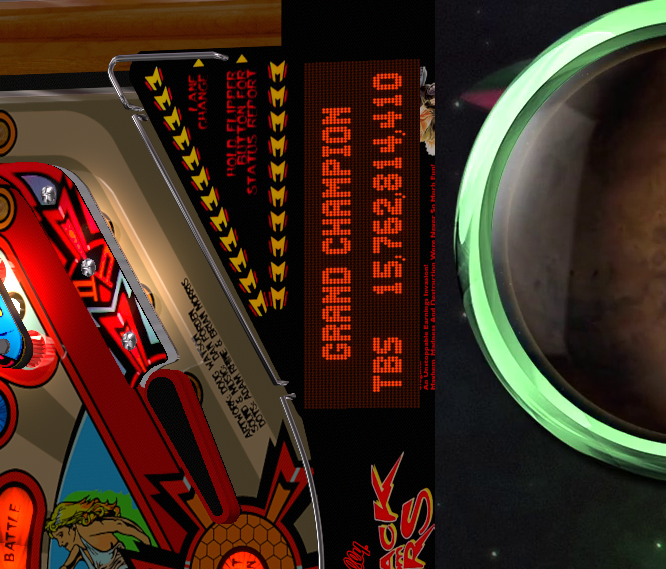
But how can I remove the DMD from the apron? I'm using PUP video and colored rom, so not needing an extra DMD.

I can't click on the DMD. Also tried .hidden = 1 in the script. And because of PUP there is no B2s to select DMD = hidden. Couldn't find anything in the registry.


afm-DMD.png


43327.png?1581090420


#112 Badazzwi

Badazzwi

    Enthusiast

  • Members
  • PipPipPip
  • 60 posts

  • Flag: United States of America

  • Favorite Pinball: Attack from Mars

Posted 27 August 2019 - 12:40 AM

Line 24 of script UseVPMColoredDMD = false and the apron dmd will dissapear.

#113 MajorFrenchy

MajorFrenchy

    Enthusiast

  • Members
  • PipPipPip
  • 256 posts
  • Location:Canada

  • Flag: Canada

  • Favorite Pinball: The Flintstones

Contributor

Posted 27 August 2019 - 02:00 AM

But how can I remove the DMD from the apron? I'm using PUP video and colored rom, so not needing an extra DMD.

I can't click on the DMD. Also tried .hidden = 1 in the script. And because of PUP there is no B2s to select DMD = hidden. Couldn't find anything in the registry.


afm-DMD.png


Literally Just had to do it.


Off course if you have a db2s backglass it's easy you select the drop down and set the DMD to hidden. But when running Pinup popper, that option is disabled and you need to edit it in the table script. 


search for "ShowDMD" 


and you set .ShowDMDOnly = 1 to .ShowDMDOnly = 0


Sub Table1_Init
With Controller
.GameName = cGameName
If Err Then MsgBox "Can't start Game " & cGameName & vbNewLine & Err.Description:Exit Sub
.SplashInfoLine = "Spider Man (Stern 2007)"
.HandleKeyboard = 0
.ShowTitle = 0
.ShowDMDOnly = 1
 
Don't forget to save your table upon exiting.

Edited by MajorFrenchy, 27 August 2019 - 02:01 AM.


#114 xenonph

xenonph

    I have Pinball Fever!

  • VIP
  • 4,141 posts
  • Location:Castle Rock, WA.

  • Flag: United States of America

  • Favorite Pinball: TRON Classic-Congo-Xenon-PINBOT-BOP-LOTR-A Real American Hero OPERATION PINBALL-Millionaire-Whirlwind-Krull-NFL-BlackKnight-FishTales

Contributor

Posted 27 August 2019 - 02:43 AM

Or you could just click the flasher as seen in pic, and left click on it with mouse and uncheck Lock, and then move it offscreen out of the way.

capture137_t.png


CHECK OUT THIS TUTORIAL http://www.vpforums....howtopic=32515
TO USE DB2S BACKGLASS PROGRAM WITH DESKTOP TABLES ON 1 MONITOR
 

#115 BlackPredator72

BlackPredator72

    I ❤ Pinball

  • Members
  • PipPipPip
  • 372 posts
  • Location:Haarlem, The Netherlands

  • Flag: Netherlands

  • Favorite Pinball: Demolition Man

  • PS3 Gamer Tag: BlackPredator72
  • 360 Gamer Tag: BlackPredator72

Posted 01 September 2019 - 04:26 PM

Thnx! I like this one: Line 24 of script UseVPMColoredDMD = false

First I thought my colored DMD would disappear when I use this, but only the extra DMD did.


43327.png?1581090420


#116 Sutter Cane

Sutter Cane

    Neophyte

  • Members
  • Pip
  • 2 posts

  • Flag: Canada

  • Favorite Pinball: baby pacman

Posted 25 December 2019 - 05:17 AM

Hi I'm new here.


About the DMD.  I have a 2 screens pinball and I tried to move the DMD to my B2S screen and I can't click on it and resize it.  Some JP table are coded like this.  Could someone please explain me clearly how to get a moveable DMD?  Thank you!


#117 razielsghost26

razielsghost26

    Neophyte

  • Members
  • Pip
  • 9 posts

  • Flag: ---------

  • Favorite Pinball: Monster Bash or Batman 66

Posted 02 January 2020 - 04:27 AM

Love the look of the table, but I can not get the bumpers to unlock from the up position one triggered. I have tried the right click on back glass and run in exe, but that didn't work. Then I deleted the back glass altogether to no avail. Any suggestions would be great. 


#118 jpsalas

jpsalas

    Grand Schtroumpf

  • VIP
  • 7,333 posts
  • Location:I'm Spanish, but I live in Oslo (Norway)

  • Flag: Norway

  • Favorite Pinball: I like both new and old, but I guess I prefer modern tables with some rules and goals to achieve.


Posted 02 January 2020 - 07:24 PM

Love the look of the table, but I can not get the bumpers to unlock from the up position one triggered. I have tried the right click on back glass and run in exe, but that didn't work. Then I deleted the back glass altogether to no avail. Any suggestions would be great. 

I guess you mean the "flippers" which get stuck in the up position. That's because the "fastflips" are enabled and you need the latest VPX and vpinmame to work.
And if you want to update yet, then change the line Const UseSolenoids = 2 with Const UseSolenoids = 1 that will work with older vpinmame.


I'll be updating soon this table (and my DT tables) to work on a cabinet without reconfiguring the POV. Well, I guess most of you have a different screen/monitor so you may need to change the POV anyway :)


If you want to check my latest uploads then click on the image below:


vp.jpg


#119 emuoyaji

emuoyaji

    Enthusiast

  • Members
  • PipPipPip
  • 63 posts

  • Flag: ---------

  • Favorite Pinball: T2

Posted 10 January 2020 - 12:49 AM

Hello.
I like black sidewalls, so I want to hide the sidewalls, but if I hide them, the flasher becomes angular.
The same result is obtained by replacing the sidewall with a black image.
Is there any good way?
 
flasher.jpg


#120 jpsalas

jpsalas

    Grand Schtroumpf

  • VIP
  • 7,333 posts
  • Location:I'm Spanish, but I live in Oslo (Norway)

  • Flag: Norway

  • Favorite Pinball: I like both new and old, but I guess I prefer modern tables with some rules and goals to achieve.


Posted 10 January 2020 - 03:56 AM


Hello.
I like black sidewalls, so I want to hide the sidewalls, but if I hide them, the flasher becomes angular.
The same result is obtained by replacing the sidewall with a black image.
Is there any good way?


There is no easy way, since that's the way I made the flashers, you will need to adjust them, reducing it's intensity and maybe reducing it's size.


If you want to check my latest uploads then click on the image below:


vp.jpg


Also tagged with one or more of these keywords: Attack, mars