Jump to content


Photo
- - - - -

Am I wasting my time with the quest 2?


  • Please log in to reply
25 replies to this topic

#1 OuchTilt

OuchTilt

    Enthusiast

  • Members
  • PipPipPip
  • 198 posts
  • Location:Essex

  • Flag: United Kingdom

  • Favorite Pinball: Elvira and the Party Monsters

Posted 13 April 2021 - 05:06 PM

Hi,


I've got a Quest 2 and have just bought a gaming laptop.


It's got an RTX2060 6GB with 8GB ram.


I've been playing with all the resolution settings, but can't get rid of these blurry tables.

The graphics go sharp when I put my head close to the table. I did read on another thread

that this was due to the headset hardware limitation. I was under the impression that the quest 2 

was capable of 2k resolution.


Is the Quest 2 just not capable for vpxvr?

Or am I missing something in the settings?


Any help would be appreciated.


blackfx2_cr.jpg  Username:- dallaker


#2 Karlor

Karlor

    Goon Squad

  • Platinum Supporter
  • 397 posts

  • Flag: United States of America

  • Favorite Pinball: The Machine Bride, Freddy, TOTAN, Twister, Batman, TZ, Ghostbusters

Posted 13 April 2021 - 06:11 PM

I'm not sure about Oculus set up but I would suggest several ball park things you can try to improve clarity.


Mess with different options and ways to super sample.Both in VPX and your VR set up app.. 

Make sure your IPD is as close as you can get.

Turn on anisotropic filtering for VPX VR in your GPU settings/app..


 I'm just going to set this here and go get a cup of coffee.. DONT TOUCH ANYTHING!! :pardon:  NOT MY LINKS BUT ENJOY  :crazy:

:love39:  *** https://archive.org/details/pinmame31 *** :twiddling:


#3 strikekat

strikekat

    Hobbyist

  • Members
  • PipPip
  • 24 posts

  • Flag: United States of America

  • Favorite Pinball: BSD, GNR

Posted 13 April 2021 - 07:04 PM

I have a Rift S. One thing with the Quest 1/2 is that unlike the Rift, it compresses a video stream and displays that via USB-C (Link cable) or Wi-Fi, so there's going to be a slight performance overhead (to encode the video) and possible blurriness or artifacting when viewing it.

However, that should not be significantly impacting for visual quality.


The main thing you'll want to try is supersampling, i.e, setting the render resolution above 100%, but you'll need to play with a mix of setting that higher and getting playable performance.

(Derp, just noticed that was mentioned by Karlor too :) )


Prior, I had a PSVR, and it was incredibly blurry at 100%. I had to set it around 130%-150%, which dramatically improved the visuals, although on a couple tables (like TOTAN) did slow down.

I'd have to check what my current Rift S and VPX settings are, but it was immediately visually clearer out of the box than the PSVR.

For reference I have a Quadro RTX 4000 (similar to RTX 2070 performance-wise).


Edited by strikekat, 13 April 2021 - 07:15 PM.


#4 mrorange

mrorange

    Hobbyist

  • Members
  • PipPip
  • 11 posts

  • Flag: ---------

  • Favorite Pinball: Funhouse

Posted 14 April 2021 - 01:25 AM

OuchTilt, are you using Virtual Desktop or the link cable? 


#5 OuchTilt

OuchTilt

    Enthusiast

  • Members
  • PipPipPip
  • 198 posts
  • Location:Essex

  • Flag: United Kingdom

  • Favorite Pinball: Elvira and the Party Monsters

Posted 14 April 2021 - 08:41 AM

OuchTilt, are you using Virtual Desktop or the link cable?

First of all, thanks to everyone trying to help.

I'm using virtual desktop, but I was under the impression that both the link cable and WiFi
Both compressed the data given the same visual effect.

I bought the gaming laptop to allow me to access and stream steam vr games and also
give me the option to allow me to play vr pinball. If I can't get the pinball going to
an acceptable level, then I've lost value in my gaming laptop purchase.

I have been playing with some of the settings that have been suggested above (thanks again)
The visuals are slightly better now, but are still off what I would call passable to enjoy.

Edited by OuchTilt, 14 April 2021 - 08:42 AM.

blackfx2_cr.jpg  Username:- dallaker


#6 strikekat

strikekat

    Hobbyist

  • Members
  • PipPip
  • 24 posts

  • Flag: United States of America

  • Favorite Pinball: BSD, GNR

Posted 14 April 2021 - 04:23 PM

It could be that the Quest stream compression is more of an impact than I thought (I have no way of personally knowing)
I would post a picture of your vpinballx_gl.exe VR settings dialog just to sanity check the settings.

And maybe check/post your graphics settings for the Quest 2 itself? In the Oculus app under Devices.


Also, as a slight potential performance boost, I would install OpenComposite - https://gitlab.com/znixian/OpenOVR
(Follow System-Wide Installation section)


OpenComposite basically implements the SteamVR API and forwards the calls directly to the Oculus Runtime (so effectively bypassing the SteamVR layer, home, etc)

Works for games I've played, but you can always turn OpenComposite back off if you have problems with other games.


#7 mrorange

mrorange

    Hobbyist

  • Members
  • PipPip
  • 11 posts

  • Flag: ---------

  • Favorite Pinball: Funhouse

Posted 14 April 2021 - 07:34 PM

When I use virtual desktop for PC VR games, most are fine.  Other graphic intensive games play/look better using the link cable.  If can find some time this week, I'll setup VPVR and test using virtual desktop and link cable.  Then I'll try strikekat's suggestion of using OpenComposite and test both again and see if I get better results.


#8 Gravy

Gravy

    Pinball Fan

  • VIP
  • 1,148 posts

  • Flag: Australia

  • Favorite Pinball: Simpsons pinball party


Posted 14 April 2021 - 11:25 PM

Try this 

OR this may be a bit newer. 


Edited by Gravy, 14 April 2021 - 11:27 PM.

Pinball Addict


#9 studlygoorite

studlygoorite

    Enthusiast

  • Silver Supporter
  • 403 posts
  • Location:Stoney Creek, Ontario

  • Flag: Canada

  • Favorite Pinball: Any VR table

  • 360 Gamer Tag: King JJ

Posted 15 April 2021 - 12:03 AM

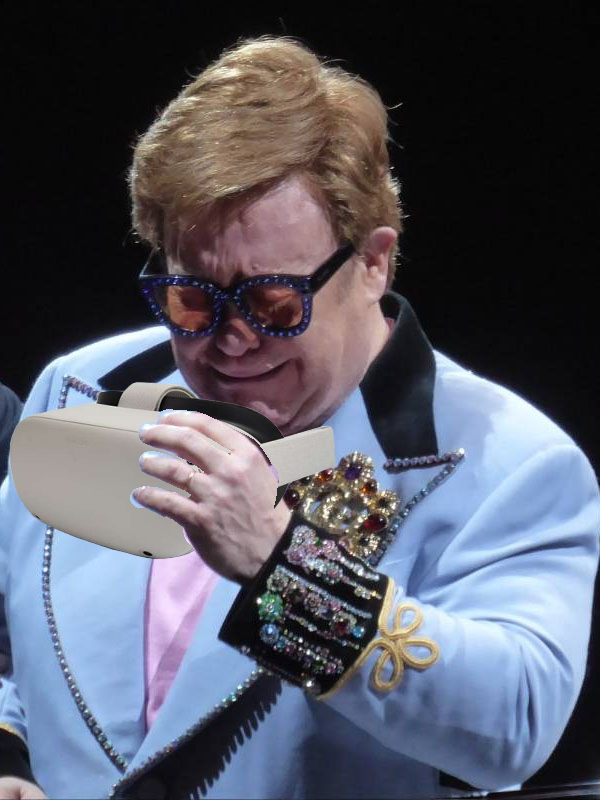
Ok, I'll be that guy. If you need reading glasses try it with them on, if they don't fit in the headset (Elton John) then the dollar store has (smaller) pairs there for a buck. :) I've been playing VR since the start of CV1 and just noticed I needed my glasses when I started VPVR about a month ago. If you already have 20/20 vision without glasses, disregard this reply :)


#10 wiesshund

wiesshund

    VPF Legend

  • Members
  • PipPipPipPipPipPipPip
  • 11,871 posts

  • Flag: United States of America

  • Favorite Pinball: How many can i have?

Posted 15 April 2021 - 12:12 AM

Ok, I'll be that guy. If you need reading glasses try it with them on, if they don't fit in the headset (Elton John) then the dollar store has (smaller) pairs there for a buck. :) I've been playing VR since the start of CV1 and just noticed I needed my glasses when I started VPVR about a month ago. If you already have 20/20 vision without glasses, disregard this reply :)


You mean you can not focus these things on their own, so you can use them without glasses?


If you feel the need to empty your wallet in my direction, i don't have any way to receive it anyways

Spend it on Hookers and Blow


#11 Karlor

Karlor

    Goon Squad

  • Platinum Supporter
  • 397 posts

  • Flag: United States of America

  • Favorite Pinball: The Machine Bride, Freddy, TOTAN, Twister, Batman, TZ, Ghostbusters

Posted 15 April 2021 - 12:41 AM

Ok, I'll be that guy. If you need reading glasses try it with them on, if they don't fit in the headset (Elton John) then the dollar store has (smaller) pairs there for a buck. :) I've been playing VR since the start of CV1 and just noticed I needed my glasses when I started VPVR about a month ago. If you already have 20/20 vision without glasses, disregard this reply :)

Havent checked in a while but you may be able to get custom VR lenses made.. There used to be several places making prescriptions built into the VR warp lenses.. Not terribly priced either.. That would work if you could find them.. or try smaller glasses.. sorry Elton :(


sadelton.png


 I'm just going to set this here and go get a cup of coffee.. DONT TOUCH ANYTHING!! :pardon:  NOT MY LINKS BUT ENJOY  :crazy:

:love39:  *** https://archive.org/details/pinmame31 *** :twiddling:


#12 studlygoorite

studlygoorite

    Enthusiast

  • Silver Supporter
  • 403 posts
  • Location:Stoney Creek, Ontario

  • Flag: Canada

  • Favorite Pinball: Any VR table

  • 360 Gamer Tag: King JJ

Posted 15 April 2021 - 12:59 AM

lol Karlor, I took delivery of my VR Wave prescription lenses a few days ago and they are great (they attach with a magnet so you can easily remove them if sharing the headset). Wiesshund unfortunately not, they have an IPD adjuster that's all.


Edited by studlygoorite, 15 April 2021 - 01:01 AM.


#13 wiesshund

wiesshund

    VPF Legend

  • Members
  • PipPipPipPipPipPipPip
  • 11,871 posts

  • Flag: United States of America

  • Favorite Pinball: How many can i have?

Posted 15 April 2021 - 01:50 AM

lol Karlor, I took delivery of my VR Wave prescription lenses a few days ago and they are great (they attach with a magnet so you can easily remove them if sharing the headset). Wiesshund unfortunately not, they have an IPD adjuster that's all.


Well that stinks
I have only ever used commercial VR hardware, but those you can adjust
Of course those cost some number with lots of commas in it


If you feel the need to empty your wallet in my direction, i don't have any way to receive it anyways

Spend it on Hookers and Blow


#14 OuchTilt

OuchTilt

    Enthusiast

  • Members
  • PipPipPip
  • 198 posts
  • Location:Essex

  • Flag: United Kingdom

  • Favorite Pinball: Elvira and the Party Monsters

Posted 16 April 2021 - 03:53 PM

vrsettingsjpg_t.jpg


I've tried reducing the VR far plane to 5000 with no changes to visuals.


I've upped the super sampling in the quest to 140% anything over seems to hit performance

Also under the Nvidia settings for the program VpinballX_GL.exe I've tried Anisotropic at different multiples as suggested, but doesn't seem to make any difference.


Can OpenComposite be used with Virtual Desktop?


Thanks all


Edited by OuchTilt, 16 April 2021 - 03:56 PM.

blackfx2_cr.jpg  Username:- dallaker


#15 studlygoorite

studlygoorite

    Enthusiast

  • Silver Supporter
  • 403 posts
  • Location:Stoney Creek, Ontario

  • Flag: Canada

  • Favorite Pinball: Any VR table

  • 360 Gamer Tag: King JJ

Posted 16 April 2021 - 04:09 PM

vrsettingsjpg_t.jpg


I've tried reducing the VR far plane to 5000 with no changes to visuals.


I've upped the super sampling in the quest to 140% anything over seems to hit performance

Also under the Nvidia settings for the program VpinballX_GL.exe I've tried Anisotropic at different multiples as suggested, but doesn't seem to make any difference.


Can OpenComposite be used with Virtual Desktop?


Thanks all

Weird, I see the image when I hit reply. My understanding is you need OpenComposite to use the Quest 2 with link, if going through Steam you do not use OpenCompsite as it does not work with Virtual Desktop it uses Steam's version. 


#16 strikekat

strikekat

    Hobbyist

  • Members
  • PipPip
  • 24 posts

  • Flag: United States of America

  • Favorite Pinball: BSD, GNR

Posted 17 April 2021 - 02:13 AM

I would first change the supersampling in VPX itself, the "Supersampling Factor" setting that you see, before changing Oculus' supersampling.

Don't know on VD.. but after some googling, agree with @studlygoorite, it appears to require SteamVR. I would not mess with it (OpenComposite) for now.


#17 OuchTilt

OuchTilt

    Enthusiast

  • Members
  • PipPipPip
  • 198 posts
  • Location:Essex

  • Flag: United Kingdom

  • Favorite Pinball: Elvira and the Party Monsters

Posted 18 April 2021 - 03:28 PM

I would first change the supersampling in VPX itself, the "Supersampling Factor" setting that you see, before changing Oculus' supersampling.

Don't know on VD.. but after some googling, agree with @studlygoorite, it appears to require SteamVR. I would not mess with it (OpenComposite) for now.


Hi all,


I just wanted to update.


I tried a usb 2 cable and used link. The performance gain was very noticeable. Tracking speed was much improved, but no changes to the image.

I've now ordered a usb 3 cable.


I removed all the SS in steam VR and got as far as 1.33 SS in the VPVR settings. Anything over this causes stutter. Again, I'm really struggling to see an visual difference.


I tried OpenComposite, but all I got was a funny shaped zoomed table. I could seem to change it.


I just feel I'm one setting off cracking these visuals.


I have another question if anybody could help. Every time I exit a table it asks me if I want to save the changes I've made to the table. All I've done is play it.


Anyway, had a bit of fun playing today, got my pin table controls hooked up to the laptop. It was great standing at the pin table again, and now in VR.

Many thanks to all that put these tables together, the engine, and members support.


blackfx2_cr.jpg  Username:- dallaker


#18 studlygoorite

studlygoorite

    Enthusiast

  • Silver Supporter
  • 403 posts
  • Location:Stoney Creek, Ontario

  • Flag: Canada

  • Favorite Pinball: Any VR table

  • 360 Gamer Tag: King JJ

Posted 18 April 2021 - 04:13 PM

Just hit "no" to not save unless you've made changes. You did not reply to the glasses thing so I assume your vision is 20/20. If you have your IPD set correctly try staring at one line of text and slowly move the headset up and down to see if the text goes in and out of focus. If it doesn't focus at all then you might have a faulty headset if your vision is 20/20 :) . USB 3 is 10 times faster than USB 2 and I believe USB 3 is recommended so hopefully when your wire comes you will see a difference but USB 2 can still can pass 480Mbps which is more than the max sent to the headset.


#19 OuchTilt

OuchTilt

    Enthusiast

  • Members
  • PipPipPip
  • 198 posts
  • Location:Essex

  • Flag: United Kingdom

  • Favorite Pinball: Elvira and the Party Monsters

Posted 18 April 2021 - 05:38 PM

Just hit "no" to not save unless you've made changes. You did not reply to the glasses thing so I assume your vision is 20/20. If you have your IPD set correctly try staring at one line of text and slowly move the headset up and down to see if the text goes in and out of focus. If it doesn't focus at all then you might have a faulty headset if your vision is 20/20 :) . USB 3 is 10 times faster than USB 2 and I believe USB 3 is recommended so hopefully when your wire comes you will see a difference but USB 2 can still can pass 480Mbps which is more than the max sent to the headset.


Sorry I didn’t reply about the glasses......

My vision is fine, and my headset is working well with other titles.


Regarding the save changes message. I have been pressing “no” when asked, but I’m wonderingly why it’s asking me in the first place. I have made no changes to the game or script.


It’s something I need to sort out because eventually I’d like to use a front end with the tables and this would cause a problem exiting them.


blackfx2_cr.jpg  Username:- dallaker


#20 studlygoorite

studlygoorite

    Enthusiast

  • Silver Supporter
  • 403 posts
  • Location:Stoney Creek, Ontario

  • Flag: Canada

  • Favorite Pinball: Any VR table

  • 360 Gamer Tag: King JJ

Posted 18 April 2021 - 05:53 PM

I run 10.6.2 and do not get asked to save after exiting a table. I do get it every time I exit VR Launcher and was given those instructions from the creator :) You did not mention that you do not have the blurry issues with other titles so all I can recommend is comparing your settings with this   https://docs.google....#h.766pdekwexux


Edited by studlygoorite, 18 April 2021 - 05:54 PM.