Jump to content


Photo
- - - - -

Popeye saves the Earth - Desktop - Vpin 9.2.1 [VP 9.x Desktop]

Popeye Bally Desktop

  • Please log in to reply
24 replies to this topic

#1 mfuegemann

mfuegemann

    Pinball Fan

  • VIP
  • 1,221 posts
  • Location:Cologne

  • Flag: Germany

  • Favorite Pinball: Medieval Madness, Fast Draw


Contributor

Posted 21 April 2014 - 06:44 PM

Posted Image


File Name: Popeye saves the Earth - Desktop - Vpin 9.2.1

File Submitter: mfuegemann

File Submitted: 21 Apr 2014

File Category: VPinMAME 9.x Recreations

Author(s): mfuegemann
Manufacturer: Bally
Year: 1994
ROM: Link to ROM
Permission to MOD?: Yes, without approval


Hi,
 
this is Popeye saves the earth Desktop edition based on my FS version. I never played the original table but this one is really fun. It is quite hard to find good images of this pin, so I am very grateful to Noah who gave me permission to use his playfield scan. I also want to thank Joep / Sean Palmer, who created the VP8 version, as I found out about the right lock mechanism within their table. 
 
Please use VPin 9.2.1 or above (DX9), as previous versions do not support the flasher functionality.
 
At the top of the script is a configuration section, where You can dim the GI and Flashers etc.
 
Some hints:
- beware the nasty outlanes.
- If You come up the blue Animal ramp, You can push the ball to one of the animals by pressing the left flipper key.
- to find Swee Pea have a look at the map on the DMD and choose the doors accordingly
 
This version still has some minor issues:
- the sound level is a bit low for the first ball, then it comes up again
- the GI callback is programmed but is not called from the ROM - strange
- there are still some switch warnings but with no ill effect as far as I know
- DX9 works fine. I added the plunger fix from the FS version
  
Have fun and please use the support topic to address problems or remarks.
 
Michael


Click here to download this file


#2 TnAdct1

TnAdct1

    Hobbyist

  • Members
  • PipPip
  • 11 posts

  • Flag: United States of America

  • Favorite Pinball: Addams Family

Posted 21 April 2014 - 10:04 PM

I tried to play the table on my computer, but everytime, I get the following message:


MACHINE NOT FOUND!! INVALID GAME NAME, OR GAME NAME NOT SET!


#3 bolt

bolt

    VPF Veteran

  • VIP
  • 5,135 posts
  • Location:Kiel / Schleswig Holstein

  • Flag: Germany

  • Favorite Pinball: JP's Deadpool, Harlem Globetrotters, Spiderman and much more

Posted 21 April 2014 - 10:20 PM

Danke für die Desktop Version.


Posted Image

#4 faralos

faralos

    VPF Veteran

  • Members
  • PipPipPipPipPipPip
  • 7,838 posts
  • Location:Eastern Pa,USA

  • Flag: United States of America

  • Favorite Pinball: Flash (Williams) 1979, Flash2 Updated


  • Trophies:

Posted 21 April 2014 - 10:22 PM

Any way we can turn off the flashers so that those of us (me!) who own older computers can play it too

as it sits I cannot use 9.2 at all way too much stuttering even in the new default table

so this pin as lovely as it looks is completely unplayable for me

nice job though!!


"Don’t let the noise of others’ opinions drown out your own inner voice.
And most important, have the courage to follow your heart and intuition.”
----Steve Jobs


#5 truvanca

truvanca

    Neophyte

  • Members
  • Pip
  • 7 posts

  • Flag: Brazil

  • Favorite Pinball: fire action

Posted 21 April 2014 - 10:35 PM

Error machine not found!! Invalidid game name, or game name not set! Plese any HELP?


#6 zocky

zocky

    Hobbyist

  • Members
  • PipPip
  • 11 posts

  • Flag: Germany

  • Favorite Pinball: Terminator

Posted 22 April 2014 - 07:11 AM

pop_la4 rom needed!


gruss

zocky


#7 mfuegemann

mfuegemann

    Pinball Fan

  • VIP
  • 1,221 posts
  • Location:Cologne

  • Flag: Germany

  • Favorite Pinball: Medieval Madness, Fast Draw


Contributor

Posted 22 April 2014 - 07:16 AM

Hi faralos,


You can remove the flashers by selecting layer 7 and 8 and deleting all flasher objects. Then go into the code and remove the flashers in the GI and Flashers section. It is all well named and documented.

You may want to keep the normal lamps for GI.


Regards

Michael


P.S.: I have to check the ROM when I am back at home. Maybe I left it on pop_la4 for test reasons. I will switch it back to pop_lx5. You can do it in the code until I upload the next version.


Edited by mfuegemann, 22 April 2014 - 07:18 AM.


#8 GCS

GCS

    Enthusiast

  • Members
  • PipPipPip
  • 59 posts

  • Flag: ---------

  • Favorite Pinball: Gorgar

Posted 22 April 2014 - 08:35 AM

pop_la4 rom needed!


gruss

zocky


I tried with this rom and i also get the "Error machine not found!! Invalidid game name, or game name not set!"


#9 zocky

zocky

    Hobbyist

  • Members
  • PipPip
  • 11 posts

  • Flag: Germany

  • Favorite Pinball: Terminator

Posted 22 April 2014 - 09:12 AM

Sorry it work for me.

I have edit Script from pop_la4 rom to pop_lx5 rom and it work to.

I use VP9_DX9_test15 and the Game work!


Sorry my English is not the best.


gruss

zocky


#10 GCS

GCS

    Enthusiast

  • Members
  • PipPipPip
  • 59 posts

  • Flag: ---------

  • Favorite Pinball: Gorgar

Posted 22 April 2014 - 12:11 PM

Editing the script and changing to pop-lx5 rom does the trick! Thanks!


#11 truvanca

truvanca

    Neophyte

  • Members
  • Pip
  • 7 posts

  • Flag: Brazil

  • Favorite Pinball: fire action

Posted 22 April 2014 - 02:31 PM

THX!!!! WORKS!!!!!


#12 bha19

bha19

    Pinball Fan

  • Platinum Supporter
  • 1,223 posts
  • Location:South Jersey

  • Flag: United States of America

  • Favorite Pinball: Theatre Of Magic

Posted 22 April 2014 - 11:21 PM

I am using test 14 and get error line 188 object not supported


#13 mfuegemann

mfuegemann

    Pinball Fan

  • VIP
  • 1,221 posts
  • Location:Cologne

  • Flag: Germany

  • Favorite Pinball: Medieval Madness, Fast Draw


Contributor

Posted 23 April 2014 - 06:12 AM

Hi bha19,


this is actually the "old version" error, as line 188 sets the alpha property of the flasher object. Please check Your VPin version (Help - About). Test 14 is working for me and shows version number 9.9


Regards

Michael 


#14 bha19

bha19

    Pinball Fan

  • Platinum Supporter
  • 1,223 posts
  • Location:South Jersey

  • Flag: United States of America

  • Favorite Pinball: Theatre Of Magic

Posted 23 April 2014 - 09:59 AM

Hi bha19,


this is actually the "old version" error, as line 188 sets the alpha property of the flasher object. Please check Your VPin version (Help - About). Test 14 is working for me and shows version number 9.9


Regards

Michael 

Mine says version 9.9 s well


#15 mystereo

mystereo

    Enthusiast

  • Members
  • PipPipPip
  • 81 posts
  • Location:NJ

  • Flag: United States of America

  • Favorite Pinball: Big Bang Bar, Monopoly, Hook, Sorcerer, Dr. Dude

Posted 24 April 2014 - 04:06 AM

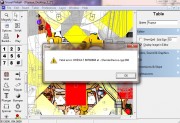
81a344322540707.jpg 

Not sure how to fix. Tried VP9.2.1 all versions. It either locks up PC or gives this error.


Edited by mystereo, 24 April 2014 - 04:28 AM.


#16 mfuegemann

mfuegemann

    Pinball Fan

  • VIP
  • 1,221 posts
  • Location:Cologne

  • Flag: Germany

  • Favorite Pinball: Medieval Madness, Fast Draw


Contributor

Posted 24 April 2014 - 07:54 AM

Hi,


that sounds like a Direct3D error. Please use the official VPin 9.2.1 release.


Regards

Michael


#17 mach2

mach2

    Enthusiast

  • Members
  • PipPipPip
  • 163 posts
  • Location:france

  • Flag: France

  • Favorite Pinball: indy,who dunnit

Posted 24 April 2014 - 10:21 AM

thanks for desktop version,  very nice ;)


#18 mystereo

mystereo

    Enthusiast

  • Members
  • PipPipPip
  • 81 posts
  • Location:NJ

  • Flag: United States of America

  • Favorite Pinball: Big Bang Bar, Monopoly, Hook, Sorcerer, Dr. Dude

Posted 24 April 2014 - 01:12 PM

Thank you, 9.2.1 official release worked.


#19 mfuegemann

mfuegemann

    Pinball Fan

  • VIP
  • 1,221 posts
  • Location:Cologne

  • Flag: Germany

  • Favorite Pinball: Medieval Madness, Fast Draw


Contributor

Posted 24 April 2014 - 02:31 PM

Hi mysterio,


glad to hear that. I have a similiar Dirct3D/DirectDraw issue running VPin DX9 with one of my test PCs. Maybe I find a solution we can test on Your machine as well.


Regards

Michael


#20 CPGagie

CPGagie

    Neophyte

  • Members
  • Pip
  • 5 posts

  • Flag: ---------

  • Favorite Pinball: funhouse

Posted 28 April 2014 - 05:52 PM

Great table and plays well.  The sound is a major issue for me though.  It doesn't get louder after the first ball.  The table sounds are normal, but the effect sounds are hardly audible, I can only just hear them.  I'm using the latest version.


Also tagged with one or more of these keywords: Popeye, Bally, Desktop