Jump to content


Photo
* * * * * 7 votes

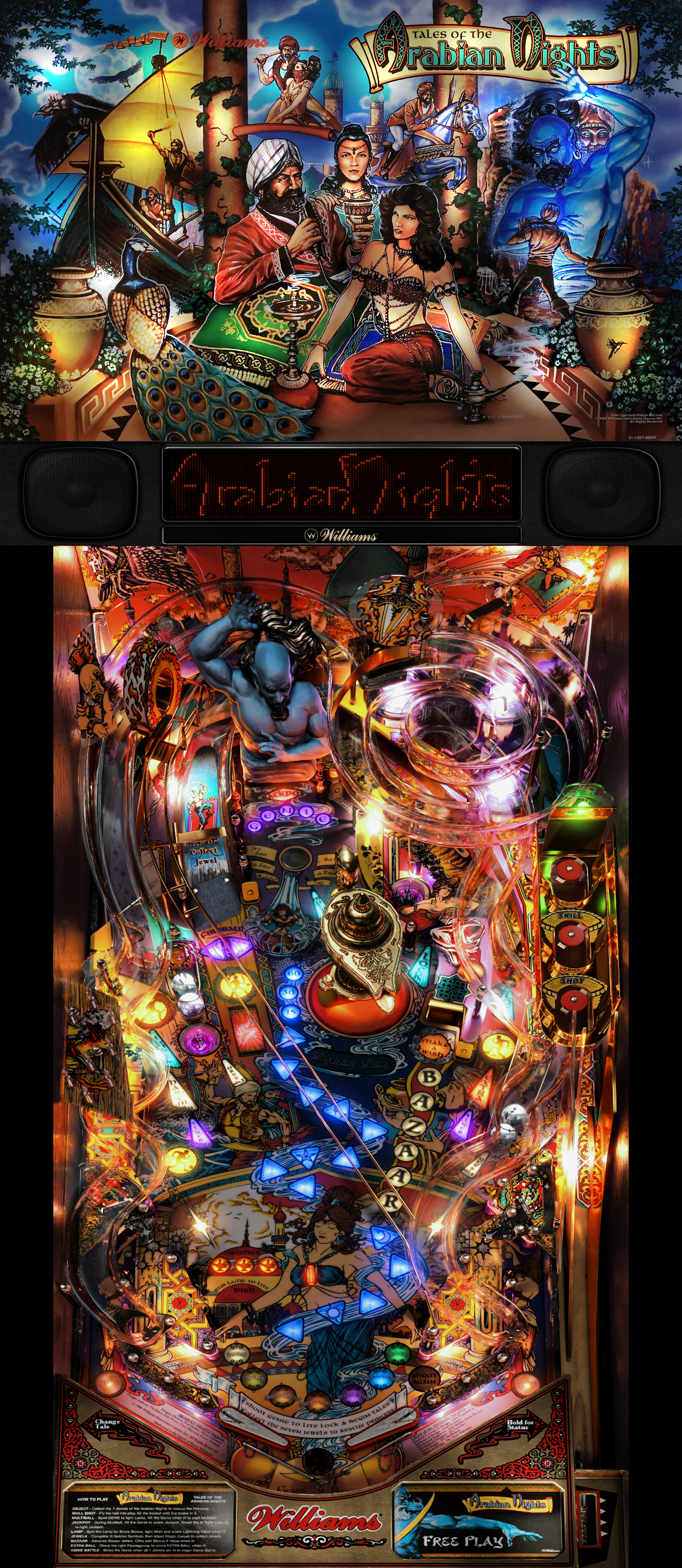
Tales of the Arabian Nights 4k [Visual Pinball X]


  • Please log in to reply
95 replies to this topic

#41 Imgema

Imgema

    Enthusiast

  • Members
  • PipPipPip
  • 78 posts

  • Flag: Greece

  • Favorite Pinball: Dinner

Posted 19 August 2019 - 06:21 PM

If some of you are still looking for a more color neutral look (less orange so to say), I made another LUT specifically for that which will be in version 1.1:

luttotan0_t.png

Import this png image with F3 into the table with the name "LUTtotan0" and add it to line 37 in the script; like this:

replace "luts = array("LUTtotan1", "LUTtotan2", <etc...>" 

with

luts = array("LUTtotan0", "LUTtotan1", "LUTtotan2", <etc...>


I appreciate this addition.


Will probably wait for 1.1 though, so i won't screw things over :P


#42 rascal

rascal

    two-faced as they come

  • VIP
  • 1,374 posts
  • Location:Indiana USA

  • Flag: United States of America

  • Favorite Pinball: Bally Eight Ball


Posted 19 August 2019 - 10:31 PM

Awesome table, Flupper1!!! You raised the bar on perfection.  :tup:  :tup:  :tup:


Posted Image


#43 Vizzini

Vizzini

    Enthusiast

  • Members
  • PipPipPip
  • 212 posts

  • Flag: United States of America

  • Favorite Pinball: ???

Posted 20 August 2019 - 01:06 AM

Does it make sense to have the gear there? since the lamp doesn't move by itself, the ball is making the lamp turning, there is no real motor involved.
It is an open question

Envoyé de mon SM-G970F en utilisant Tapatalk


Incredible everything! :otvclap:
 
Were the lamp gear motor DOF commands (lines 1125 and 1127) intentionally commented out? I kind of notice the gear is not really in sync with the lamp if I let that code run. However, I see you changed the code there too. So, I'm a bit lost trying to figure it out. Just FYI. Gear synced well on previous TOTAN tables...I think.
 
Thanks to all involved!


Yes, they were intentionally commented out as the lamp is free spinning and the gear did't feel right to me.  I left the lines there commented out in case someone wanted to add them for their setup.  I'm guessing that when you say the gear isn't synced it's because it looks like the lamp has stopped but the gear continues to run.  You can try to increase the cDiscMinSpeed variable to see if that helps.


Thanks for the explanation, guys. Makes sense now. I never played a real TOTAN. I guess I got used to the gear from playing on vpx. I think I like it off now that I know it shouldn't be there!


The following should do the trick.


Const cDiscMinSpeed = 5 


Works perfect for those who want the gear. Thanks.


#44 basbi

basbi

    VPX Launcher

  • Members
  • PipPipPip
  • 65 posts

  • Flag: Germany

  • Favorite Pinball: indiana jones

Posted 23 August 2019 - 07:39 PM

Thanks for this amazing table Flupper1!


I bought a gtx 1070 for this table, because i want all settings max.

I hope more of this quality and complexity will come.


Masterpiece!


Edited by basbi, 23 August 2019 - 07:40 PM.


#45 Aubrel

Aubrel

    Enthusiast

  • Members
  • PipPipPip
  • 184 posts

  • Flag: ---------

  • Favorite Pinball: StarTrek

Posted 24 August 2019 - 02:40 PM

Nice update! The defaut LUT is just perfect! Thanks agin for your hard work!!

About Ambient occlusion, what's the problem because I tested it and didn't saw any visual issue ??

It should really be better without?


Here what I get :

Image1.png


It looks just amazing and matches perfectly the backglass !!


Edited by Aubrel, 24 August 2019 - 03:04 PM.


#46 flupper1

flupper1

    Enthusiast

  • Members
  • PipPipPip
  • 464 posts
  • Location:Netherlands

  • Flag: Netherlands

  • Favorite Pinball: Visual Pinball

Contributor

Posted 24 August 2019 - 03:09 PM

You can use AO, but since everything is prerendered, shadows are already in the textures. And for best performance it is best to leave it off. But if it works for you and you like it, there is no issue of course.


#47 bassgeige

bassgeige

    Enthusiast

  • Platinum Supporter
  • 409 posts

  • Flag: Germany

  • Favorite Pinball: Enjoyed on a regular basis.

Posted 25 August 2019 - 04:44 PM

Dream on for new highlights! My imagination was always looking for more, but these days are just to intense to believe them. One highlight after another.


PS but not secondary: LOTR next! :D


#48 danne888666

danne888666

    Neophyte

  • Members
  • Pip
  • 1 posts

  • Flag: ---------

  • Favorite Pinball: Black Knight 2000

Posted 26 September 2019 - 12:06 PM

Awesome table, great work!

I cant seem to get my doflinx RGB lanes to trigger on this table.
Am I missing something?

It works on all my other tables. Something I have to do with new tables like this one?


Thanks for any support.


#49 JLPicard001

JLPicard001

    Enthusiast

  • Members
  • PipPipPip
  • 270 posts
  • Location:Earth

  • Flag: United States of America

  • Favorite Pinball: Attack from Mars, Theatre of Magic

Posted 26 September 2019 - 01:30 PM

Amazing work. You sir have mad skillz like Jessie Pinkman.... But different

#50 Laufwerk33

Laufwerk33

    Neophyte

  • Members
  • Pip
  • 1 posts

  • Flag: Germany

  • Favorite Pinball: Getaway

Posted 04 October 2019 - 10:21 AM

Great work and beautiful table, but there is a small issue when the it releases the balls from lock for multiball. It releases two balls at a time and not one ball individually.

#51 rothbauerw

rothbauerw

    Enthusiast

  • Members
  • PipPipPip
  • 345 posts
  • Location:Wisconsin - USA

  • Flag: United States of America

  • Favorite Pinball: Dr Who, Tee'd Off, Jive Time

Posted 06 October 2019 - 02:07 AM

Great work and beautiful table, but there is a small issue when the it releases the balls from lock for multiball. It releases two balls at a time and not one ball individually.

I see the issue.  We'll have a fix in the next update which shouldn't be too long (within the next couple of weeks).


#52 Rajo Joey

Rajo Joey

    Pinball Fan

  • Members
  • PipPipPipPip
  • 1,489 posts
  • Location:Niedersachsen

  • Flag: Germany

  • Favorite Pinball: Attack from Mars, Abra Ca Dabra and many old EM-Tables

Posted 09 October 2019 - 05:39 AM

Thanks for the update. What a perfection!

Rajo Joey - My front-end-files; Hundreds of Audio- and Videorecordings in high quality for Playfield (4k/60FPS) and Backglass (HD), Wheels & POV-Files: The Media-Post

https://www.facebook...02697096474910/

https://www.facebook...oups/VPAddicts/

https://www.facebook...oups/VPjunkies/


#53 flupper1

flupper1

    Enthusiast

  • Members
  • PipPipPip
  • 464 posts
  • Location:Netherlands

  • Flag: Netherlands

  • Favorite Pinball: Visual Pinball

Contributor

Posted 12 October 2019 - 09:52 AM

@Gerald (COY):

Thanks for reporting Totan as broken, always really helpful. Thank you also for not explaining what is not working. And thanks also for not adding anything to the support thread, like a question or asking for help.


This file has been reported as broken because: Hello,
on october 12, 2019 TOTAN 1.3 seems broken !
Thanks
Gerald (COY)

#54 DuMichAuch

DuMichAuch

    Hobbyist

  • Members
  • PipPip
  • 28 posts

  • Flag: Germany

  • Favorite Pinball: Tron Legacy, Black Hole, CFTBL

Posted 12 October 2019 - 04:58 PM

@flupper1 It is so much easier to report something than to retry the download.... ;) 
Thank you for the update :dblthumb:


#55 80sBear

80sBear

    Hobbyist

  • Members
  • PipPip
  • 20 posts

  • Flag: United States of America

  • Favorite Pinball: Tales of the Arabian Nights

Posted 29 October 2019 - 06:41 PM

AWESOME work!  Thanks so much for all the effort!!


I'm having a minor issue with the sound when the ball is in the multi-ball drop hole (in front of the genie).  When it magnetizes in that spot (not when it drops down for multi-ball), there's a kind of oscillating noise (kind of like a fast bzzzt-wobble..hard to explain) that's a kind of background noise.  Doesn't sound normal.  Same sort of thing happens if the ball pauses before dropping down the vertical lane to the flippers..seems to be the only two spots that happens..


Any idea what might be happening?  I already checked with LatencyMon and there are no issues with performance (8-way i7, dedicated NVidia GTX 1070 card) that should be impacting the game..also can play others like Attack from Mars with smooth as silk performance, though I will note those games are a bit more silky smooth as they run than TOTAN 4K..


Thanks again for all the hard work on this.  It's always been my favorite table by far, so glad to see such an awesome re-creation!


#56 80sBear

80sBear

    Hobbyist

  • Members
  • PipPip
  • 20 posts

  • Flag: United States of America

  • Favorite Pinball: Tales of the Arabian Nights

Posted 29 October 2019 - 09:41 PM

Update - I set FPS Limiter to 1 and Max Pre-Rendered Frames to 1 and "smoothness" of the table is definitely better. 


Still have the sound issues mentioned in my previous post, though.  That didn't make any difference.


Also, when quitting back to the editor (via Q key), the editor crashes.  I did a lot of searching and see this could be related to DMD (I have a PINDMD v3 configured and working) DLLs, Registry entries or other but tried numerous things and it's still happening 9 times out of 10.  Weirdly, it doesn't crash "every" time - just most times..


Thanks for any and all help!


#57 flupper1

flupper1

    Enthusiast

  • Members
  • PipPipPip
  • 464 posts
  • Location:Netherlands

  • Flag: Netherlands

  • Favorite Pinball: Visual Pinball

Contributor

Posted 30 October 2019 - 07:51 AM

Allright, some questions to start:

Performance:
- are you running 10.6 final?
- are you running at 4k res?
- did you disable 4xAA? And in the nvidia settings?
- are all your screens connected to the 1070 card? (Not connected to onboard video)

The noise:
we did program a buzzing magnet sound when the ball is captured in front of the genie and in the torus magnet. You could disable it in the script, is that what you want?

The crashes:
Sorry no ideas on that one... does not happen for me. My dmd is just a lcd monitor.

#58 80sBear

80sBear

    Hobbyist

  • Members
  • PipPip
  • 20 posts

  • Flag: United States of America

  • Favorite Pinball: Tales of the Arabian Nights

Posted 31 October 2019 - 02:12 PM

Hey, Flupper1..thanks for the quick reply.  I've been down for the count last day or so with bad bronchitis so sorry for the delay in responding..


I'm running 10.6.0 Final - Rev 3788, 32-bit

Resolution is 2160 x 3184 for Playfield and 1920 x 1080 for backglass.

DMD is PINDMD v3


By "disable 4xAA" - did you mean "Brute Force 4XAA SSAA" is unchecked?  If so, yes..

Cannot find any option for 4xAA in the NVIDA Control Panel.  Is it called something else?  I do see some anti-aliasing options but nothing on 4XAA..


Both the playfield and backglass monitors are connected to the NVIDIA GTX card.  Main "Console" monitor is not - that's connected to the onboard video as my NVidia card only had 3 monitor outputs.  2nd Console monitor is connected to the NVIDIA card.


Looks like I was incorrect on the model # of the card - it's a GTX 1060 with 6 GB of RAM.  Running driver 416.94 which could be updated, but every time I update an NVidia driver it seems something else breaks :)


On the buzzing - sounds like it's working as intended although maybe the rendition of the buzzing on my system isn't sounding like you guys intended.  Is there a YouTube or other recording I could compare what I'm hearing to?  Or a sound file you could post with that?  No big deal - it just sounded like something might be gorked as it sounds a bit funky on my system..


Will keep digging on the crash..that's a weird one.


Thanks for the help..


PS - I'm running with "Quality SMAA" as recommended in the instructions..


#59 flupper1

flupper1

    Enthusiast

  • Members
  • PipPipPip
  • 464 posts
  • Location:Netherlands

  • Flag: Netherlands

  • Favorite Pinball: Visual Pinball

Contributor

Posted 31 October 2019 - 08:52 PM

The 4xAA is indeed in VPX. In nvidia settings it is called "antialiasing mode", it should be on "application controlled" or "off" for testing to improve performance.

I have seen with others that having a monitor connected to the onboard video of the motherboard can cause performance issues/stuttering. 


Potential things for improving performance:

- disable your DMD to see if that is causing the performance issues (no fix, but good to know)

- unplug the "console" monitor to see if that is causing the performance issues (no fix, but good to know)

- In VPX video/graphics settings disable ambient occlusion (both checkboxes) 

- enable "force exclusive fullscreen mode" (and set ddraw = 0 in the registry)

If this does not help/indicate issues, I am fresh out of ideas.


About the sound:

if you open the sound manager in VPX (F2) look for the fx_magnet sound, that is it. You can test it in the sound manager by selecting it and pressing play.


#60 80sBear

80sBear

    Hobbyist

  • Members
  • PipPip
  • 20 posts

  • Flag: United States of America

  • Favorite Pinball: Tales of the Arabian Nights

Posted 02 November 2019 - 03:02 PM

Thanks, Flupper1..performance is actually pretty good all in all, especially since I adjusted Max Pre-Rendered Frames and FPS Limiter - didn't mean to give the impression that it was bad in any way..just seemed a 'tad' less smooth than AFM, but many VPX tables are that way.  AFM just seems to play like silk on my rig for some reason, so no idea why that table is that much different than others..


Since I've had other sound issues on other tables (really my original issue with the magnet in front of the genie and the lane drops) that were apparently being caused by performance, I did think maybe there was something happening that was slowing things down at those specific points only.  But, it turns out playing fx_magnet in the sound manager that it's the sound itself..sounds more like vibrating whitenoise than a magnetized sound.  Hard to describe, so maybe I'll have to take an audio recording of it and post it so that you can tell me if that's what you guys intended for it to sound like..but, if that's the way it's supposed to sound - that's great..just did not know if maybe I was running into an issue.


FWIW, ddraw = 0 is set in the registry entry for the table..antialiasing is set to app controlled in NVidia..all other video settings are as you recommended.


The only other issue I seem to have (and it's really a nit overall) is that I can't see the ball in the plunger lane when it first becomes available to launch.  I'm guessing that's because I had to tweak the POV since I have a Portrait vs Landscape playfield..(have it set that way as I also use the box for FX3)..here are my POV settings:


Inclination: 6

Field of View: 45

Layback: 65

XY Rotation: 0

X Scale: 1.35

Y Scale: 1

Z Scale: 1

X Offset: 0

Y Offset: 0

Z Offset: -500


Since I've been pretty ill this week, I haven't really had a chance to play around with these any to see if I can get the ball visible when it first drops into the launch lane..I could probably play around and might get lucky / figure it out randomly, but if you have any suggestions, would appreciate anything you can think of to get the ball visible when it first drops..


Thx..


Edited by 80sBear, 02 November 2019 - 03:03 PM.