Jump to content


Photo
* * * * * 1 votes

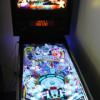
Star_Wars_VP9_Mod_FS_Rob046_Shoopity_Dark_v1.5 [VP 9.x Cabinet FS MOD]

Primitives Star Wars Data East

  • Please log in to reply
111 replies to this topic

#1 Shoopity

Shoopity

    Pinball Fan

  • Members
  • PipPipPipPip
  • 691 posts
  • Location:Colorado

  • Flag: United States of America

  • Favorite Pinball: Medieval Madness

Contributor

Posted 25 July 2014 - 06:09 PM

Posted Image


File Name: Star_Wars_VP9_Mod_FS_Rob046_Shoopity_Dark_v1.5

File Submitter: Shoopity

File Submitted: 25 Jul 2014

File Category: VP 9.x MOD Cabinet Tables (FULL SCREEN)

Author(s): JPSalas
Rob046
Shoopity
Dark
Manufacturer: Data East
Year: 1992
ROM: Link to ROM
Permission to MOD?: Yes, without approval


This is a mod, technically, of Rob046's mod; so everything he modded (e.g. adding BMPR) is included.  He modded JPSalas' original recreation..  See change log for the mods I did.


Click here to download this file


#2 Shoopity

Shoopity

    Pinball Fan

  • Members
  • PipPipPipPip
  • 691 posts
  • Location:Colorado

  • Flag: United States of America

  • Favorite Pinball: Medieval Madness

Contributor

Posted 25 July 2014 - 06:32 PM

Alrighty everyone, here's the mod of rob046's table (with his blessings).  I've applied all the updates from the most recent desktop version.  As always, let me know any issues.  I've seen a few posts saying the DS isn't showing for some people.  I don't know what could be causing it.  The fact that there are no error messages tells me the mesh is there; the fact that it's not a white blob tells me isn't not a lack of texture (texture-less primitives are bleach white).  If I had to take a stab in the dark, I would say make sure the Visible box is checked in the editor?


#3 numiah

numiah

    Pinball Fan

  • Validating
  • PipPipPipPip
  • 984 posts
  • Location:Netherlands

  • Flag: Netherlands

  • Favorite Pinball: TOTAN

Posted 25 July 2014 - 06:56 PM

For some reason the table is shifted to the right by 2 inches.

Can't see the shooter lane and there is a black bar on the left.


Using latest DX build.


edit, changed x-offset to -405 and Y-scale to 2.15


Edited by numiah, 25 July 2014 - 07:01 PM.

**Each pinball machine is a tiny universe... that we control.**


#4 Shoopity

Shoopity

    Pinball Fan

  • Members
  • PipPipPipPip
  • 691 posts
  • Location:Colorado

  • Flag: United States of America

  • Favorite Pinball: Medieval Madness

Contributor

Posted 25 July 2014 - 07:05 PM

I didn't make any changes to Rob's table, not sure how that got changed.  I'll upload a new version, but to save you the download, just change the X Offset (in the Backdrop settings of the editor) to -390~-400.


#5 dark

dark

    3D model-man

  • VIP
  • 1,937 posts
  • Location:Toronto

  • Flag: Canada

  • Favorite Pinball: Star Wars, AbraCadaBra,MB, LAH,JPark...too many to choose!

Contributor

Posted 25 July 2014 - 07:35 PM

Some one is supposed to get me scans of the R2 decals some time soon, when I get my hands on those I'll bring my attention to this, hopefully you have all the kinks worked out by then! :)


#6 goesta

goesta

    Enthusiast

  • Members
  • PipPipPip
  • 127 posts
  • Location:Montreal

  • Flag: Canada

  • Favorite Pinball: Grand Lizard, T2,F14

Posted 25 July 2014 - 09:52 PM

R2 decals !!!

Thank you all for your work, updating this table! :-)


#7 RNunez187

RNunez187

    Enthusiast

  • Platinum Supporter
  • 250 posts
  • Location:Mundelein, IL

  • Flag: United States of America

  • Favorite Pinball: Scared Stiff

  • PS3 Gamer Tag: RNunez187
  • 360 Gamer Tag: RNunez187

Posted 25 July 2014 - 10:02 PM

I get an error trying to download it so I'll try again later


stfsgv.png


#8 naboodiver

naboodiver

    Enthusiast

  • Platinum Supporter
  • 400 posts
  • Location:East Tennessee and former Hoosier

  • Flag: United States of America

  • Favorite Pinball: Scared Stiff, Attack from Mars, Indiana Jones, Addams Family

Posted 25 July 2014 - 11:55 PM

My backdrop setting:   Inclination 10, field of view 20, layback 80, xy rotation 270, X-scale 1.3025, Y-scale 2.0, Z-scale 1, x-offset -395, Y-offset 200, Z-offset 0...    Probably not perfect but I think it looks pretty good.


#9 naboodiver

naboodiver

    Enthusiast

  • Platinum Supporter
  • 400 posts
  • Location:East Tennessee and former Hoosier

  • Flag: United States of America

  • Favorite Pinball: Scared Stiff, Attack from Mars, Indiana Jones, Addams Family

Posted 26 July 2014 - 03:46 AM

Forgot to say thanks... Shame on me..   I have been waiting a long time for an update of R2 and the death star.    Thank you !!!   Makes playing even more fun now.


Edited by naboodiver, 26 July 2014 - 08:02 PM.


#10 Shadowsclassic

Shadowsclassic

    Pinball Fan

  • Members
  • PipPipPipPip
  • 1,449 posts
  • Location:Depauw, Indiana

  • Flag: United States of America

  • Favorite Pinball: Elvira and the Party Monsters

Posted 26 July 2014 - 06:45 PM

Thanks guys, this table is looking better all the time!


#11 BobAlbright

BobAlbright

    Pinball Wizard

  • Platinum Supporter
  • 2,304 posts
  • Location:York, Pa. USA

  • Flag: United States of America

  • Favorite Pinball: Attack from Mars

Posted 26 July 2014 - 11:36 PM

Shoop..Thank you for the update on this fun table. Much appreciated! And I tried Naboo's settings and ended up with a large black space at the bottom of the table, so I went back to the settings you posted, Shoop. .....Which kinda confuses me. I'm sure Naboo's would not be using his posted settings if he had the same appearance.

"and in the end , the love you take is equal to the love you make"


#12 CJS

CJS

    Tommy with Training Wheels

  • Members
  • PipPipPip
  • 110 posts
  • Location:Australia

  • Flag: Australia

  • Favorite Pinball: My real Pinbot :) VP: America's Most Haunted, Star Trek 2013, Joker Poker, Abra Ca Dabra, AFM, Flash Gordon, ah I could go on forever

Posted 27 July 2014 - 12:19 AM

Thanks for this update :) Love R2 and the Death Star. But this table is let down by the low quality playfield. Really look forward to a newie of that one day :)

#13 Shadowsclassic

Shadowsclassic

    Pinball Fan

  • Members
  • PipPipPipPip
  • 1,449 posts
  • Location:Depauw, Indiana

  • Flag: United States of America

  • Favorite Pinball: Elvira and the Party Monsters

Posted 27 July 2014 - 12:35 AM

Shoop..Thank you for the update on this fun table. Much appreciated! And I tried Naboo's settings and ended up with a large black space at the bottom of the table, so I went back to the settings you posted, Shoop. .....Which kinda confuses me. I'm sure Naboo's would not be using his posted settings if he had the same appearance.

Odd, when I loaded this latest update up the table was way off to the right.  I scrolled back the list looking for setting and ran into naboodiver's first. I tried them and they were perfect for my setup. 


#14 The Loafer

The Loafer

    Pinball Wizard

  • VIP
  • 3,472 posts
  • Location:Embrun, Ontario, Canada

  • Flag: ---------

  • Favorite Pinball: Superman, Firepower & Tron


Posted 27 July 2014 - 01:38 AM

Fun release, many thanks.


Question:  Once the deathstar starts spinning, it doesn't really stop.  Is that normal?  It looks kind of odd to see it keep spinning and spinning with the two light sources stationary.


#15 Horrible

Horrible

    Enthusiast

  • Members
  • PipPipPip
  • 138 posts
  • Location:London

  • Flag: United Kingdom

  • Favorite Pinball: Data East Star Wars, Star Trek 25th

Posted 27 July 2014 - 07:49 AM

Shoop..Thank you for the update on this fun table. Much appreciated! And I tried Naboo's settings and ended up with a large black space at the bottom of the table, so I went back to the settings you posted, Shoop. .....Which kinda confuses me. I'm sure Naboo's would not be using his posted settings if he had the same appearance.

Odd, when I loaded this latest update up the table was way off to the right.  I scrolled back the list looking for setting and ran into naboodiver's first. I tried them and they were perfect for my setup.

These settings work for me, but may not be perfect for everyone:
http://www.vpforums....=28338&p=272886
H

Win 7 Pro 64 Bit Sp1, [email protected], 8GB DDR3 RAM

NVIDIA GeForce GTX 950 2Gb, NVIDIA GeForce GT 610 1Gb

Crucial MX250Gb Primary' Samsung 840 128 Gb Backup

Corsair CX750 PINDMD3


#16 arngrim

arngrim

    DJ Force Feedback

  • VIP
  • 2,188 posts
  • Location:Charleroi, Belgium

  • Flag: Belgium

  • Favorite Pinball: Monster bash


Posted 27 July 2014 - 08:47 AM

i had an error when a second ball went to the left down hole, 


error controller 0


i'm not 100 % if that caused the issue but i got the popup twice, and until the balls were ejected


#17 Nemo

Nemo

    Pinball Fan

  • Platinum Supporter
  • 1,283 posts
  • Location:Netherlands

  • Flag: Netherlands

  • Favorite Pinball: Monster Bash

Posted 27 July 2014 - 11:53 AM

Nice release ! Sure the playfield is just so-so but it plays soooo good, played this IRL only once

and was waiting for a vp version, so THANK YOU ! Love the toys as is, they look stunning and they

rotate so smooth !


Great Table !


Gone fishin', no really.......

My F14 Cab http://www.vpforums....showtopic=21820

My Coffee Table http://www.vpforums....topic=25407&hl=

My Jukebox WIP http://www.vpforums....topic=23825&hl=


#18 Shoopity

Shoopity

    Pinball Fan

  • Members
  • PipPipPipPip
  • 691 posts
  • Location:Colorado

  • Flag: United States of America

  • Favorite Pinball: Medieval Madness

Contributor

Posted 27 July 2014 - 08:35 PM

Fun release, many thanks.


Question:  Once the deathstar starts spinning, it doesn't really stop.  Is that normal?  It looks kind of odd to see it keep spinning and spinning with the two light sources stationary.


I maybe played this game once or twice in my life, possibly 15+ years ago.  From what I can tell from the manual, the DS spinning is the same as R2's spinning; each motor's solenoid is hooked up to the same power switch.  There are lights listed in the manual, but I can't tell what lights are suppose to be there from any of the videos I've seen; TNT Amusements did a mod but I couldn't see the effect.  The lighting effects that are there are just something I threw together because JPSalas had some lighting.  I figures they're suppose to be GI lightining effects (like, there's a yellow light shining on the DS.


Future update will include modified pop bumpers to be more like the "extra tall" bumpers.  Also I'm going to try and put in the sound effect they make too if I can get a good quality one (anyone have this game that can record the sound one of them make?).



#19 LoadedWeapon

LoadedWeapon

    The Night Owl..

  • Members
  • PipPipPipPipPip
  • 2,572 posts
  • Location:South Carolina USA

  • Flag: United States of America

  • Favorite Pinball: Star Trek TNG


Posted 27 July 2014 - 09:50 PM

I did some work on the images awhile back and added them to this mod.. if you think it looks any better i can share them..

Attached File  SW.png   2.52MB   20 downloads


#20 evilantal

evilantal

    Enthusiast

  • Members
  • PipPipPip
  • 110 posts
  • Location:Arnhem

  • Flag: Netherlands

  • Favorite Pinball: Star Wars

Posted 28 July 2014 - 06:04 AM

I did some work on the images awhile back and added them to this mod.. if you think it looks any better i can share them..


TheLoafer, it looks like the top of the r2 dome in your screenshot is transparent, like you can see the back wall through it. I also seem to have that issue. Can you confirm?


Also tagged with one or more of these keywords: Primitives, Star Wars, Data East