

- View New Content
-
Getting Started
-
Tutorials
Tutorial Categories
Tutorials Main Page Installation and Setup Downloadable TutorialsROM Adjustments
Number of Balls Adjustments Volume Adjustments
-
Visual Pinball Tables
VP 8 Desktop Tables
All VPM Recreations VP Recreations VP/VPM MODs VP Originals ROMsVP 9 Desktop Tables
All VPM Recreations VP Recreations VP/VPM MODs VP Originals ROMsVP9 Cabinet Tables
All Full Screen Cabinet Full Screen B2S Cabinet Spanned Cabinet Tables Media Packs ROMsVPX Tables
All VPinMAME Recreations VPX- - /VPinMAME - MOD Tables VPX Recreations VPX Originals Media Packs ROMs VR
-
Frontend Media & Backglass
Media Packs
Complete Media Packs Wheel Logos VideosBackglasses
dB2S Animated Backglasses UVP Animated Backglasses Topper Images
- Future Pinball Tables
-
Design Resources
Main Resources
Table Templates Playfield Images Image Library Sound Library Key CodesVP Guides
VP8 Guide - English VP8 Guide - Deutsch VP9 Guide - English VP9.1.x Guide - English VP Object Guide VPM DocumentationFuture Pinball Resources
Playfield Images 3D Model LibraryFuture Pinball Guides
FP Script Guide Big Draco Script Guide FP Table Design Guide FP DMD Guide
- Other Features
- Bug Tracker
- Image Gallery
- Blogs
-
More

Submitter
SUPPORT TOPIC File Information
- Submitted: Sep 07 2016 11:25 PM
- Last Updated: Sep 07 2016 11:25 PM
- File Size: 15.14MB
- Views: 4246
- Downloads: 244
-
Author(s):
DarthMarino
Destruk
Kristian
Gaston
TAB - Manufacturer: Williams
- Year: 1981
-
IPDB Link:

- ROM: Link to ROM
- Permission to MOD?: Yes, without approval
Download Hyperball (Williams, 1981) VP9 Analog Control Version 1.0.0
 1 Votes
hyperball williams flipperless steve ritchie analog
 1
1
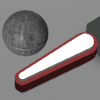
This is a reskin of the existing Hyperball table (originally by Destruk, Kristian, Gaston and TAB) made for high definition displays.
The main purpose of this release is to allow for analog control input. The original table had two rotating handles that could be turned to aim anywhere on the playfield. The digital controls make it hard to make precise shots and to turn quickly from one side of the table to the other. I have included an updated digital-control version for those wishing to play with their flipper and Magna Save buttons.
There are 3 versions of Hyperball included in this download:
Analog X-Axis Version
Analog Z-Rotation Version
Digital Version
If you are using the DIGITAL VERSION, then no special installation is necessary. The shooter will rotate at a set speed. The controls are as follows:
Flipper Buttons- Turn Shooter
Magna Save Buttons - Shoot Ball
Plunger Button- Z-bomb (screen clearing special attack)
1 - Start One-Player Game (press again for extended game)
2 - Start Two-Player Game (press again for extended game)
*Note- If your flippers are mapped to something like 1 & 2, they may not work, just remap them in VP if this is the case.
If you are using an ANALOG VERSION, you will first need to install Rascal's VP Mouse and Joystick Input Plugin. I have included this in the file. Run the setup of this program and install it into the folder where your Tables are. The installation does tend to hang for a bit it shouldn't take longer than a minute or so.
There are multiple methods of analog controls that can be used to aim the shooter:
X-Axis
Y-Axis
Z-Axis
X-Rotation
Y-Rotation
Z-Rotation
Slider0
Slider1
First identify which method you will be using. The X-Axis version is probably what most people will use. It works with your standard joystick axis. The Z-Rotation version is the most accurate to the original machine. This is typically the rotation on a flight stick handle but can also be used on secondary analog sticks on gamepads. Since you are likely going to use one of these, I have included a preconfigured table for both. Just start up the proper version.
If you wish to use another axis or slider, then you need to modify the script. Open the X-Axis version and click replace in the edit menu of the script. Search for JXAXIS and replace it with the one of the following that you wish to use:
jyaxis for Joystick Y Axis
jzaxis for Joystick Z Axis
jxrotation for Joystick X-Rotation
jyrotation for Joystick Y-Rotation
jslider0 for Joystick Slider 0
jslider1 for Joystick Slider 1
*Note: The Plugin can be temperamental. If the controls aren't working, close Visual Pinball and try again. They may stop working if you pause the game. It is best to only have one joystick/gamepad plugged in when playing this.
The controls are the same except the analog axis now aims the shooter instead of the flipper buttons.
The main purpose of this release is to allow for analog control input. The original table had two rotating handles that could be turned to aim anywhere on the playfield. The digital controls make it hard to make precise shots and to turn quickly from one side of the table to the other. I have included an updated digital-control version for those wishing to play with their flipper and Magna Save buttons.
There are 3 versions of Hyperball included in this download:
Analog X-Axis Version
Analog Z-Rotation Version
Digital Version
If you are using the DIGITAL VERSION, then no special installation is necessary. The shooter will rotate at a set speed. The controls are as follows:
Flipper Buttons- Turn Shooter
Magna Save Buttons - Shoot Ball
Plunger Button- Z-bomb (screen clearing special attack)
1 - Start One-Player Game (press again for extended game)
2 - Start Two-Player Game (press again for extended game)
*Note- If your flippers are mapped to something like 1 & 2, they may not work, just remap them in VP if this is the case.
If you are using an ANALOG VERSION, you will first need to install Rascal's VP Mouse and Joystick Input Plugin. I have included this in the file. Run the setup of this program and install it into the folder where your Tables are. The installation does tend to hang for a bit it shouldn't take longer than a minute or so.
There are multiple methods of analog controls that can be used to aim the shooter:
X-Axis
Y-Axis
Z-Axis
X-Rotation
Y-Rotation
Z-Rotation
Slider0
Slider1
First identify which method you will be using. The X-Axis version is probably what most people will use. It works with your standard joystick axis. The Z-Rotation version is the most accurate to the original machine. This is typically the rotation on a flight stick handle but can also be used on secondary analog sticks on gamepads. Since you are likely going to use one of these, I have included a preconfigured table for both. Just start up the proper version.
If you wish to use another axis or slider, then you need to modify the script. Open the X-Axis version and click replace in the edit menu of the script. Search for JXAXIS and replace it with the one of the following that you wish to use:
jyaxis for Joystick Y Axis
jzaxis for Joystick Z Axis
jxrotation for Joystick X-Rotation
jyrotation for Joystick Y-Rotation
jslider0 for Joystick Slider 0
jslider1 for Joystick Slider 1
*Note: The Plugin can be temperamental. If the controls aren't working, close Visual Pinball and try again. They may stop working if you pause the game. It is best to only have one joystick/gamepad plugged in when playing this.
The controls are the same except the analog axis now aims the shooter instead of the flipper buttons.


Other files you may be interested in ..
- 18,482 Total Files
- 57 Total Categories
- 880 Total Authors
- 25,903,818 Total Downloads
- King Arthur and his Round Table Latest File
- Conrado Latest Submitter
user(s) are online (in the past 15 minutes)
members, guests, anonymous users


 are all trademarks of VPFORUMS.