

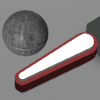


File Name: Hyperball (Williams, 1981) VP9 Analog Control Version
File Submitter: DarthMarino
File Submitted: 07 Sep 2016
File Category: VP/VPinMAME 9.x - MOD Tables
Author(s): DarthMarinoDestruk
Kristian
Gaston
TAB
Manufacturer: Williams
Year: 1981
ROM: Link to ROM
Permission to MOD?: Yes, without approval
This is a reskin of the existing Hyperball table (originally by Destruk, Kristian, Gaston and TAB) made for high definition displays.
The main purpose of this release is to allow for analog control input. The original table had two rotating handles that could be turned to aim anywhere on the playfield. The digital controls make it hard to make precise shots and to turn quickly from one side of the table to the other. I have included an updated digital-control version for those wishing to play with their flipper and Magna Save buttons.
There are 3 versions of Hyperball included in this download:
Analog X-Axis Version
Analog Z-Rotation Version
Digital Version
If you are using the DIGITAL VERSION, then no special installation is necessary. The shooter will rotate at a set speed. The controls are as follows:
Flipper Buttons- Turn Shooter
Magna Save Buttons - Shoot Ball
Plunger Button- Z-bomb (screen clearing special attack)
1 - Start One-Player Game (press again for extended game)
2 - Start Two-Player Game (press again for extended game)
*Note- If your flippers are mapped to something like 1 & 2, they may not work, just remap them in VP if this is the case.
If you are using an ANALOG VERSION, you will first need to install Rascal's VP Mouse and Joystick Input Plugin. I have included this in the file. Run the setup of this program and install it into the folder where your Tables are. The installation does tend to hang for a bit it shouldn't take longer than a minute or so.
There are multiple methods of analog controls that can be used to aim the shooter:
X-Axis
Y-Axis
Z-Axis
X-Rotation
Y-Rotation
Z-Rotation
Slider0
Slider1
First identify which method you will be using. The X-Axis version is probably what most people will use. It works with your standard joystick axis. The Z-Rotation version is the most accurate to the original machine. This is typically the rotation on a flight stick handle but can also be used on secondary analog sticks on gamepads. Since you are likely going to use one of these, I have included a preconfigured table for both. Just start up the proper version.
If you wish to use another axis or slider, then you need to modify the script. Open the X-Axis version and click replace in the edit menu of the script. Search for JXAXIS and replace it with the one of the following that you wish to use:
jyaxis for Joystick Y Axis
jzaxis for Joystick Z Axis
jxrotation for Joystick X-Rotation
jyrotation for Joystick Y-Rotation
jslider0 for Joystick Slider 0
jslider1 for Joystick Slider 1
*Note: The Plugin can be temperamental. If the controls aren't working, close Visual Pinball and try again. They may stop working if you pause the game. It is best to only have one joystick/gamepad plugged in when playing this.
The controls are the same except the analog axis now aims the shooter instead of the flipper buttons.
Click here to download this file
 Top
Top


 are all trademarks of VPFORUMS.