


Hi everyone,
for those who don't have a virtual pinball machine at home there is a possibility to get a bit of that good old pinball machine feeling! I have a USB pinball controller in mind,
a device build with original pinball hardware. How i came up with this idea... Admiring the virtual pinball cabinets with huge displays i discovered i really won't one of these.
It had to be a pinball and arcade combo a small table that suits the litle bit of space i have to spare. Soon it was clear i have no spare space not even a little bit! But i have
2 full HD displays on my desk that i made use of, having the table on one and the glass on the other. Using the keyboard to play VP is alright, however the clicking noise of
a micro switch when banging on the "Happy Style Button" like a maniac... That's a really fun experience!
But how to carry out the „Pinball Arcade Joystick“ operation without a work shop? Well you have to adapt the design. So i did, but first i did a research on the i- net.
It was obvious the hardware comes strait out of the Peoples Republic of China, but you can do better than about a 100 bucks, if you like. The parts i had in mind were a USB
connector, a joystick controller, arcade buttons and the joystick itself. I thought i add some 5mm mercury tilt switches for the tilt function, but i abandoned this idea. The main
joystick body is made in the manner arcade cabins are made, simple and functional. The joystick controller got feet for fastening, some nice screws for visual appealing were
also purchased. Thread inserts, wood and glue are required and of course the wood itself cut to the dimensions at your Home Depot/ hardware store.
You will need a drill, some forstner drill bits. A drill stand is very handy if you don’t have a drill press. Designing the deck was not very complicated ones i decided to take
measurement of my arm to profit ergonomic. Don’t worry this will fit you just fine. Twenty button holes had to be drilled, yes i have 20 Happy Arcade Style buttons.
Parts used:
1. Happy Style Arcade Buttons.
2. Sanwa JLFTP8YT
2. Zero Delay USB Encoder (PS3 Compatible).
3. XLR CP30111 B A Gender Change Feed Through Socket.
4. M5 Thread inserts.
5. Some screws and wood.
Here is the seller i bought the buttons and joystick combo, it is meant to compare and recognize the parts if you would choose to hold on to my design:
https://www.ebay.com/usr/1688danielxie
There are many options to choose from or to mismatch the components.
Here are some images of the real deal. The part with the red sealing on the front is the XLR CP30111 connector to connect the device via a USB
printer cable.
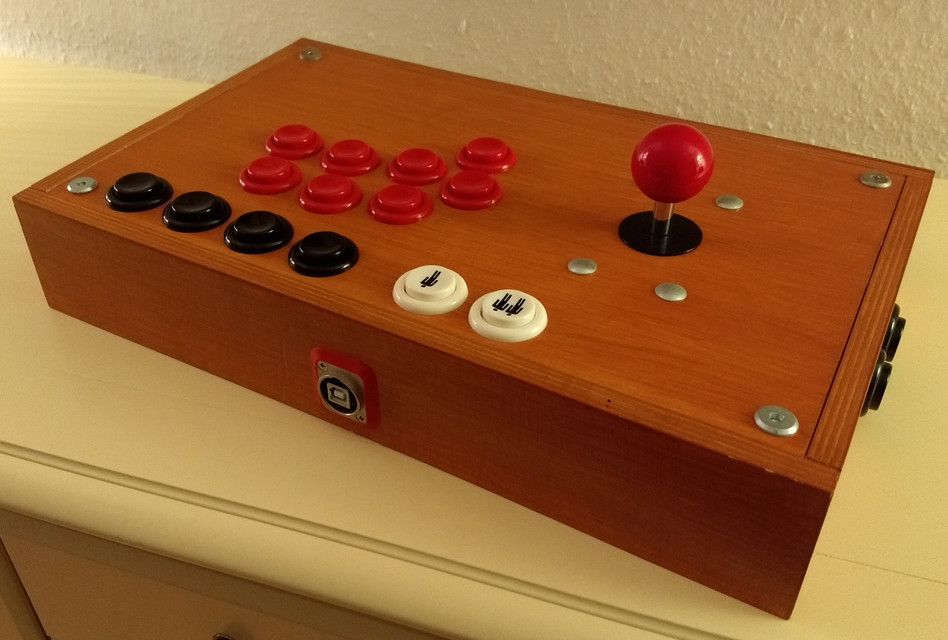
View from the rear shows the sunk in buttons to avoid accidental pressing. Also a good surface to rest the device up words.
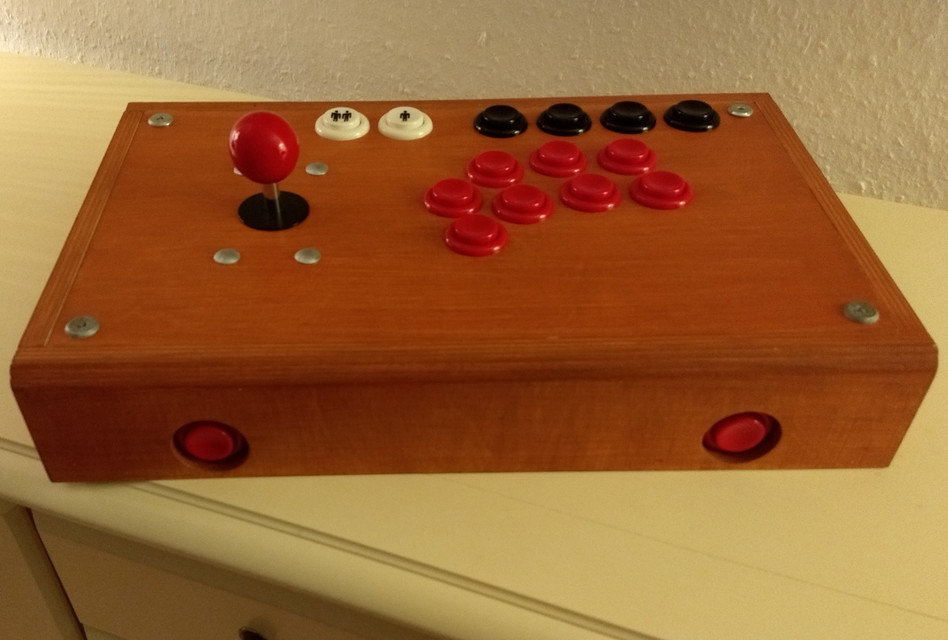
Side view reviles the side buttons used for pinball, 2 on each side.

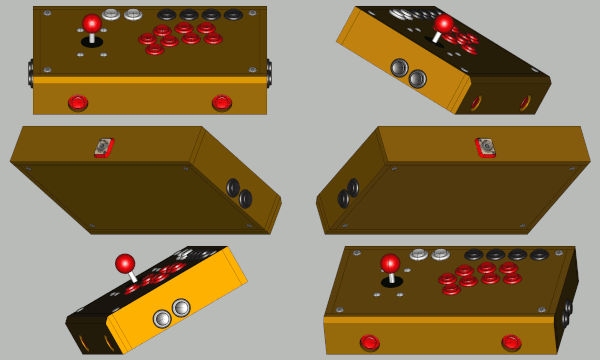
The complete dimensions and assembly as well as the screws, hole positions are on Grabcad in form of a 3D model, get it here:
https://grabcad.com/library/arcade-pinball-joystick-1
You can preview it on GrabCAD directly being in the 3D viewer use "Section", "Explode", "Measure".
And this is how the model looks like:

The model contains wood screws, all screws oriented horizontally can be replaced by wood glue. Access is granted unscrewing top and
bottom.
To get the dimensions open the model using FreeCAD, it is the most simple program to manage. It is open source, absolutely free!
You don't have to install it just follow this link to download it: "https://github.com/F...g/weekly-builds"
If you are a windows user, just stick to Win-conda. My model is metric you should have this in mind when importing the STEP file. Now
unzip FreeCAD to a path of your choice, and navigate to ...\FreeCAD_weekly-builds-26761-Win-Conda_vc14.x-x86_64\bin\freecad.exe
make a shortcut for your comfort.
To operate the hole FreeCAD circus, refer to Youtube tutorials like these, there are tons in various languages:
1. MangoJellySolutions
_
2. Joko Engineeringhelp
3. Bugman
https://www.youtube....man_Br/featured
4. Mads Leth Danielsen
https://www.youtube....A66efg9Q/videos
If you have a pinball controller project on your hand, maybe you could share it here. I would love to see it.
Hope you like my show off, may it inspire you...
Cheers.
Edited by jimmihenry, 07 January 2022 - 02:59 PM.
 Top
Top



 Contributor


 are all trademarks of VPFORUMS.