
OK made it, but nothing changed. I tested with 20 to -100. Damned, I will play this nice tablee with 10.7
Thanks for your help bigus.
regards
bolt
Edited by bolt, 12 June 2024 - 07:55 AM.



 2 votes

VPF Veteran



Posted 12 June 2024 - 07:54 AM
OK made it, but nothing changed. I tested with 20 to -100. Damned, I will play this nice tablee with 10.7
Thanks for your help bigus.
regards
bolt
Edited by bolt, 12 June 2024 - 07:55 AM.

Pinball Fan


Posted 12 June 2024 - 10:54 AM
I reckon that if Fren has it working without any changes then it's likely an emulator or 10.8 version issue rather than the table. I've seen some pretty granular version requirements for tables around the traps, which suggests that issues are still being found and fixed and this anomaly might be one of those, hopefully. I recommend 10.7 for this table for now.
Pinball Fan

Posted 12 June 2024 - 12:10 PM
Hobbyist


Posted 15 June 2024 - 11:01 AM
I have a very strange problem.
If I run the table in 10.7 - DOF for the flippers does not work. DOF works for the slingshot, bumpers, knocker, etc - but NOT flippers.
If I run the table in 10.8 - DOF works for the flippers, but then I have all those other problems (red smudges all over the table lcd, etc)
I can't figure out why the DOF for the flippers would not work when running the table in 10.7
Hobbyist


Posted 02 July 2024 - 09:27 PM
Just in case this is useful to anyone else who may have been puzzling over my weird issue:
I got a new PC, did a fresh install through the Baller Installer, moved over my backed-up tables, scripts, nvram, etc., and for whatever unknown reason, this table now plays flawlessly as it should for me. I will likely never figure out what made it do the weird thing before, but I no longer have this issue. Sorry for having bothered everyone with what was clearly a fluke unique to me!
Cheers!
Nate
Enthusiast


Posted 02 July 2024 - 09:59 PM
Just in case this is useful to anyone else who may have been puzzling over my weird issue:
I got a new PC, did a fresh install through the Baller Installer, moved over my backed-up tables, scripts, nvram, etc., and for whatever unknown reason, this table now plays flawlessly as it should for me. I will likely never figure out what made it do the weird thing before, but I no longer have this issue. Sorry for having bothered everyone with what was clearly a fluke unique to me!
Cheers!
Nate
VPX is great. So many options and extremely customizable but it has so many (lack of a better word) moving parts which can break if you're not careful.
I have nightmares every time there's a new update for VPX and you wonder how many tables will break in your collection of 1000+ tables.
Grand Schtroumpf


Posted 09 July 2024 - 07:55 AM
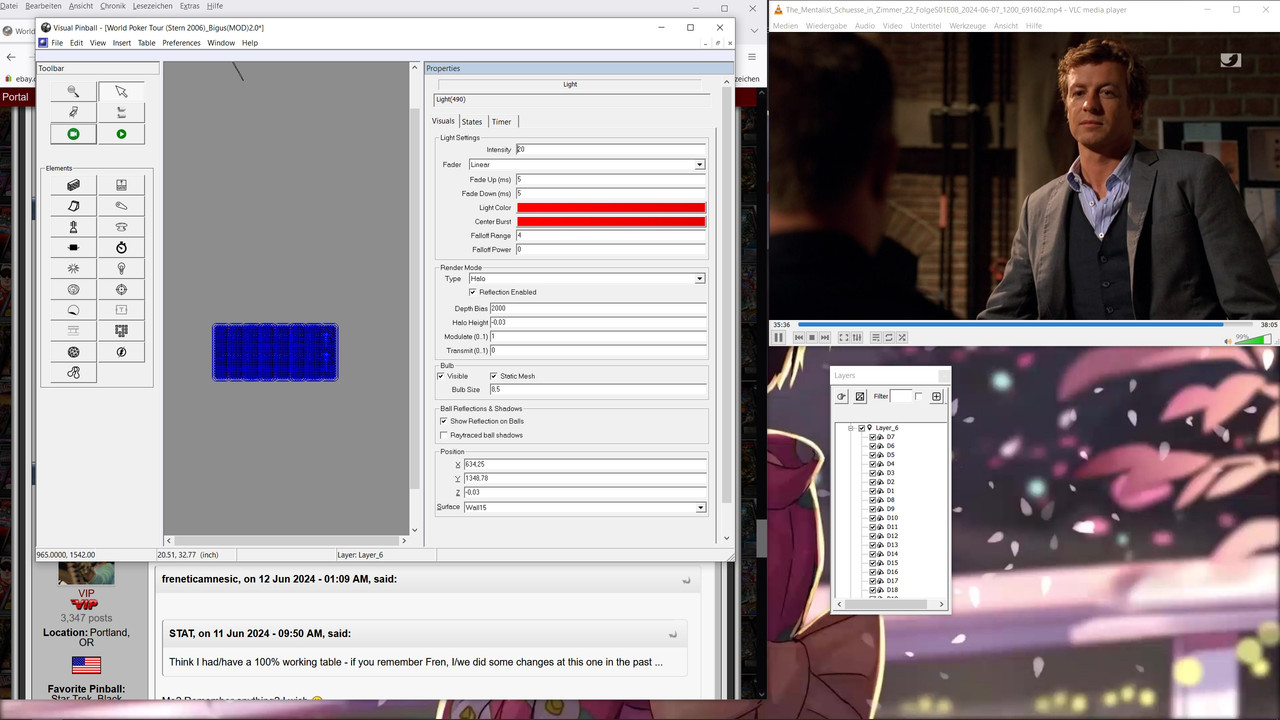
About the red LED lights:
- Select them all (in the layer 6)
- Right click and select Scale, enter 0.1 and press Enter
- You may also change the intensity from 100 to 40
Now they work in VPX8 and still looks fine in VPX7
If you want to check my latest uploads then click on the image below:

Next table? A tribute table to Stern's Foo Fighters
Enthusiast

Posted 02 August 2024 - 02:59 PM
Hello, big thanks for this table.
Using 10.8 rc4 without issue (for now  )
)
I am on Desktop and just want to modify this a bit and want to add a background image. Unfortunately there is a shadow at the bottom in the left and right corner. This shadow is also moving when i want to change the camera.

How can i get rid of this shadow so that the bg image is not affected?
Thank you
I have Pinball Fever!

 Contributor
Posted 03 August 2024 - 02:00 AM
Hello, big thanks for this table.
Using 10.8 rc4 without issue (for now
I am on Desktop and just want to modify this a bit and want to add a background image. Unfortunately there is a shadow at the bottom in the left and right corner. This shadow is also moving when i want to change the camera.
How can i get rid of this shadow so that the bg image is not affected?
Thank you
Open table in Editor and click on the 2 flashers shown in pic.
You will see on right side of Editor a "Visible" setting.

Uncheckmark "Visible" on both flashers, left and right.
Now your shadows are gone.
Enthusiast



Posted 23 August 2024 - 05:53 AM
For some reason I can't get this table to run. As soon as it loads the table freezes. Doesn't run on 10.7 either. I'm running V3.6 929 and 10.8 rev.1975. Any help would be GREATLY appreciated, this is driving me crazy!


Visual Pinball →
VP Recreations - New Releases →
Riviera Pinball (Chicago Coin 1973)[Visual Pinball X]Started by jpsalas , 03 Jun 2026  riviera, chicago, 1973 riviera, chicago, 1973
|
|
||
Future Pinball →
Future Pinball - New Releases →
Hot and cool (Inder 1978) 4 EM [Future Pinball]Started by eduguitar72 , 31 May 2026 recreativos, franco, 1973, venus and 2 more...
|
|
||
Future Pinball →
Future Pinball - New Releases →
Venus 5 (Recreativos Franco 1973) 1.0 EM [Future Pinball]Started by eduguitar72 , 31 May 2026 recreativos, franco, 1973, venus and 2 more...
|
|
||
Visual Pinball →
VP Cabinet Tables - New Releases →
Play time (Playmatic 1973) Full screen [VP 9.x Cabinet FS]Started by eduguitar72 , 26 Apr 2026 1973, playtime, time, play and 1 more...
|
|
||
Virtual Pinball →
Frontends and Addons →
Attack (Playmatic 1980)Started by Flying Dutchman , 30 Jan 2026 Attack, Playmatic
|
|

Community Forum Software by IP.Board
Licensed to: VPForums.org
 are all trademarks of VPFORUMS.
 Top
Top
