Jump to content


Photo
* * * * * 3 votes

SHOW ME YOUR BALLS!

BALLS

  • Please log in to reply
128 replies to this topic

#21 xenonph

xenonph

    I have Pinball Fever!

  • VIP
  • 4,129 posts
  • Location:Castle Rock, WA.

  • Flag: United States of America

  • Favorite Pinball: TRON Classic-Congo-Xenon-PINBOT-BOP-LOTR-A Real American Hero OPERATION PINBALL-Millionaire-Whirlwind-Krull-NFL-BlackKnight-FishTales

Contributor

Posted 24 June 2016 - 12:07 PM

You can either go to Google and search for .PNG Bowling Balls and then right click on them and Save to wherever you save your items.

Or you can right click on the pics above and press SAVE AS, and that should work also.


After you have the Pinball Pic that you want to use, RENAME IT TO SAME AS THE ONE IN TABLE YOU ARE USING, then Import it to Image Manager.


CHECK OUT THIS TUTORIAL http://www.vpforums....howtopic=32515
TO USE DB2S BACKGLASS PROGRAM WITH DESKTOP TABLES ON 1 MONITOR
 

#22 4EVERBOOTS

4EVERBOOTS

    Pinball Fan

  • Members
  • PipPipPipPip
  • 508 posts

  • Flag: United States of America

  • Favorite Pinball: PARAGON

Posted 24 June 2016 - 12:16 PM

Cool xenonph  :tup:


#23 Practicedummy

Practicedummy

    Multi-Level Madman

  • Platinum Supporter
  • 2,683 posts
  • Location:Indiana

  • Flag: United States of America

  • Favorite Pinball: I like multi-level pinball the most


  • Trophies:

Posted 24 June 2016 - 02:11 PM

I like the glow in the dark ones like in Viper Night Driving. Tii used various balls for his tables and some of them are really cool.


I could have been smart, but I never learned anything by being smart!


#24 Drybonz

Drybonz

    Really bad at pinball, but having fun.

  • Members
  • PipPipPipPip
  • 1,538 posts

  • Flag: ---------

  • Favorite Pinball: Theatre of Magic

Posted 26 June 2016 - 04:02 AM

Only marginally related, but is there a way to select a different Hi-Score sticky image, like you would with the ball image?  I was looking at the sticky note in Whoa Nellie and thought it looks nice and might like to put it on other tables.


#25 hauntfreaks

hauntfreaks

    Real 4K Tables Since 2013

  • VIP
  • 2,522 posts
  • Location:South Jersey

  • Flag: United States of America

  • Favorite Pinball: -<3<3<3 All Real Pins


Posted 26 June 2016 - 05:17 AM

is it my blue one? I have the blue one that looks like and old card like they used in the 80's for highscores at the NJ boardwalks.... then there is the yellow sticky that is wrinkled I made that one for Loserman for his EM's ...

and yeah it can be done but its not just an easy just pick a new sticky.... sticky's come with many image files for all the #'s and letters


 26794541816_30ca1cca80_o.gif 43109635392_fc11af1a57_o.gif


#26 Drybonz

Drybonz

    Really bad at pinball, but having fun.

  • Members
  • PipPipPipPip
  • 1,538 posts

  • Flag: ---------

  • Favorite Pinball: Theatre of Magic

Posted 26 June 2016 - 05:23 AM

It's a wrinkly blue one that says Hi-Score on it and name, etc... did you make that one?


I'm trying to warm up to the Hi-score stickies a bit, so I wanted to find one I like.


Edited by Drybonz, 26 June 2016 - 05:25 AM.


#27 hauntfreaks

hauntfreaks

    Real 4K Tables Since 2013

  • VIP
  • 2,522 posts
  • Location:South Jersey

  • Flag: United States of America

  • Favorite Pinball: -<3<3<3 All Real Pins


Posted 26 June 2016 - 05:31 AM

yeah thats mine... you would need to go into the image manager, extract all the sticky images... and then if the table you want to use it on is using the same named images, you will need to overwrite those files...

I would back the table up...lol   but this is a good exercise in image replacing


 26794541816_30ca1cca80_o.gif 43109635392_fc11af1a57_o.gif


#28 boiydiego

boiydiego

    Pinball Fan

  • Members
  • PipPipPipPip
  • 978 posts
  • Location:baal

  • Flag: Belgium

  • Favorite Pinball: flinstones,t2 chrome edition,wcs,afm,fish tales,medieval,rollercoaster tycoon,taxi

Posted 26 June 2016 - 03:14 PM

can it be done to select a ball ingame by pushing button?


boiydiego___gebruik-n2kbkyc.png


#29 hauntfreaks

hauntfreaks

    Real 4K Tables Since 2013

  • VIP
  • 2,522 posts
  • Location:South Jersey

  • Flag: United States of America

  • Favorite Pinball: -<3<3<3 All Real Pins


Posted 26 June 2016 - 05:41 PM

I've requested this, to be scripted in... but might be more work then it sounds....

I was thinking it would be great in rat fink could have 4 different balls to choose from...


 26794541816_30ca1cca80_o.gif 43109635392_fc11af1a57_o.gif


#30 boiydiego

boiydiego

    Pinball Fan

  • Members
  • PipPipPipPip
  • 978 posts
  • Location:baal

  • Flag: Belgium

  • Favorite Pinball: flinstones,t2 chrome edition,wcs,afm,fish tales,medieval,rollercoaster tycoon,taxi

Posted 26 June 2016 - 06:35 PM

that would be nice , what also would be nice is a eightball ball , and a thundercat one like my avatar picture.


Edited by boiydiego, 26 June 2016 - 06:36 PM.

boiydiego___gebruik-n2kbkyc.png


#31 hauntfreaks

hauntfreaks

    Real 4K Tables Since 2013

  • VIP
  • 2,522 posts
  • Location:South Jersey

  • Flag: United States of America

  • Favorite Pinball: -<3<3<3 All Real Pins


Posted 26 June 2016 - 08:13 PM

add these two textures to the image manager


Attached File  BlackBall.png   171bytes   29 downloads


Attached File  thunderball.png   35.93KB   28 downloads


Attached File  Capture.PNG   3.27KB   25 downloads


 26794541816_30ca1cca80_o.gif 43109635392_fc11af1a57_o.gif


#32 laylow

laylow

    VP Veteran

  • Members
  • PipPipPipPip
  • 536 posts
  • Location:Blackpool

  • Flag: England

  • Favorite Pinball: 1978 >

Posted 27 June 2016 - 05:24 PM

Also I Googled Disco Balls .png..
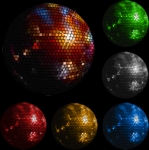
 

-mega-shiny-disco-balls-psd93709_t.png


This one looks like it would work well...


moonball_t.png


These are "Cut-Outs" and do not need any transparency. (Same with the other Player Decals and Pinballs I use for NFL MODS.)


If you ask me, I think the bowling balls make the best pinballs.

Remember to add ".png"  to your search and they will mostly all be "Cut-Outs".


Here are some cool ones...


_60-400528_lizard-ball_cmyk_1_t.png


brunswick-bass-fishing_t.png


brunswick-flame_t.png


brunswick-leopard_t.png


brunswick-snake_t.png


brunswick-star-wars-darth-vader_t.png


brunswick-star-wars-yoda_t.png


brunswick-tweety-bird_t.png


hammer-black-widow-clear_t.png


kr-incredible-hulk_t.png


There is a huge variety to choose from and they are "Cut-Outs", so no need to worry about transparency!


FOR THOSE THAT DON'T KNOW HOW TO CHANGE THE PINBALL ON TABLE.....


To use these..

Save Pic of New Pinball to your Documents

Load the table you want to use, into the Visual Pinball Editor...

Click the Preferences Tab...

Click Image Manager...

Browse through the pics and find the original Pinball for the table..(Note the name that is used for the Pinball)

THE NAMES OF THE ORIGINAL PINBALLS WILL VARY FOR EACH TABLE.

On NFL Mods, the name is "Moonball".

Now change the name of your bowling ball to the same name of Pinball on your table.

Now import it into the image manager.

(CLICK IMPORT ON UPPER RIGHT OF IMAGE MANAGER AND BROWSE TO NEW PINBALL)

Start the Table and Play with new Pinball.


Keep on Pinballin'

I wanna use that Tweety ball for the Bugs Bunny table, is it possible to get Tweety "spinning"? If I use it now it stays static and doesn't spin


#33 xenonph

xenonph

    I have Pinball Fever!

  • VIP
  • 4,129 posts
  • Location:Castle Rock, WA.

  • Flag: United States of America

  • Favorite Pinball: TRON Classic-Congo-Xenon-PINBOT-BOP-LOTR-A Real American Hero OPERATION PINBALL-Millionaire-Whirlwind-Krull-NFL-BlackKnight-FishTales

Contributor

Posted 27 June 2016 - 07:22 PM

I would also like to know how to do this...currently all I can do is add a very small decal to the Ball Image that spins with the ball. And it doesn't look like you can adjust the size of the decal that is on the Ball Image. These Bowling Ball Pinballs look great but would really look great if the image "spins with the ball".

I hope somebody here knows how to do this and can pass the info on, If it is even a possibility.


Keep on Pinballin'


Edited by xenonph, 27 June 2016 - 07:42 PM.

CHECK OUT THIS TUTORIAL http://www.vpforums....howtopic=32515
TO USE DB2S BACKGLASS PROGRAM WITH DESKTOP TABLES ON 1 MONITOR
 

#34 hauntfreaks

hauntfreaks

    Real 4K Tables Since 2013

  • VIP
  • 2,522 posts
  • Location:South Jersey

  • Flag: United States of America

  • Favorite Pinball: -<3<3<3 All Real Pins


Posted 27 June 2016 - 07:57 PM

I wanna use that Tweety ball for the Bugs Bunny table, is it possible to get Tweety "spinning"? If I use it now it stays static and doesn't spin


here ya go man.....


Attached File  Capture.PNG   2.29KB   47 downloads

Attached File  tweety_ball.png   195.28KB   39 downloads

Attached File  BlackBall.png   171bytes   37 downloads


 26794541816_30ca1cca80_o.gif 43109635392_fc11af1a57_o.gif


#35 xenonph

xenonph

    I have Pinball Fever!

  • VIP
  • 4,129 posts
  • Location:Castle Rock, WA.

  • Flag: United States of America

  • Favorite Pinball: TRON Classic-Congo-Xenon-PINBOT-BOP-LOTR-A Real American Hero OPERATION PINBALL-Millionaire-Whirlwind-Krull-NFL-BlackKnight-FishTales

Contributor

Posted 27 June 2016 - 08:02 PM

Aaaaaarghhhh!! This must be a VPX setting as I see no LOGO MODE menu on my Ball settings.

Guess I will have to upgrade to VPX if I want to have the pic Spin with Ball.

Or is there a way to do this with VP9 also?

As far as I can see, there is no way to adjust the size of the decal on the pinball on VP9, or is there?

Thanks for the info hauntfreaks!!

As you can see there is no LOGO MODE Setting available on VP9 and any decal you do choose is very tiny and doesnt cover the whole pinball.

capture4_t.png


Edited by xenonph, 27 June 2016 - 08:28 PM.

CHECK OUT THIS TUTORIAL http://www.vpforums....howtopic=32515
TO USE DB2S BACKGLASS PROGRAM WITH DESKTOP TABLES ON 1 MONITOR
 

#36 laylow

laylow

    VP Veteran

  • Members
  • PipPipPipPip
  • 536 posts
  • Location:Blackpool

  • Flag: England

  • Favorite Pinball: 1978 >

Posted 27 June 2016 - 08:31 PM


I wanna use that Tweety ball for the Bugs Bunny table, is it possible to get Tweety "spinning"? If I use it now it stays static and doesn't spin


here ya go man.....


attachicon.gifCapture.PNG

attachicon.giftweety_ball.png

attachicon.gifBlackBall.png


Thx Haunt, the ball looks great! Only one problem, there's another ball on the left in the playfield that does'n't look like a ball anymore  :D


urg3uvripnda4.jpg


#37 hauntfreaks

hauntfreaks

    Real 4K Tables Since 2013

  • VIP
  • 2,522 posts
  • Location:South Jersey

  • Flag: United States of America

  • Favorite Pinball: -<3<3<3 All Real Pins


Posted 27 June 2016 - 09:19 PM


Thx Haunt, the ball looks great! Only one problem, there's another ball on the left in the playfield that does'n't look like a ball anymore  :D


ok... I know exactly what's happening.... but i dont have the skills to tell you how to fix it....

that captive ball is trying to use that texture ... what need to happen is, the captive ball needs to be assigned a standard texture
it goes somewhere in here

  'Captive Ball
Kicker2.CreateBall
Kicker2.Kick 180,3
Kicker2.enabled = 0


  'GI Init
GIOn

Aaaaaarghhhh!! This must be a VPX setting as I see no LOGO MODE menu on my Ball settings.

Guess I will have to upgrade to VPX if I want to have the pic Spin with Ball.

Or is there a way to do this with VP9 also?

As far as I can see, there is no way to adjust the size of the decal on the pinball on VP9, or is there?

Thanks for the info hauntfreaks!!

As you can see there is no LOGO MODE Setting available on VP9 and any decal you do choose is very tiny and doesnt cover the whole pinball.

capture4_t.png


in VP9 the logo option is here....

post-73849-0-40679200-1467062336.png

Attached Files


 26794541816_30ca1cca80_o.gif 43109635392_fc11af1a57_o.gif


#38 xenonph

xenonph

    I have Pinball Fever!

  • VIP
  • 4,129 posts
  • Location:Castle Rock, WA.

  • Flag: United States of America

  • Favorite Pinball: TRON Classic-Congo-Xenon-PINBOT-BOP-LOTR-A Real American Hero OPERATION PINBALL-Millionaire-Whirlwind-Krull-NFL-BlackKnight-FishTales

Contributor

Posted 27 June 2016 - 09:30 PM

But they still only show as very tiny decals on the Pinball. Is there a way to adjust the size of decal shown on Pinball in VP9?

This looks like it would work if you could make the decal cover the whole pinball instead of decal just looking like a small reflection.


CHECK OUT THIS TUTORIAL http://www.vpforums....howtopic=32515
TO USE DB2S BACKGLASS PROGRAM WITH DESKTOP TABLES ON 1 MONITOR
 

#39 hauntfreaks

hauntfreaks

    Real 4K Tables Since 2013

  • VIP
  • 2,522 posts
  • Location:South Jersey

  • Flag: United States of America

  • Favorite Pinball: -<3<3<3 All Real Pins


Posted 27 June 2016 - 09:35 PM

you need to find one of VP's old tables, he used to put a papa smurf as a decal on the ball


 26794541816_30ca1cca80_o.gif 43109635392_fc11af1a57_o.gif


#40 xenonph

xenonph

    I have Pinball Fever!

  • VIP
  • 4,129 posts
  • Location:Castle Rock, WA.

  • Flag: United States of America

  • Favorite Pinball: TRON Classic-Congo-Xenon-PINBOT-BOP-LOTR-A Real American Hero OPERATION PINBALL-Millionaire-Whirlwind-Krull-NFL-BlackKnight-FishTales

Contributor

Posted 27 June 2016 - 09:46 PM

Is the size of the decal displayed on VP9 Pinball forced by the Visual Pinball Program?

Is there a Line of Code that is telling this decal how big it should be on the Pinball?

Did JPSalas have to "Hack" or modify the program to make the Decals on the Pinballs a different size?

I still see no way to adjust the size of the Pinball decal, unless it can be done by modifying the Visual Pinball Program somehow?

On the first table Mod I made, I put the 12th man flag as a decal on pinball. I used the same pic as what was used for the targets. It only showed as a very tiny spot on the Pinball.

No matter what size Pic I use for decal on Pinball, it always is very tiny on Pinball.


Edited by xenonph, 27 June 2016 - 09:53 PM.

CHECK OUT THIS TUTORIAL http://www.vpforums....howtopic=32515
TO USE DB2S BACKGLASS PROGRAM WITH DESKTOP TABLES ON 1 MONITOR


Also tagged with one or more of these keywords: BALLS






