Jump to content


Photo
* * * * * 1 votes

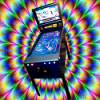
WWF Royal Rumble (Data East 1994) by freneticamnesic [VP 9.x Cabinet FS]

de data east wwe wwf wwfrr royal rumble

  • Please log in to reply
111 replies to this topic

#21 RYSr

RYSr

    Pinball Fan

  • Charter Member
  • 511 posts
  • Location:Mercerville (Central) NJ, USA

  • Flag: United States of America

  • Favorite Pinball: TZ - G&R - MB - CV - Metallica

Posted 15 September 2014 - 01:43 AM

Because it's using the VP lighting system, I'm not coloring the playfield to darken it because that screws everything up if we ever get a true realtime lighting engine. You can adjust it and make the table brighter if you'd like? Go to the lightsources setting in the options of the editor and change it to 0 type (currently 1).  Or just crank the brightness up on the ball image and re-import it and it will probably look like crap, as I tried to do. 


I prefer setting L1 Type to 0 also it brightens the table, however the default setting of 1 does enhance the appearance of the GI lights.


But my old eyes have trouble with the ball as well even with the type 0. I used the table/Image editor to export the shiny ball image from the latest release of Cactus Jack's table and then imported it into WWF and then selected it from the Ball image drop down box and I can see it clearly now...


Thanks for the table, great work! I used to have this one years ago then traded it for an TFTC. Fun to play it again. It does play close to the original. Can't wait for the PM5 version..

Rich


#22 ASOT

ASOT

    Enthusiast

  • Members
  • PipPipPip
  • 84 posts

  • Flag: Australia

  • Favorite Pinball: Mata Hari

Posted 15 September 2014 - 03:38 AM

Brilliant stuff fren, glad we finally got a FS version of this table ;)


#23 gigalula

gigalula

    Hummmm not sure yet :)

  • Platinum Supporter
  • 651 posts

  • Flag: Canada

  • Favorite Pinball: All of them from 70' to now. Even more with VP and FP :)

Posted 15 September 2014 - 04:00 AM


Because it's using the VP lighting system, I'm not coloring the playfield to darken it because that screws everything up if we ever get a true realtime lighting engine. You can adjust it and make the table brighter if you'd like? Go to the lightsources setting in the options of the editor and change it to 0 type (currently 1).  Or just crank the brightness up on the ball image and re-import it and it will probably look like crap, as I tried to do. 


I prefer setting L1 Type to 0 also it brightens the table, however the default setting of 1 does enhance the appearance of the GI lights.


But my old eyes have trouble with the ball as well even with the type 0. I used the table/Image editor to export the shiny ball image from the latest release of Cactus Jack's table and then imported it into WWF and then selected it from the Ball image drop down box and I can see it clearly now...


Thanks for the table, great work! I used to have this one years ago then traded it for an TFTC. Fun to play it again. It does play close to the original. Can't wait for the PM5 version..

Rich


Same with me I have some problem with my eyes and the vision is not 100%....This table is super nice ("Thanks Freneticamnesic")... But I would like to know also if there is a way to highlight the ball a little bit ;) I mean not changing the table aspect light but only the ball ...


Edited by gigalula, 15 September 2014 - 04:09 AM.


#24 teppotee

teppotee

    Enthusiast

  • Members
  • PipPipPip
  • 382 posts
  • Location:Finland

  • Flag: Finland

  • Favorite Pinball: CV

Posted 15 September 2014 - 05:28 AM

Thanks for the table!


I had the same problem with the VP lighting and the "dark ball" already with fren's previous 24 release. I then compiled my own version of the physmod5 which disables the lighting on the ball (I didn't want to disable the whole lighting because that just makes the table too bright for my taste). There actually was a "disableLighting" variable in the ball code that I just had to set from false -> true and it worked. There just was no way to set this within VP options. If someone is still making development for VP 9.9 it might be worth to do a checkbox selection for this.  


Anyway...I could do similar version of VP9.9 if someone wants (the ball is highlighted nicely after the lighting is only disabled for the ball) . Although if fren is addressing the ball already in the next release there might not be need for it.


#25 zany

zany

    3D Beer Drinker

  • VIP
  • 1,644 posts

  • Flag: Sweden

  • Favorite Pinball: Medieval Madness


Posted 15 September 2014 - 05:33 AM

WOW...looks awesome freneticamnesic!!!! :D
I just had to compare it with the old one.....haha......what a difference!!!!


#26 freneticamnesic

freneticamnesic

    A Faint Ghost Through the Raindrops

  • VIP
  • 3,370 posts
  • Location:Portland, OR

  • Flag: United States of America

  • Favorite Pinball: Star Trek, Black Hole, AFM, Fast Draw, Tron, AMH

  • 360 Gamer Tag: sixgunsounddd

Posted 15 September 2014 - 05:57 AM

Thanks for the table!


I had the same problem with the VP lighting and the "dark ball" already with fren's previous 24 release. I then compiled my own version of the physmod5 which disables the lighting on the ball (I didn't want to disable the whole lighting because that just makes the table too bright for my taste). There actually was a "disableLighting" variable in the ball code that I just had to set from false -> true and it worked. There just was no way to set this within VP options. If someone is still making development for VP 9.9 it might be worth to do a checkbox selection for this.  


Anyway...I could do similar version of VP9.9 if someone wants (the ball is highlighted nicely after the lighting is only disabled for the ball) . Although if fren is addressing the ball already in the next release there might not be need for it.


You need to do this for every ball created? I have a lot of destroyball events/createball events on this table. If it's a universal setting for the whole table it would be amazing and pretty easy to do! Can I see what you did? 24 had no ball creation/destroying so I suspect it won't be so easy here.


#27 teppotee

teppotee

    Enthusiast

  • Members
  • PipPipPip
  • 382 posts
  • Location:Finland

  • Flag: Finland

  • Favorite Pinball: CV

Posted 15 September 2014 - 06:24 AM

It's not related to create/destroy ball events (or the table script at all). It's a whole new VP exe version that disables the lighting for the ball for all tables when used. To be honest I never even noticed the lighting on the ball before this table and 24. So I guess not many authors are using it.


In order to make it per-table -> VP editor would need a change where user could select "disable lighting" for the ball for a specific table. I have no idea how to do that. 


#28 ironlung

ironlung

    Hobbyist

  • Members
  • PipPip
  • 22 posts

  • Flag: Norway

  • Favorite Pinball: Twilight Zone

Posted 15 September 2014 - 06:37 AM

Hi, I tried asking on the other forum but I didn't get any answer from fren about it, maybe someone here understands my problem. When I am running the table with the b2s backglass the flippers and lightnings in general does not respond very well. The plunger just randomely shoots etc. If I am running without b2s everything works fine. Anyone know the reason for it? My cabinet does not use force feedback, is this part of the problem perhaps? please some help, this table looks like a beast!


#29 freneticamnesic

freneticamnesic

    A Faint Ghost Through the Raindrops

  • VIP
  • 3,370 posts
  • Location:Portland, OR

  • Flag: United States of America

  • Favorite Pinball: Star Trek, Black Hole, AFM, Fast Draw, Tron, AMH

  • 360 Gamer Tag: sixgunsounddd

Posted 15 September 2014 - 06:46 AM

Are you modifying this?


'**********************TABLE OPTIONS************************************************************************************************
'1=VPinMAME, 2=UVP backglass server, 3=B2S backglass server(and implicitely DOF), 4= B2S, implicitely DOF and disable mech sounds
Const cController = 1
'***********************************************************************************************************************************
 
Set it to 3


#30 ironlung

ironlung

    Hobbyist

  • Members
  • PipPip
  • 22 posts

  • Flag: Norway

  • Favorite Pinball: Twilight Zone

Posted 15 September 2014 - 06:58 AM

Hi, thanks. No I didn't modify that line. I changed the "open vpinmame" to open b2s.server" line. I am going to try this when I get home. LIke I said, the table looks like an absolute beast, hats off to you!


#31 freneticamnesic

freneticamnesic

    A Faint Ghost Through the Raindrops

  • VIP
  • 3,370 posts
  • Location:Portland, OR

  • Flag: United States of America

  • Favorite Pinball: Star Trek, Black Hole, AFM, Fast Draw, Tron, AMH

  • 360 Gamer Tag: sixgunsounddd

Posted 15 September 2014 - 07:10 AM

It's not related to create/destroy ball events (or the table script at all). It's a whole new VP exe version that disables the lighting for the ball for all tables when used. To be honest I never even noticed the lighting on the ball before this table and 24. So I guess not many authors are using it.


In order to make it per-table -> VP editor would need a change where user could select "disable lighting" for the ball for a specific table. I have no idea how to do that. 


Oh that's very cool, yea I think most authors modify the images to be darker, to me it's not worth it. I get a more universal look this way and it gives people the option to make it brighter if they want. I didn't have many complaints with the ball on 24 so I didn't mess with it. I like the lighting mode of VP personally, it just has a few limitations right now.


For those having issues with my balls, is this bright enough?


UDBeHAe.jpg


If so, import this ball in place of "wwfball" in the VP editor and give it a play


8osf5ve.png


If you do this, please give feedback.


#32 blashyrk

blashyrk

    Pinball Fan

  • Members
  • PipPipPipPip
  • 549 posts
  • Location:Norway

  • Flag: Norway

  • Favorite Pinball: Attack from Mars, Medieval Madness, White Water

  • PS3 Gamer Tag: Blashyrk

Posted 15 September 2014 - 02:06 PM

I imported the new ball image, and it's a lot easier to follow the ball.

#33 gigalula

gigalula

    Hummmm not sure yet :)

  • Platinum Supporter
  • 651 posts

  • Flag: Canada

  • Favorite Pinball: All of them from 70' to now. Even more with VP and FP :)

Posted 15 September 2014 - 02:38 PM

Yep I confirm it's a lot better with this ball ;) ... Thanks Fren... Good job on this table it's really well done.


#34 freneticamnesic

freneticamnesic

    A Faint Ghost Through the Raindrops

  • VIP
  • 3,370 posts
  • Location:Portland, OR

  • Flag: United States of America

  • Favorite Pinball: Star Trek, Black Hole, AFM, Fast Draw, Tron, AMH

  • 360 Gamer Tag: sixgunsounddd

Posted 15 September 2014 - 02:56 PM

Ok thanks guys. I'll include it in my next update. No ETA, still working on the left ramp switch testing


#35 jkimbrell

jkimbrell

    Enthusiast

  • Members
  • PipPipPip
  • 298 posts
  • Location:Cincinnati, OH

  • Flag: United States of America

  • Favorite Pinball: Star Trek NG, Indiana Jones, South Park

Posted 15 September 2014 - 03:11 PM

oooooooooooooooooohhhhhhhhhhhhh yeeeeeeeeeeeeeeeeeeeeeeeeeeeeeeaaaaaaaaaaaaaaaaahhhhhhhhhhhhhhh!!!  Thanks, dude!!! Been waiting on this one for sure!  6 more hours of work before I can go load this table :)


#36 open6l

open6l

    Pinball Fan

  • VIP
  • 639 posts
  • Location:Ontario, Canada

  • Flag: Canada

  • Favorite Pinball: TRON Legacy

Posted 15 September 2014 - 08:41 PM

Thanks for both this awesome table update and for the updated ball texture :)


open6l___gaming.png


#37 M4ttes

M4ttes

    Hobbyist

  • Members
  • PipPip
  • 32 posts

  • Flag: Germany

  • Favorite Pinball: Attack From Mars

Posted 15 September 2014 - 10:10 PM

Thank you so much. This table looks realy amazing!


Unfortunaltely, my solenoids etc. doesn't work for that table. Does anybody else having that problem?


I set the option to "3" (B2S backglass server(and implicitely DOF).


Thanks in advance


M4ttes


#38 ironlung

ironlung

    Hobbyist

  • Members
  • PipPip
  • 22 posts

  • Flag: Norway

  • Favorite Pinball: Twilight Zone

Posted 16 September 2014 - 09:23 AM

Thank you, Fren. It plays great! Two things I noticed is that if I hit the flippers several times it will launch the ball without using the plunger/launcher. Second thing is that the balls seem to get stuck in the top middle of the ramp(s). Most of the times I get them stuck while shooting the left ramp. During multiball I had two balls stuck on either side of that "thing" in the middle, making the third ball bouncing back out of the ramps. I managed to just nudge them out of there after a while though.


I always loved Randy Savage when he was Macho Man but MAN IS ONE ANNOYING DUDE NOW.


#39 BobAlbright

BobAlbright

    Pinball Wizard

  • Platinum Supporter
  • 2,304 posts
  • Location:York, Pa. USA

  • Flag: United States of America

  • Favorite Pinball: Attack from Mars

Posted 16 September 2014 - 12:53 PM

Love the table. I changed the lighting so that I could see the ball better, but it kills the effect of the lighting. So I looked into importing the ball as mentioned in post #31. I don't think I did it correctly however. When I go to the editor and see the ball menu , I see a drop down menu where I selected the chrome-silver ball. It indeed makes it easier to see but I am seeing a black box around the ball. I suspect that it might be because I didn't "import" it. How exactly do I "import" the ball? Thanks  


"and in the end , the love you take is equal to the love you make"


#40 gigalula

gigalula

    Hummmm not sure yet :)

  • Platinum Supporter
  • 651 posts

  • Flag: Canada

  • Favorite Pinball: All of them from 70' to now. Even more with VP and FP :)

Posted 16 September 2014 - 01:20 PM

Love the table. I changed the lighting so that I could see the ball better, but it kills the effect of the lighting. So I looked into importing the ball as mentioned in post #31. I don't think I did it correctly however. When I go to the editor and see the ball menu , I see a drop down menu where I selected the chrome-silver ball. It indeed makes it easier to see but I am seeing a black box around the ball. I suspect that it might be because I didn't "import" it. How exactly do I "import" the ball? Thanks  

If you did import then look for "8osf5ve" and select this ball  :)


Also tagged with one or more of these keywords: de, data east, wwe, wwf, wwfrr, royal rumble