Jump to content


Photo
* * * * * 40 votes

The VP 10.7 beta thread


  • Please log in to reply
4027 replies to this topic

#2401 arngrim

arngrim

    DJ Force Feedback

  • VIP
  • 2,188 posts
  • Location:Charleroi, Belgium

  • Flag: Belgium

  • Favorite Pinball: Monster bash


Posted 16 July 2021 - 07:57 AM

Ok so another (easier) request, could we have the option to change the background color of the script editor?

One of the reason of me using another editor is I use dark themes, it's safer for our eyes, for the electric consumption and so for the planet :)


#2402 wiesshund

wiesshund

    VPF Legend

  • Members
  • PipPipPipPipPipPipPip
  • 11,859 posts

  • Flag: United States of America

  • Favorite Pinball: How many can i have?

Posted 16 July 2021 - 08:36 AM

Ok so another (easier) request, could we have the option to change the background color of the script editor?

One of the reason of me using another editor is I use dark themes, it's safer for our eyes, for the electric consumption and so for the planet :)


That doesnt seem a hard thing to add, though it wont help me save the planet

i usually do the scripts in notepad++


If you feel the need to empty your wallet in my direction, i don't have any way to receive it anyways

Spend it on Hookers and Blow


#2403 batch

batch

    VPFroggie

  • Members
  • PipPipPipPipPip
  • 2,175 posts
  • Location:Center of France

  • Flag: France

  • Favorite Pinball: Anyone if gaming and appearence are great

Posted 16 July 2021 - 09:18 AM

VPX_7_beta_rev249_rc crashed when trying to open X-Files tables, here are the messages


X-Files (Sega 1997) v1.1 from Sliderpoint


Crash report VPX rev249 (3d786cf)
============
Process: vpinballx.exe
Reason: 0xC0000005 - EXCEPTION_ACCESS_VIOLATION at 0023:0057A551
Attempt to read from 0x00000000
Thread ID: 0x25AC [9644]

Call stack
==========
0057A551 vpinballx.exe (0x222E9E80 0x22245B20 0x0019E32C 0x00000000)
004DC272 vpinballx.exe (0x00000000 0x00000009 0x22245B20 0x0019e3c0)
004E14F5 vpinballx.exe (0x22245B20 0x0BD6A450 0x0019E548 0x158021a8)
004E686D vpinballx.exe (0x22245B20 0x003405DE 0x00000000 0x00000007)
004DB93D vpinballx.exe (0x00428AC0 0x004D75B1 0x0000C266 0x22245b20)
004D75B1 vpinballx.exe (0x0000C266 0x22245B20 0x00428AC0 0x761f07fb)
004293E3 vpinballx.exe (0x0000C266 0x00000000 0x00000000 0x003405de)
004EA124 vpinballx.exe (0x0000C266 0x00000000 0x00000000 0x0000c266)
00428B17 vpinballx.exe (0x00428AC0 0x003405DE 0x0000C266 0x00000000)
76205E7A user32.dll GetClassLongW + 0x7AA (0x00428AC0 0x00000000 0x0000C266 0x00000000)
76203BEA user32.dll DispatchMessageW + 0x24A (0x761EDE80 0x005CA126 0x0019F22C 0x00000000)
761F5D70 user32.dll DispatchMessageA + 0x10 (0x0019F22C 0x00000000 0x00000001 0x0019f248)
005CA126 vpinballx.exe (0x00000000 0x00000001 0x002C7000 0x00753940)
005B65D0 vpinballx.exe (0x00400000 0x00000000 0x03113FC3 0x00000001)
005E36F1 vpinballx.exe (0x002C7000 0x767CFA10 0x0019FFDC 0x776e7a7e)
767CFA29 KERNEL32.DLL BaseThreadInitThunk + 0x19 (0x002C7000 0x1166BF75 0x00000000 0x00000000)
776E7A7E ntdll.dll RtlGetAppContainerNamedObjectPath + 0x11E (0xFFFFFFFFFFFFFFFF 0x77708A19 0x00000000 0x00000000)
776E7A4E ntdll.dll RtlGetAppContainerNamedObjectPath + 0xEE (0x02F893D0 0x002C7000 0x00000000 0x78746341)

Environment
===========
Date/time: 16/7/2021, 11:04:46:302
Number of CPUs: 8
Processor type: 586
System: Windows 10 (10.0 19042)

Memory status
=============
Total Reserved: 135724K (132M) bytes
Total Commited: 740508K (723M) bytes
Total Free: 3318008K (3240M) bytes
Largest Free: 2095436K (2046M) bytes

Registers
=========
EAX=21F8AE50 EBX=00000002 ECX=0019E27C EDX=21F8AE98
ESI=21F8AD18 EDI=00000000 EBP=0019FFEC ESP=0019FFE4 EIP=776E7A4E
FLG=00210207 CS=0023 DS=002B SS=002B ES=002B FS=0053 GS=002B

Mini dump saved successfully.


X-Files (Sega 1997)_Bigus(MOD)1.0 from Bigus1 (the DMD appears before VPinball crashes)


Crash report VPX rev249 (3d786cf)
============
Process: vpinballx.exe
Reason: 0xC0000005 - EXCEPTION_ACCESS_VIOLATION at 0023:0057A4EC
Attempt to read from 0x00000000
Thread ID: 0x18A8 [6312]

Call stack
==========

Environment
===========
Date/time: 16/7/2021, 11:06:01:307
Number of CPUs: 8
Processor type: 586
System: Windows 10 (10.0 19042)

Memory status
=============
Total Reserved: 132240K (129M) bytes
Total Commited: 681836K (665M) bytes
Total Free: 3380164K (3300M) bytes
Largest Free: 2095436K (2046M) bytes

Registers
=========
EAX=00000000 EBX=00000001 ECX=00000000 EDX=00000000
ESI=0C683E88 EDI=00000020 EBP=00000000 ESP=0019E260 EIP=0057A4EC
FLG=00010202 CS=0023 DS=002B SS=002B ES=002B FS=0053 GS=002B

Mini dump saved successfully.


signature_24042026.jpg          DIRECT LINK TO MY TABLES http://www.vpforums....loads&mid=30858    

                                               LINK TO MY 204 BACKDROPS : Design Resources/ Main Resources/Table Templates/Table Resources/Backdrops for VPX Tables (DT 16/9)  2.0 


#2404 Thalamus

Thalamus

    Pinball Wizard

  • Platinum Supporter
  • 4,983 posts

  • Flag: Norway

  • Favorite Pinball: GOT, Alien Star, LOTR, TOM

Posted 16 July 2021 - 10:03 AM

Batch - I believe it was 249 that me and JPS reported was having issues with several tables, and toxie has replied that it is fixed upstream. So, we just have to wait or revert to the previous ... or, gamble and get it from github.


From now on. I won't help anyone here at VPF. Please ask Noah why that is.


#2405 chepas

chepas

    t.me/horsepin

  • Members
  • PipPipPipPip
  • 1,966 posts

  • Flag: ---------

  • Favorite Pinball: BSD, Tr0n, SW:Stern

Posted 16 July 2021 - 10:56 AM


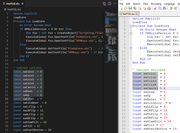
Notepad++ or Visual Studio (NOT CODE) for editing .VBS.


It is only because both editors feature ALT + Mouse selection where you can select pieces of code and I find I do this a lot with VBS.


image.png


The VPX editor can also select block of text using the ALT + Mouse, only so you know it ;)


Thanks, had no idea, I expect many also have no idea, but I don't use the VP script editor and that's not enough to start using it either :)


Bump maps are the new auto-tune :BDH:
VPX - RSS Updates ---- blog.flippingflips.xyz/en/ -- Visual Pinball No.1 (2021) . Est.2000


#2406 arngrim

arngrim

    DJ Force Feedback

  • VIP
  • 2,188 posts
  • Location:Charleroi, Belgium

  • Flag: Belgium

  • Favorite Pinball: Monster bash


Posted 16 July 2021 - 11:10 AM

personally i don't use the mouse to help me coding, ctrl, shift, arrows, ctrl space, alt tab, ctrl p, etc suits all my needs


#2407 bietekwiet

bietekwiet

    Enthusiast

  • Members
  • PipPipPip
  • 63 posts

  • Flag: Australia

  • Favorite Pinball: Bride of Pinbot, Batman Data East, Black Knight 2000

Posted 16 July 2021 - 11:56 AM

10.7 rev258 from Github:  On the new Deadpool JP table I get no Backglass music at all. Instead all music and sound is blasting through my exciters .... I had it with the latest non-Github 10.7 release as well.

ps: I have 2 channel stereo setup for table sounds (2 exciters, 1 bass puck), I am on the latest Pinmame and Sambuild betas. Audio is set up correctly in Audio preferences.


When I go into Sound Manager and play one of the sounds that is labeled as "backglass" it still forces it to my exciters.


As a reference, the new Maverick VPW table for 10.7 plays audio fine, both backglass as table sounds to the correct audio outputs.


Edited by bietekwiet, 16 July 2021 - 01:17 PM.


#2408 bietekwiet

bietekwiet

    Enthusiast

  • Members
  • PipPipPip
  • 63 posts

  • Flag: Australia

  • Favorite Pinball: Bride of Pinbot, Batman Data East, Black Knight 2000

Posted 16 July 2021 - 12:09 PM

@bietekwiet : Go trough your sound output. Try switching between 'Default Sound Driver' and your real device.

I tried this and it did not resolve it. Both White Water (with altsound F1, sound=1) and the new Deadpool (F1, sound=0) have all music and sounds going through the exciters, nothing through backglass speakers. In all latest 10.7 versions includng Github rev. 258 and the current one in the first post here on VPF.


#2409 Sixtoed

Sixtoed

    Hobbyist

  • Members
  • PipPip
  • 45 posts

  • Flag: United Kingdom

  • Favorite Pinball: Judge Dredd

Posted 16 July 2021 - 01:14 PM

We reverted the v1 maverick table in 1.1 to remove mp3's and go back to .wav because it seemed too unreliable. We also didn't know that you couldn't use mp3's for ball rolling sounds and we were getting so many conflicting bug reports that it was just easier to revert all for now.


#2410 bietekwiet

bietekwiet

    Enthusiast

  • Members
  • PipPipPip
  • 63 posts

  • Flag: Australia

  • Favorite Pinball: Bride of Pinbot, Batman Data East, Black Knight 2000

Posted 16 July 2021 - 03:07 PM

10.7 rev258 from Github:  On the new Deadpool JP table I get no Backglass music at all. Instead all music and sound is blasting through my exciters .... I had it with the latest non-Github 10.7 release as well.

ps: I have 2 channel stereo setup for table sounds (2 exciters, 1 bass puck), I am on the latest Pinmame and Sambuild betas. Audio is set up correctly in Audio preferences.


When I go into Sound Manager and play one of the sounds that is labeled as "backglass" it still forces it to my exciters.


As a reference, the new Maverick VPW table for 10.7 plays audio fine, both backglass as table sounds to the correct audio outputs.

I was able to narrow down the bug/issue by going into the sound manager. All WAV sounds assigned to "backglass" effectively play on the backglass speakers. But all the .ogg files that are assigned to "backglass" refuse to play on the backglass speakers but they play as table sounds instead. Using "BG out"  to switch back and forth between backglass and table makes no difference. It is not being picked up by VPX.


Edited by bietekwiet, 16 July 2021 - 03:11 PM.


#2411 Thalamus

Thalamus

    Pinball Wizard

  • Platinum Supporter
  • 4,983 posts

  • Flag: Norway

  • Favorite Pinball: GOT, Alien Star, LOTR, TOM

Posted 16 July 2021 - 03:16 PM

Try moving the ogg files you want in the backglass - via the rear/front - all the way back.


I wonder why I'm not experiencing this. I know I downloaded a stand alone bass.dll in the beta thread a while back.


Edited by Thalamus, 16 July 2021 - 03:19 PM.

From now on. I won't help anyone here at VPF. Please ask Noah why that is.


#2412 topper2k

topper2k

    Enthusiast

  • Members
  • PipPipPip
  • 258 posts
  • Location:Virginia

  • Flag: United States of America

  • Favorite Pinball: Indiana Jones Pinball Adventure

Posted 16 July 2021 - 03:57 PM

I've hosed up my 10.7 install somehow and I'm hoping someone can help get to the bottom of it.


I'm getting an error "Object required 'Controller'" anytime I try to play a table using 10.7. The same tables run fine in 10.6.


Here's what happened. 10.7 was running fine. But I was having trouble with a new table (Maverick). I decided to catch up on 10.7 build revisions and stepped up to the most recent build. Stupidly I didn't make a backup first. 


The latest 10.7 build didn't fix my problem with Maverick and I started to notice some bugginess with other tables (that may or may not have had anything to do with 10.7) so I decided to switch back to an older build of 10.7. That's when this controller error started. I've tried several old build and even tried going back to the most recent build, but the controller error persists.


Any idea how I can clear this up and fix my 10.7 install?


#2413 kiwi

kiwi

    Pinball Fan

  • VIP
  • 2,670 posts

  • Flag: Italy

  • Favorite Pinball: Star Trek 25th Anniversary


Posted 16 July 2021 - 04:28 PM

Light sequencer:

The "SeqBlinking" effect turns the lights on, pauses and then turns them off,

if you have an option to have the sequence start in reverse, first turning off the lights and then the rest.


The "TailLength" is not used, perhaps with a value of 1 the sequence normally starts by turning on the lights,

and instead with a value of 0 it starts first by turning off the lights, or what is more convenient.


#2414 Mrtr32

Mrtr32

    Enthusiast

  • Members
  • PipPipPip
  • 251 posts

  • Flag: Canada

  • Favorite Pinball: Funhouse

Posted 16 July 2021 - 05:10 PM

@topper2k


Have you updated all de Scripts in the Visual Pinball\Scripts folder with the new 10.7 version?


#2415 topper2k

topper2k

    Enthusiast

  • Members
  • PipPipPip
  • 258 posts
  • Location:Virginia

  • Flag: United States of America

  • Favorite Pinball: Indiana Jones Pinball Adventure

Posted 16 July 2021 - 05:18 PM

@topper2k


Have you updated all de Scripts in the Visual Pinball\Scripts folder with the new 10.7 version?

Yes. I just did it again to be 100% sure. I'm still running into the controller error.


#2416 chepas

chepas

    t.me/horsepin

  • Members
  • PipPipPipPip
  • 1,966 posts

  • Flag: ---------

  • Favorite Pinball: BSD, Tr0n, SW:Stern

Posted 16 July 2021 - 06:06 PM

The "TailLength" is not used, perhaps with a value of 1 the sequence normally starts by turning on the lights,

and instead with a value of 0 it starts first by turning off the lights, or what is more convenient.


Indeed, good idea, any value > than 0 would do it. Edit: In theory though......


This should be updated anyway, if you do add any tail then I think that gets stuck.


Edited by chepas, 16 July 2021 - 07:25 PM.

Bump maps are the new auto-tune :BDH:
VPX - RSS Updates ---- blog.flippingflips.xyz/en/ -- Visual Pinball No.1 (2021) . Est.2000


#2417 Mrtr32

Mrtr32

    Enthusiast

  • Members
  • PipPipPip
  • 251 posts

  • Flag: Canada

  • Favorite Pinball: Funhouse

Posted 16 July 2021 - 06:36 PM

@topper2k


Try the lastest 264 build from github


https://www.dropbox....in-x86.zip?dl=0


Don't use the VPX 64 bits version because the B2SServer is 32bits!


Edited by Mrtr32, 16 July 2021 - 06:47 PM.


#2418 wiesshund

wiesshund

    VPF Legend

  • Members
  • PipPipPipPipPipPipPip
  • 11,859 posts

  • Flag: United States of America

  • Favorite Pinball: How many can i have?

Posted 16 July 2021 - 06:50 PM


@topper2k


Have you updated all de Scripts in the Visual Pinball\Scripts folder with the new 10.7 version?

Yes. I just did it again to be 100% sure. I'm still running into the controller error.


See if you had a script go wayward, into a folder it doesnt belong, like the tables folder, or something.


Worst comes to worse
rename your present VPX folder

extract the beta into a new folder with the old folder's name

copy your vpinmame folder over to there

then copy one table and backglass over and test it
If it works then grab the rest of your tables and backglasses

and also grab the user folder


If you feel the need to empty your wallet in my direction, i don't have any way to receive it anyways

Spend it on Hookers and Blow


#2419 topper2k

topper2k

    Enthusiast

  • Members
  • PipPipPip
  • 258 posts
  • Location:Virginia

  • Flag: United States of America

  • Favorite Pinball: Indiana Jones Pinball Adventure

Posted 16 July 2021 - 07:20 PM

@topper2k


Don't use the VPX 64 bits version because the B2SServer is 32bits!

Winner winner chicken dinner! Thanks @Mrtr32 you nailed it. I should have thought of that. What are the 64 bit versions for?


#2420 wiesshund

wiesshund

    VPF Legend

  • Members
  • PipPipPipPipPipPipPip
  • 11,859 posts

  • Flag: United States of America

  • Favorite Pinball: How many can i have?

Posted 16 July 2021 - 07:26 PM


@topper2k


Don't use the VPX 64 bits version because the B2SServer is 32bits!

Winner winner chicken dinner! Thanks @Mrtr32 you nailed it. I should have thought of that. What are the 64 bit versions for?


Well, to run the 64bit, you have to use the 64bit VPinMAME and the 64bit B2S Server, and need the 64bit Freezy's DLL

And it does work well for the most part, but there can be some ROM's where it does not work well due to a9JIT
ROMless tables, it works fine.


But there is 0 advantage to running it presently, maybe a few ms faster table loading

I ran it for a while, just to test it out


If you feel the need to empty your wallet in my direction, i don't have any way to receive it anyways

Spend it on Hookers and Blow