





Hi everyone,
First off, a quick hello to the community — I’ve been reading and learning from VPForums for quite a while, and this is actually my first post here.
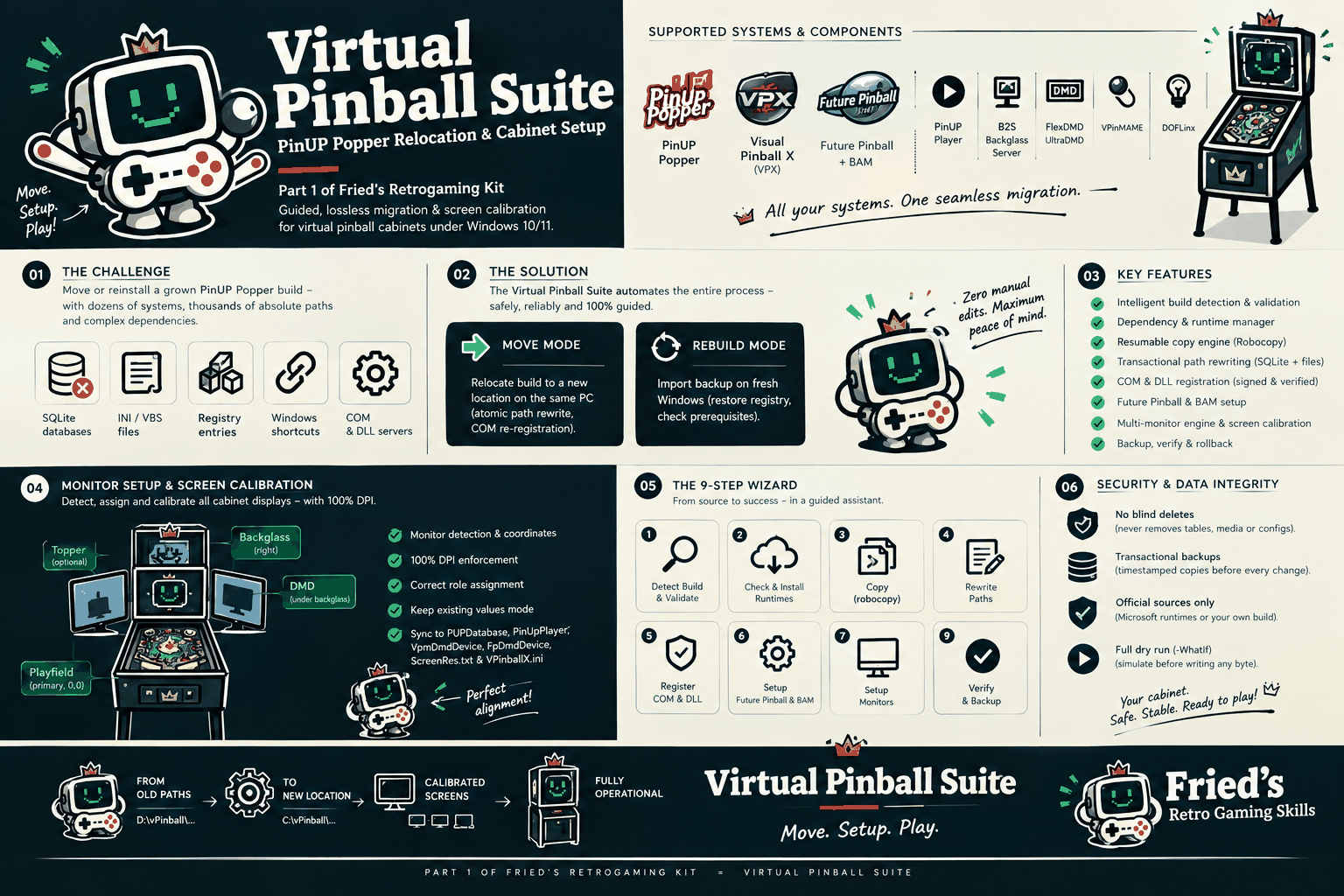
Like many of you, I recently went through the process of moving my virtual pinball setup (Baller Installer, PinUP Popper, VPX tables, media) to a new drive / SSD on my cabinet. As anyone who has done this knows, changing drive letters or folder paths usually leads to a familiar puzzle: broken media paths in the Popper SQLite database (`PupDatabase.db`), unregistered or broken COM registrations (B2S, PinMAME), and multi-screen coordinate shifts.
To solve this cleanly and save myself (and hopefully others) hours of manual file editing and registry hunting, I wrote a set of automated PowerShell scripts and bundled them into a small, standalone utility called **Fried's Retrogaming Kit (Virtual Pinball Suite)**.
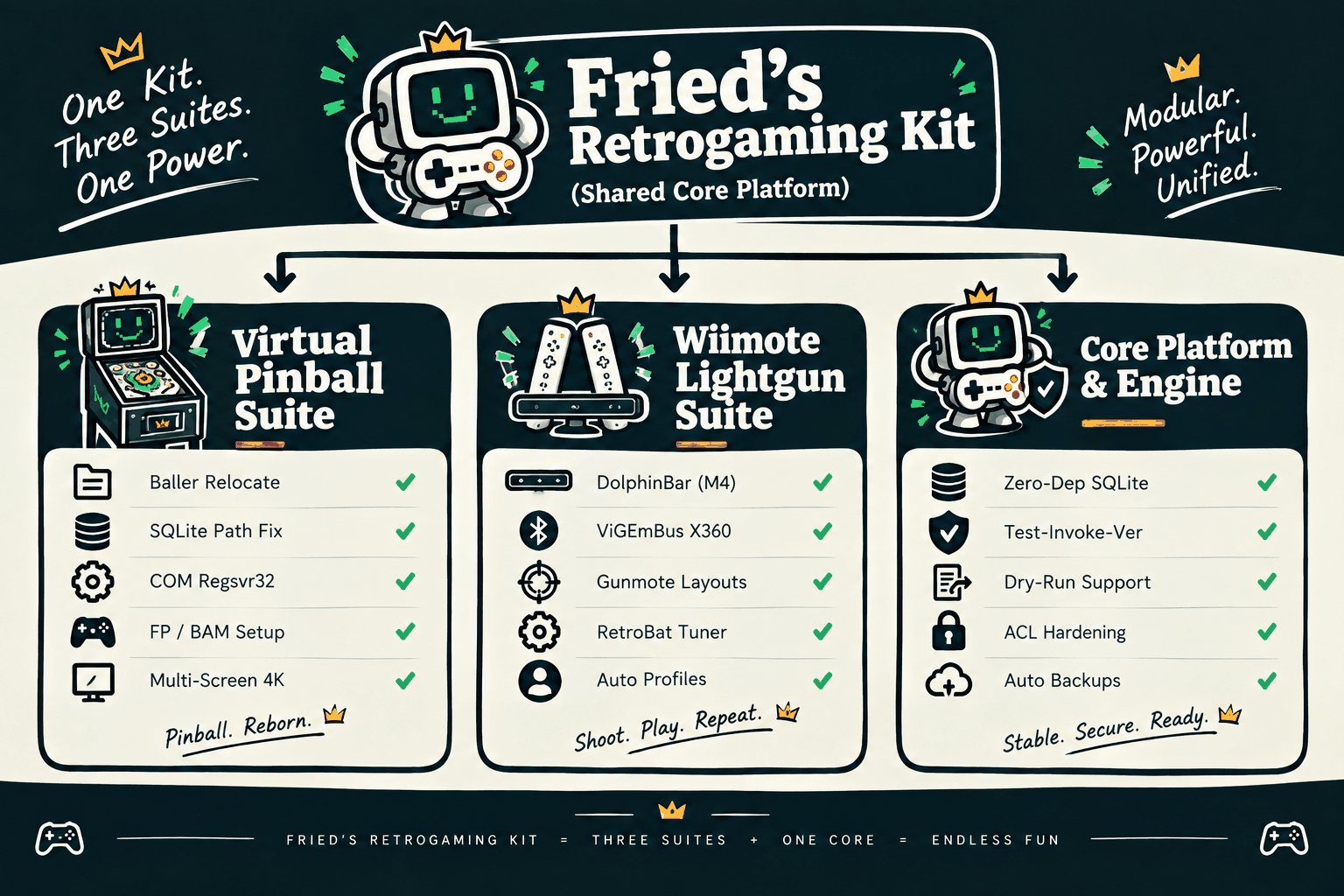
I wanted to share it here in case it saves someone else the headache.
### What it does:
- **Lossless Baller / Popper Relocation:** Automatically detects your old Baller Installer path and your target path, migrating tables, configs, and media cleanly.
- **Atomic SQLite Path Rewriting:** Safely scans and updates all absolute directory paths inside `PupDatabase.db` without corrupting table records or playlists.
- **COM & Registry Auto-Repair:** Checks and re-registers VPX, `B2SBackglassServer.dll`, and `VPinMAME.dll` with proper elevation checks.
- **Multi-Display Alignment Check:** Detects connected displays, verifies Playfield, Backglass, and DMD layout coordinates, and reports potential offset mismatches.
- **Safety / Rollback Archive:** Before touching a single file or registry entry, it automatically generates a compressed timestamped backup so you can roll back at any time.
- **Interactive Wizard (Optional):** Includes an interactive 17-page WinForms GUI if you prefer clicking through the steps visually instead of running command-line scripts.
Besides the Virtual Pinball Suite, the kit also includes modules for lightguns and core diagnostic tools if you run a multi-purpose arcade cab:
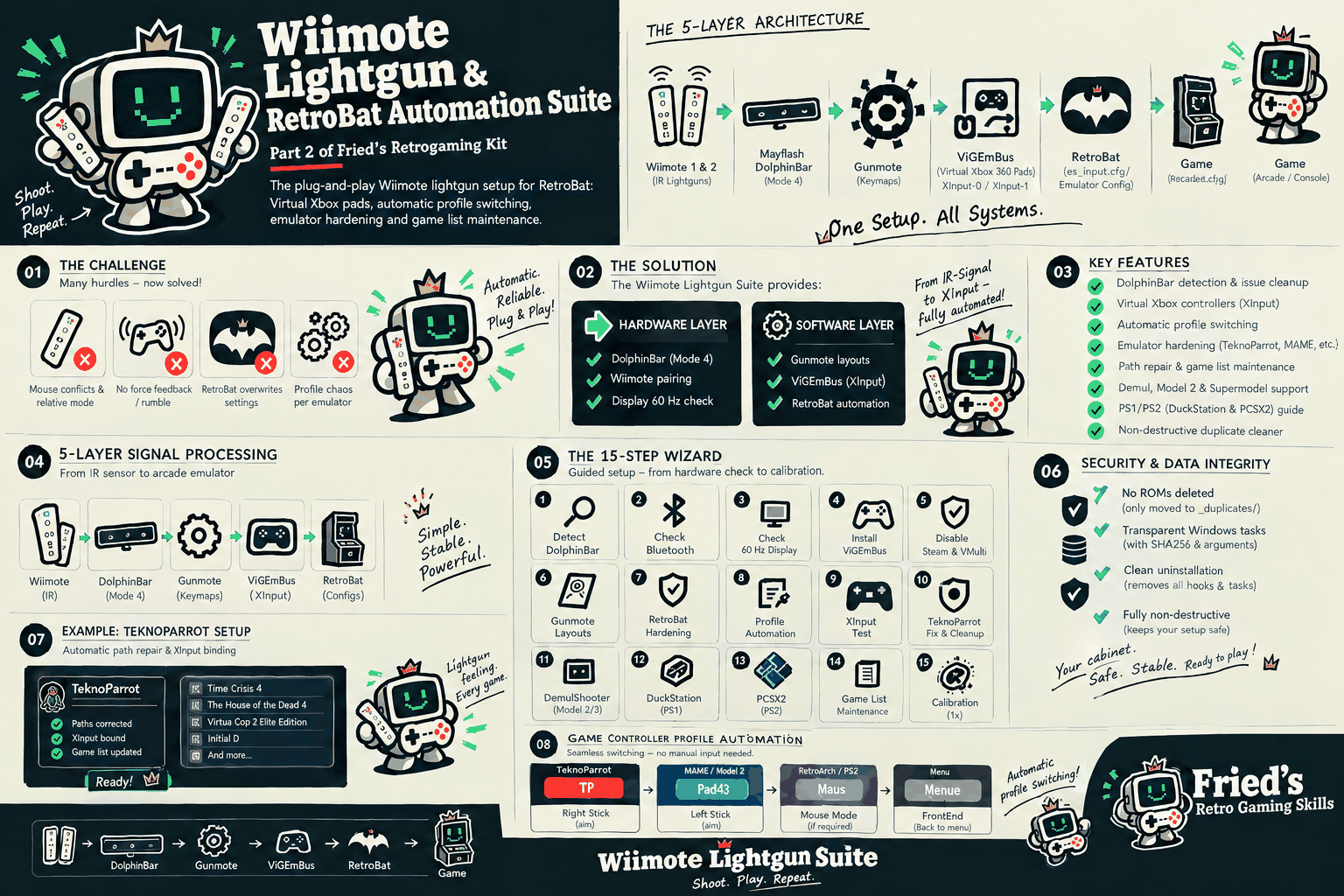
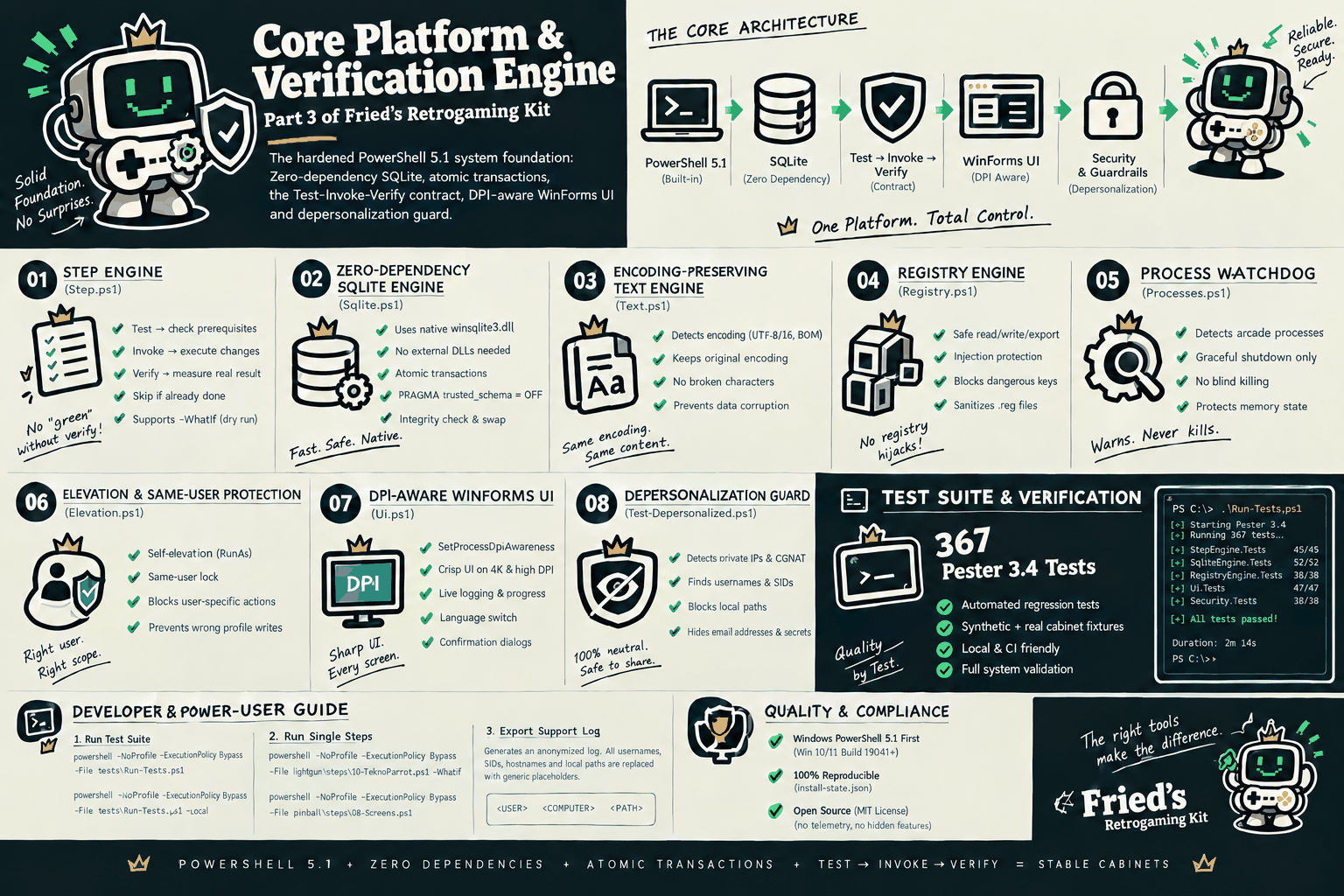
### Links & Info:
- **GitHub Repository (MIT Open Source):** https://github.com/k...retrogaming-kit
- **Release v0.1.0 Download (.zip):** https://github.com/k...ases/tag/v0.1.0
- **Documentation & Step-by-Step Guide:** https://kburna243.gi...etrogaming-kit/
Everything is 100% free, depersonalized, and open source under the MIT license.
If this helps even a couple of people move their tables without breaking their setup, I’m happy. And if anyone has constructive feedback, ideas, or edge cases from their own cabinet configurations, I’d love to hear it so I can continue refining and improving it.
Thanks for all the incredible work that everyone here puts into this hobby!
Cheers,
Fried
 Top
Top









 are all trademarks of VPFORUMS.