Jump to content


Photo
- - - - -

How to handle duplicate image files from different ULTIMATE tables

ultimate image

  • Please log in to reply
6 replies to this topic

#1 rionfucius

rionfucius

    Neophyte

  • Members
  • Pip
  • 7 posts

  • Flag: South Africa

  • Favorite Pinball: Star Wars

Posted 05 July 2020 - 04:48 PM

Hi everyone,


I run FP on a desktop pc and have a large number of favorite tables in zip/rar format.

Installing the different table, script and library files from these archives into the correct sub-folders is no problem for me, until I encountered some different tables from one table author. Some of these "ULTIMATE" or "ULTIMATE Pro" tables have a common image file in the compressed archive named "Wheel Art.png".

Example: Jurassic Park ULTIMATE Pro and RoboCop ULTIMATE Pro.

I suspect other "ULTIMATE Pro" tables will have the same issue.


These images are indeed different and unique per table, so I can't exactly have different ones named the same filename in one "tables" directory.

Anyone else come across this issue before?  Any solution to it?


The simplest solution I can think of is to rename the files to unique names such as "Wheel Art Jurassic.png" and "Wheel Art Robo.png", but where and how do I change the script or content of the table programming to reference the correct filename?  Or re-insert the renamed image file as a substitute to the current image on the table?

Does anyone know?


Your assistance wll be appreciated. Thanks


#2 wiesshund

wiesshund

    VPF Legend

  • Members
  • PipPipPipPipPipPipPip
  • 11,859 posts

  • Flag: United States of America

  • Favorite Pinball: How many can i have?

Posted 05 July 2020 - 04:59 PM

wheel art sounds like images for a front end, like pinballX ?
And if that is the case, you would rename the png files to be same name as the table and put them in the front ends appropriate wheel art folder

Like in pinballX they would go in pinballX\media\future pinball\wheel\table name.png

Do the png's look like a game name or icon?
That is what they sound like, being named wheel


If you feel the need to empty your wallet in my direction, i don't have any way to receive it anyways

Spend it on Hookers and Blow


#3 GeorgeH

GeorgeH

    Pinball Fan

  • Members
  • PipPipPipPip
  • 841 posts
  • Location:Arkansas, USA

  • Flag: United States of America

  • Favorite Pinball: Black Rose

Posted 05 July 2020 - 08:35 PM

I have to agree with Wiesshund.  The only reason to use Slam's wheel art is with a front end program.  I opened the "Wheel Art.png" in both tables you referenced and both files are to be used with a front end.  If you don't have a front end program, then delete the Wheel Art files.  


If you are using a front end program, I am surprised that you would use it on a desktop PC.  These programs are normally used on pinball cabinets.  


You might want to try my method of creating shortcuts to your FP tables like I describe in my guide here:


https://pinballnirva...ext-menu.19607/


#4 rionfucius

rionfucius

    Neophyte

  • Members
  • Pip
  • 7 posts

  • Flag: South Africa

  • Favorite Pinball: Star Wars

Posted 06 July 2020 - 04:51 PM

Hi.

Thanks for the replies.


No, I don't run a front end program. I run the tables directly through BAM/FP combo.

All files extracted from zip/rar and placed into the appropriate BAM and FP folders.


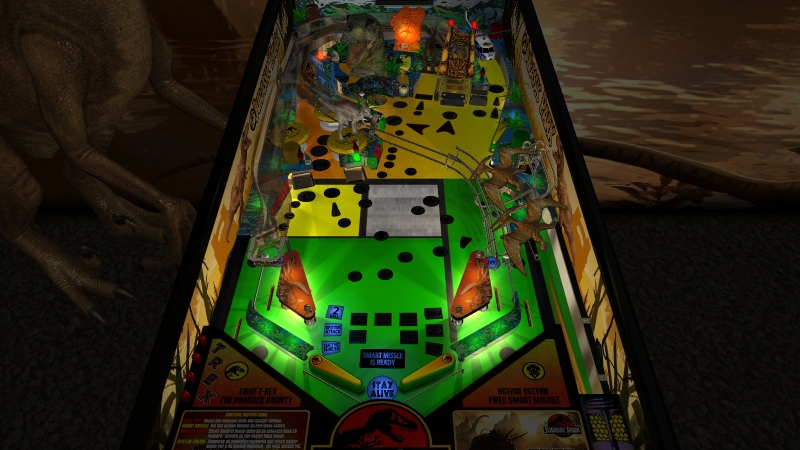
I tried your idea. I deleted the "Wheel Art.png" file from the Tables directory, seeing that I don't use a front end software.  But I'm afraid it changed the table playfield completely - something is now clearly missing in the graphics. The table now looks like this:


Jurassic-Park-ULTIMATE-2.jpg


I then replaced the *.png file back in the Tables directory, but this did not fix the table to original condition.

I then deleted the Config file from the BAM\cfg directory and replaced it with original backup cfg file, but still the table does not return to the way it should be.


So, this means that deleting the *.png file from the Tables directory will permanently mess up the table and you need to delete all traces of all files related to the particular table and re-install all files to get the table back to original.


The conclusion for me is then that it is not possible to install two or more "Ultimate" or Ultimate Pro" tables from Slamt1lt or Francisco666 into the FP\Tables directory if these tables contain a file named "Wheel Art.png" :(


My only hope is that someone knows where to change the table programming to change the filenames of the table surface graphics. Anyone?

Any other  ideas?


thanks


#5 rionfucius

rionfucius

    Neophyte

  • Members
  • Pip
  • 7 posts

  • Flag: South Africa

  • Favorite Pinball: Star Wars

Posted 07 July 2020 - 05:12 PM

So, how 1 particular image file can disrupt the entire table play field?  I don't know.

My only guess is that when the table loads and the software does not find that "Wheel Art.png" file it halts the loading of the rest of the play field graphics as well.


The only thing I can test next is to install the Robocop table without overwriting the *.png file in the Tables directory - keeping the one from the Jurassic Park table set of files - and then load it up and see if I get any weird Jurassic Park graphics popping up in the Robocop table :think:   Hopefully not.


If this works I shall report back here and anyone having the same issue in terms of duplicate files names for these Slamt1lit/Francisco666 tables will know how to deal with it.


Cheers


#6 rionfucius

rionfucius

    Neophyte

  • Members
  • Pip
  • 7 posts

  • Flag: South Africa

  • Favorite Pinball: Star Wars

Posted 08 July 2020 - 04:33 PM

Final verdict:

For Desktop play of BAM/FP, when installing multiple tables from author Slamt1lt (ULTIMATE or ULTIMATE Pro versions), some of them contain a graphics file named "Wheel Art.png". Copy this to the tables directory, but only once.

Successive different tables may contain a similarly named graphics file, although a different picture when viewed in a graphics program, these do not need to be copied into the Tables directory again as an "overwrite" of current file.

Playing the table in desktop mode the file it appears to be not used at all and makes no difference if only 1 version from one table files package (zip/rar) is present in the Tables directory.

However, as trialed by myself, do not leave the file completely missing from the Tables directory or the rest of the table's playfield graphics may not load. I trialed this with the "Jurassic Park Ultimate Pro 1.05" and Robocop ULTIMATE Pro 1.03 tables.


#7 GeorgeH

GeorgeH

    Pinball Fan

  • Members
  • PipPipPipPip
  • 841 posts
  • Location:Arkansas, USA

  • Flag: United States of America

  • Favorite Pinball: Black Rose

Posted 09 July 2020 - 02:08 PM

Try performing Step 6 of my guide here:


http://gopinball.com...php?f=84&t=6054


Also tagged with one or more of these keywords: ultimate, image