Jump to content


Photo
- - - - -

New Build 40/26/DMD


  • Please log in to reply
17 replies to this topic

#1 Umpa

Umpa

    Pinball Fan

  • Members
  • PipPipPipPip
  • 740 posts

  • Flag: United States of America

  • Favorite Pinball: AC/DC

Posted 27 August 2014 - 12:11 AM

Just getting started but sooooo excited. I have built MAME machines and restored Arcade cabs but this is my first Virtual Pinball machine! Woo Hoo! Thank you in advance to all of you who were here before me that gave advice without any of  you this would not be possible!


So I ordered my computer hardware for my cab. If anything looks wrong please let me know!


MB - Asrock Z75 Pro3 LGA 1155


CPU - I5 Ivy Bridge 3.2GHz


Mem - Gskill ripjaws X series 8Gb


Vid - Gigabyte GTX 660


HD - Samsung 256Gb SSD


Pwr - EVGA 600W


OS - Windows 7 64bit


I will update this post as progression moves along!

Thanks again!


#2 njgsx96

njgsx96

    Enthusiast

  • Members
  • PipPipPip
  • 65 posts
  • Location:Boonton, NJ

  • Flag: United States of America

  • Favorite Pinball: Solar City

Posted 27 August 2014 - 12:14 AM

Wow, nice PC Specs.  Gonna be more than enough.  Good luck with your build.  it is a lot of work with some frustration, but it is so much fun.  What kind of plans you going with?  Custom?  Standard or widebody?  Got any questions or run into any snags, ask away. 


Rich


#3 LoadedWeapon

LoadedWeapon

    The Night Owl..

  • Members
  • PipPipPipPipPip
  • 2,572 posts
  • Location:South Carolina USA

  • Flag: United States of America

  • Favorite Pinball: Star Trek TNG


Posted 27 August 2014 - 12:38 PM

Ah I just posted in your other thread about the dmd but if your goung to use a real dmd then that setup is perfect I run the same thing even the same memory and have no problems.. I did clock my i5 to 4ghz but it might not be neeeded.

#4 Umpa

Umpa

    Pinball Fan

  • Members
  • PipPipPipPip
  • 740 posts

  • Flag: United States of America

  • Favorite Pinball: AC/DC

Posted 29 August 2014 - 10:20 PM

Got the PC parts in and have it loaded with Windows 7. Going to start installing VP,FS and PinballX!

Here comes the fun!


#5 Umpa

Umpa

    Pinball Fan

  • Members
  • PipPipPipPip
  • 740 posts

  • Flag: United States of America

  • Favorite Pinball: AC/DC

Posted 31 August 2014 - 12:35 AM

Update! got Visual Pinball, B2s, Pinball X all working on 3 monitors! Using the GTX660 for playfield only and have the 26" TV connected to motherboard (HDMI) and the 17" monitor(DMD) connected to monitor plug on Motherboard. Have about 6 tables loaded and working GREAT! So was wondering if I should add Future Pinball? Any advice?

Would upload pics but not sure how.


Edited by Umpa, 31 August 2014 - 12:37 AM.


#6 Carny_Priest

Carny_Priest

    Pinball Fan

  • Members
  • PipPipPipPip
  • 1,258 posts
  • Location:Austin, TX

  • Flag: United States of America

  • Favorite Pinball: EATPM

Posted 31 August 2014 - 01:04 AM

Yes, with BAM and FutureDMD. Just follow instructions with the PinballX documentation. And check out the PinballX forums.


Sent from my iPad using Tapatalk

#7 Umpa

Umpa

    Pinball Fan

  • Members
  • PipPipPipPip
  • 740 posts

  • Flag: United States of America

  • Favorite Pinball: AC/DC

Posted 02 September 2014 - 12:06 AM

Well I did it. I know have BAM and FutureDMD up and running through PinballX! I decided to cheap out and not go with a real DMD just use a 17"monitor. Which is why I have FutureDMD installed. Works great! Just took awhile figuring out how to get the DMD's off the FP tables and glass but finally got it! Ironman is way cool. Off to see what other FP tables I can get!


Edited by Umpa, 02 September 2014 - 12:07 AM.


#8 Umpa

Umpa

    Pinball Fan

  • Members
  • PipPipPipPip
  • 740 posts

  • Flag: United States of America

  • Favorite Pinball: AC/DC

Posted 03 September 2014 - 03:42 PM

Really liking Future Pinball + BAM! Going to try using a kinect and see how that works. Going to start on creating a list of internal cab parts im going to need to source!


#9 Umpa

Umpa

    Pinball Fan

  • Members
  • PipPipPipPip
  • 740 posts

  • Flag: United States of America

  • Favorite Pinball: AC/DC

Posted 05 September 2014 - 02:48 AM

Having a blast playing the future pinball tables with BAM. I have a Kinect hooked up but it keeps losing focus so I might try the ps3eye cam. But im still happy as a clam with out the Kinect! Ordering my cab flat pack from VirtuaPin tomorrow! Until then going to be playing around with BAM settings. I would like to find a common set such as table angle and what not. No matter having fun experimenting!


#10 Umpa

Umpa

    Pinball Fan

  • Members
  • PipPipPipPip
  • 740 posts

  • Flag: United States of America

  • Favorite Pinball: AC/DC

Posted 11 September 2014 - 12:49 PM

yep I bit the bullet and bought Randr's kit. Amazing! Now I just need to start building a cabinet and order all the feedback parts!


#11 Umpa

Umpa

    Pinball Fan

  • Members
  • PipPipPipPip
  • 740 posts

  • Flag: United States of America

  • Favorite Pinball: AC/DC

Posted 05 October 2014 - 01:23 AM

just an update. Decided that I'm going to go with a 46" playfield with a wide body instead of the 40" standard body. Hopefully I have made the right decision. I really like some of the wide body builds Ive seen!


#12 Umpa

Umpa

    Pinball Fan

  • Members
  • PipPipPipPip
  • 740 posts

  • Flag: United States of America

  • Favorite Pinball: AC/DC

Posted 03 November 2014 - 02:32 PM

Well some updates. I bought a widebody cab from virtuapin and it is excellent quality! The 46" tv I bought is 24 5/8 wide and if I slotted the cab sides would leave me with less than 1/8th of an inch. So I ended up recutting and routing the bottom, back, and front of the cab! So expensive lesson learned! It turned out great though. I also ordered the backbox from virtuapin and was able to use it with my 28" tv and 15" monitor. I did have to remake the dmd panel as I ordered that as well. So with all that said be sure you know what you want before ordering! I'm ready for graphics and then still need to order hardware and force feedback items. (Not sure why double pictiures are showing)


Attached File  uploadfromtaptalk1415025155508.jpg   32.15KB   26 downloadsAttached File  uploadfromtaptalk1415025181338.jpg   36.31KB   24 downloadsAttached File  uploadfromtaptalk1415025213158.jpg   32.89KB   24 downloadsAttached File  uploadfromtaptalk1415025226388.jpg   35.21KB   24 downloads

Attached Files


Edited by Umpa, 03 November 2014 - 03:21 PM.


#13 Umpa

Umpa

    Pinball Fan

  • Members
  • PipPipPipPip
  • 740 posts

  • Flag: United States of America

  • Favorite Pinball: AC/DC

Posted 27 November 2014 - 05:50 AM

1 step forward 2 steps back! So since I decided to go with a 46" playfield instead of the 40" playfield (I had already purchased). I went ahead and made the changes to the cabinet as stated above. Went and got a 46" Samsung 5000 series LED and was excited to try it out.  I hooked it up to my computer and fired it up. I put the TV in game mode launched a future pinball table did some color correction and played a couple of games! Woo Hoo! BUT then loaded up a visual pinball table that plays very well on the 40" led but not good with this Samsung. The ball is laggy. You can tell it does not roll smoothly. I tried everything I could think of. So I rehooked up the 40" Insignia and the table plays perfect. Thus I returned the Samsung and am now on the hunt for another one. It looks like people are pleased with the 46" Samsung 6000 series so I may give that a try. Back to the hunt!


#14 njgsx96

njgsx96

    Enthusiast

  • Members
  • PipPipPip
  • 65 posts
  • Location:Boonton, NJ

  • Flag: United States of America

  • Favorite Pinball: Solar City

Posted 27 November 2014 - 05:46 PM

That stinks about the TV but hopefully the 6000 series does better for you.  Kind of strange VP had an issue but not FP?  The whole build process is the most fun part as you test and cut and fit and test some more.  I enjoy FP tables with BAM too.  I don't have a Kinect but just the BAM and physics piece make it so much better.  Good luck with the new TV and keep us posted!


Rich


#15 Umpa

Umpa

    Pinball Fan

  • Members
  • PipPipPipPip
  • 740 posts

  • Flag: United States of America

  • Favorite Pinball: AC/DC

Posted 29 November 2014 - 03:13 AM

The Samsung 6230 is great! No lag.

#16 Umpa

Umpa

    Pinball Fan

  • Members
  • PipPipPipPip
  • 740 posts

  • Flag: United States of America

  • Favorite Pinball: AC/DC

Posted 04 December 2014 - 12:22 AM

Got the side art applied! Woo hoo! One step closer!Attached File  uploadfromtaptalk1417652606402.jpg   50.49KB   12 downloads

#17 Umpa

Umpa

    Pinball Fan

  • Members
  • PipPipPipPip
  • 740 posts

  • Flag: United States of America

  • Favorite Pinball: AC/DC

Posted 16 December 2014 - 04:52 PM

Got a lot done over the weekend! Legs, all art applied, speakers installed and wired, buttons wired. Been playing having a blast!Posted ImagePosted ImagePosted ImagePosted ImagePosted ImagePosted Image

#18 Umpa

Umpa

    Pinball Fan

  • Members
  • PipPipPipPip
  • 740 posts

  • Flag: United States of America

  • Favorite Pinball: AC/DC

Posted 29 December 2014 - 09:46 PM

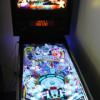
Another update! All complete less the contactors on order and zebs output kit also on order. She looks good and makes me smile when I look at her. Here are some pics. 4ecd96f5adbe60307aa98d86a38272f6.jpg8d9dd4ade3bc47919fae61234855ef15.jpgc550725c6ea011b187dcb4f1ebbe03ed.jpg