Hi guys
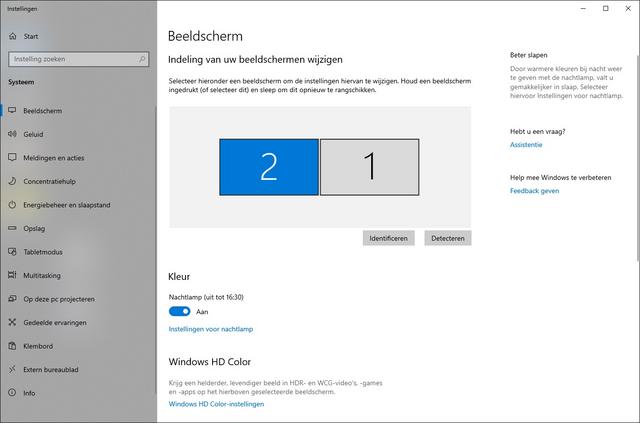
I have been using PinballX for years but have been away from the hobby for a while. I read about PinballY and have given it a try but get a DX11 error as follows:

I have Windows 7 64-bit (4GB RAM and plenty of disk space). I have tried both the 32-bit and 64-bit versions of PinballY. The program doesn't get as far as creating a log file. I tried reinstalling DX11 from the June 2010 distributions but still get the same error.
DXDiag seems to report all is well too (log attached). Other DX11 games work fine.
------------------
System Information
------------------
Time of this report: 12/28/2019, 01:06:55
       Machine name: PINCABINET-PC
   Operating System: Windows 7 Professional 64-bit (6.1, Build 7601) Service Pack 1 (7601.win7sp1_ldr.170913-0600)
           Language: English (Regional Setting: English)
System Manufacturer: System manufacturer
       System Model: System Product Name
               BIOS: BIOS Date: 07/23/10 16:36:30 Ver: 08.00.15
          Processor: Intel(R) Core(TM) i7 CPU         860  @ 2.80GHz (8 CPUs), ~3.9GHz
             Memory: 4096MB RAM
Available OS Memory: 4094MB RAM
          Page File: 2273MB used, 5912MB available
        Windows Dir: C:\Windows
    DirectX Version: DirectX 11
DX Setup Parameters: Not found
   User DPI Setting: Using System DPI
 System DPI Setting: 96 DPI (100 percent)
    DWM DPI Scaling: Disabled
     DxDiag Version: 6.01.7601.17514 32bit Unicode

------------
DxDiag Notes
------------
      Display Tab 1: No problems found.
      Display Tab 2: No problems found.
        Sound Tab 1: No problems found.
          Input Tab: No problems found.

--------------------
DirectX Debug Levels
--------------------
Direct3D:    0/4 (retail)
DirectDraw:  0/4 (retail)
DirectInput: 0/5 (retail)
DirectMusic: 0/5 (retail)
DirectPlay:  0/9 (retail)
DirectSound: 0/5 (retail)
DirectShow:  0/6 (retail)

---------------
Display Devices
---------------
          Card name: NVIDIA GeForce GTX 970
       Manufacturer: NVIDIA
          Chip type: GeForce GTX 970
           DAC type: Integrated RAMDAC
         Device Key: Enum\PCI\VEN_10DE&DEV_13C2&SUBSYS_31601462&REV_A1
     Display Memory: 1703 MB
   Dedicated Memory: 4008 MB
      Shared Memory: 1791 MB
       Current Mode: 1920 x 1080 (32 bit) (60Hz)
       Monitor Name: Generic PnP Monitor
      Monitor Model: LG TV
         Monitor Id: GSM0001
        Native Mode: 1920 x 1080(p) (60.000Hz)
        Output Type: HDMI
        Driver Name: nvd3dumx.dll,nvwgf2umx.dll,nvwgf2umx.dll,nvd3dum,nvwgf2um,nvwgf2um
Driver File Version: 21.21.0013.7849 (English)
     Driver Version: 21.21.13.7849
        DDI Version: 11
       Driver Model: WDDM 1.1
  Driver Attributes: Final Retail
   Driver Date/Size: 1/20/2017 17:36:19, 16403200 bytes
        WHQL Logo'd: Yes
    WHQL Date Stamp:
  Device Identifier: {D7B71E3E-5082-11CF-7B69-6D111BC2D835}
          Vendor ID: 0x10DE
          Device ID: 0x13C2
          SubSys ID: 0x31601462
        Revision ID: 0x00A1
 Driver Strong Name: oem8.inf:NVIDIA_Devices.NTamd64.6.1:Section024:21.21.13.7849:pci\ven_10de&dev_13c2
     Rank Of Driver: 00E62001
        Video Accel:
   Deinterlace Caps: {6CB69578-7617-4637-91E5-1C02DB810285}: Format(In/Out)=(YUY2,YUY2) Frames(Prev/Fwd/Back)=(0,0,0) Caps=VideoProcess_YUV2RGB VideoProcess_StretchX VideoProcess_StretchY DeinterlaceTech_PixelAdaptive
                     {F9F19DA5-3B09-4B2F-9D89-C64753E3EAAB}: Format(In/Out)=(YUY2,YUY2) Frames(Prev/Fwd/Back)=(0,0,0) Caps=VideoProcess_YUV2RGB VideoProcess_StretchX VideoProcess_StretchY
                     {5A54A0C9-C7EC-4BD9-8EDE-F3C75DC4393B}: Format(In/Out)=(YUY2,YUY2) Frames(Prev/Fwd/Back)=(0,0,0) Caps=VideoProcess_YUV2RGB VideoProcess_StretchX VideoProcess_StretchY
                     {335AA36E-7884-43A4-9C91-7F87FAF3E37E}: Format(In/Out)=(YUY2,YUY2) Frames(Prev/Fwd/Back)=(0,0,0) Caps=VideoProcess_YUV2RGB VideoProcess_StretchX VideoProcess_StretchY DeinterlaceTech_BOBVerticalStretch
                     {6CB69578-7617-4637-91E5-1C02DB810285}: Format(In/Out)=(UYVY,UYVY) Frames(Prev/Fwd/Back)=(0,0,0) Caps=VideoProcess_YUV2RGB VideoProcess_StretchX VideoProcess_StretchY DeinterlaceTech_PixelAdaptive
                     {F9F19DA5-3B09-4B2F-9D89-C64753E3EAAB}: Format(In/Out)=(UYVY,UYVY) Frames(Prev/Fwd/Back)=(0,0,0) Caps=VideoProcess_YUV2RGB VideoProcess_StretchX VideoProcess_StretchY
                     {5A54A0C9-C7EC-4BD9-8EDE-F3C75DC4393B}: Format(In/Out)=(UYVY,UYVY) Frames(Prev/Fwd/Back)=(0,0,0) Caps=VideoProcess_YUV2RGB VideoProcess_StretchX VideoProcess_StretchY
                     {335AA36E-7884-43A4-9C91-7F87FAF3E37E}: Format(In/Out)=(UYVY,UYVY) Frames(Prev/Fwd/Back)=(0,0,0) Caps=VideoProcess_YUV2RGB VideoProcess_StretchX VideoProcess_StretchY DeinterlaceTech_BOBVerticalStretch
                     {6CB69578-7617-4637-91E5-1C02DB810285}: Format(In/Out)=(YV12,0x32315659) Frames(Prev/Fwd/Back)=(0,0,0) Caps=VideoProcess_YUV2RGB VideoProcess_StretchX VideoProcess_StretchY DeinterlaceTech_PixelAdaptive
                     {F9F19DA5-3B09-4B2F-9D89-C64753E3EAAB}: Format(In/Out)=(YV12,0x32315659) Frames(Prev/Fwd/Back)=(0,0,0) Caps=VideoProcess_YUV2RGB VideoProcess_StretchX VideoProcess_StretchY
                     {5A54A0C9-C7EC-4BD9-8EDE-F3C75DC4393B}: Format(In/Out)=(YV12,0x32315659) Frames(Prev/Fwd/Back)=(0,0,0) Caps=VideoProcess_YUV2RGB VideoProcess_StretchX VideoProcess_StretchY
                     {335AA36E-7884-43A4-9C91-7F87FAF3E37E}: Format(In/Out)=(YV12,0x32315659) Frames(Prev/Fwd/Back)=(0,0,0) Caps=VideoProcess_YUV2RGB VideoProcess_StretchX VideoProcess_StretchY DeinterlaceTech_BOBVerticalStretch
                     {6CB69578-7617-4637-91E5-1C02DB810285}: Format(In/Out)=(NV12,0x3231564e) Frames(Prev/Fwd/Back)=(0,0,0) Caps=VideoProcess_YUV2RGB VideoProcess_StretchX VideoProcess_StretchY DeinterlaceTech_PixelAdaptive
                     {F9F19DA5-3B09-4B2F-9D89-C64753E3EAAB}: Format(In/Out)=(NV12,0x3231564e) Frames(Prev/Fwd/Back)=(0,0,0) Caps=VideoProcess_YUV2RGB VideoProcess_StretchX VideoProcess_StretchY
                     {5A54A0C9-C7EC-4BD9-8EDE-F3C75DC4393B}: Format(In/Out)=(NV12,0x3231564e) Frames(Prev/Fwd/Back)=(0,0,0) Caps=VideoProcess_YUV2RGB VideoProcess_StretchX VideoProcess_StretchY
                     {335AA36E-7884-43A4-9C91-7F87FAF3E37E}: Format(In/Out)=(NV12,0x3231564e) Frames(Prev/Fwd/Back)=(0,0,0) Caps=VideoProcess_YUV2RGB VideoProcess_StretchX VideoProcess_StretchY DeinterlaceTech_BOBVerticalStretch
                     {6CB69578-7617-4637-91E5-1C02DB810285}: Format(In/Out)=(IMC1,UNKNOWN) Frames(Prev/Fwd/Back)=(0,0,0) Caps=
                     {F9F19DA5-3B09-4B2F-9D89-C64753E3EAAB}: Format(In/Out)=(IMC1,UNKNOWN) Frames(Prev/Fwd/Back)=(0,0,0) Caps=
                     {5A54A0C9-C7EC-4BD9-8EDE-F3C75DC4393B}: Format(In/Out)=(IMC1,UNKNOWN) Frames(Prev/Fwd/Back)=(0,0,0) Caps=
                     {335AA36E-7884-43A4-9C91-7F87FAF3E37E}: Format(In/Out)=(IMC1,UNKNOWN) Frames(Prev/Fwd/Back)=(0,0,0) Caps=
                     {6CB69578-7617-4637-91E5-1C02DB810285}: Format(In/Out)=(IMC2,UNKNOWN) Frames(Prev/Fwd/Back)=(0,0,0) Caps=
                     {F9F19DA5-3B09-4B2F-9D89-C64753E3EAAB}: Format(In/Out)=(IMC2,UNKNOWN) Frames(Prev/Fwd/Back)=(0,0,0) Caps=
                     {5A54A0C9-C7EC-4BD9-8EDE-F3C75DC4393B}: Format(In/Out)=(IMC2,UNKNOWN) Frames(Prev/Fwd/Back)=(0,0,0) Caps=
                     {335AA36E-7884-43A4-9C91-7F87FAF3E37E}: Format(In/Out)=(IMC2,UNKNOWN) Frames(Prev/Fwd/Back)=(0,0,0) Caps=
                     {6CB69578-7617-4637-91E5-1C02DB810285}: Format(In/Out)=(IMC3,UNKNOWN) Frames(Prev/Fwd/Back)=(0,0,0) Caps=
                     {F9F19DA5-3B09-4B2F-9D89-C64753E3EAAB}: Format(In/Out)=(IMC3,UNKNOWN) Frames(Prev/Fwd/Back)=(0,0,0) Caps=
                     {5A54A0C9-C7EC-4BD9-8EDE-F3C75DC4393B}: Format(In/Out)=(IMC3,UNKNOWN) Frames(Prev/Fwd/Back)=(0,0,0) Caps=
                     {335AA36E-7884-43A4-9C91-7F87FAF3E37E}: Format(In/Out)=(IMC3,UNKNOWN) Frames(Prev/Fwd/Back)=(0,0,0) Caps=
                     {6CB69578-7617-4637-91E5-1C02DB810285}: Format(In/Out)=(IMC4,UNKNOWN) Frames(Prev/Fwd/Back)=(0,0,0) Caps=
                     {F9F19DA5-3B09-4B2F-9D89-C64753E3EAAB}: Format(In/Out)=(IMC4,UNKNOWN) Frames(Prev/Fwd/Back)=(0,0,0) Caps=
                     {5A54A0C9-C7EC-4BD9-8EDE-F3C75DC4393B}: Format(In/Out)=(IMC4,UNKNOWN) Frames(Prev/Fwd/Back)=(0,0,0) Caps=
                     {335AA36E-7884-43A4-9C91-7F87FAF3E37E}: Format(In/Out)=(IMC4,UNKNOWN) Frames(Prev/Fwd/Back)=(0,0,0) Caps=
                     {6CB69578-7617-4637-91E5-1C02DB810285}: Format(In/Out)=(S340,UNKNOWN) Frames(Prev/Fwd/Back)=(0,0,0) Caps=
                     {F9F19DA5-3B09-4B2F-9D89-C64753E3EAAB}: Format(In/Out)=(S340,UNKNOWN) Frames(Prev/Fwd/Back)=(0,0,0) Caps=
                     {5A54A0C9-C7EC-4BD9-8EDE-F3C75DC4393B}: Format(In/Out)=(S340,UNKNOWN) Frames(Prev/Fwd/Back)=(0,0,0) Caps=
                     {335AA36E-7884-43A4-9C91-7F87FAF3E37E}: Format(In/Out)=(S340,UNKNOWN) Frames(Prev/Fwd/Back)=(0,0,0) Caps=
                     {6CB69578-7617-4637-91E5-1C02DB810285}: Format(In/Out)=(S342,UNKNOWN) Frames(Prev/Fwd/Back)=(0,0,0) Caps=
                     {F9F19DA5-3B09-4B2F-9D89-C64753E3EAAB}: Format(In/Out)=(S342,UNKNOWN) Frames(Prev/Fwd/Back)=(0,0,0) Caps=
                     {5A54A0C9-C7EC-4BD9-8EDE-F3C75DC4393B}: Format(In/Out)=(S342,UNKNOWN) Frames(Prev/Fwd/Back)=(0,0,0) Caps=
                     {335AA36E-7884-43A4-9C91-7F87FAF3E37E}: Format(In/Out)=(S342,UNKNOWN) Frames(Prev/Fwd/Back)=(0,0,0) Caps=
       D3D9 Overlay: Supported
            DXVA-HD: Supported
       DDraw Status: Enabled
         D3D Status: Enabled
         AGP Status: Enabled

          Card name: NVIDIA GeForce GTX 970
       Manufacturer: NVIDIA
          Chip type: GeForce GTX 970
           DAC type: Integrated RAMDAC
         Device Key: Enum\PCI\VEN_10DE&DEV_13C2&SUBSYS_31601462&REV_A1
     Display Memory: 1703 MB
   Dedicated Memory: 4008 MB
      Shared Memory: 1791 MB
       Current Mode: 1024 x 768 (32 bit) (60Hz)
       Monitor Name: Generic PnP Monitor
      Monitor Model: HZ281H
         Monitor Id: HSD6735
        Native Mode: 1920 x 1200(p) (59.950Hz)
        Output Type: DVI
        Driver Name: nvd3dumx.dll,nvwgf2umx.dll,nvwgf2umx.dll,nvd3dum,nvwgf2um,nvwgf2um
Driver File Version: 21.21.0013.7849 (English)
     Driver Version: 21.21.13.7849
        DDI Version: 11
       Driver Model: WDDM 1.1
  Driver Attributes: Final Retail
   Driver Date/Size: 1/20/2017 17:36:19, 16403200 bytes
        WHQL Logo'd: Yes
    WHQL Date Stamp:
  Device Identifier: {D7B71E3E-5082-11CF-7B69-6D111BC2D835}
          Vendor ID: 0x10DE
          Device ID: 0x13C2
          SubSys ID: 0x31601462
        Revision ID: 0x00A1
 Driver Strong Name: oem8.inf:NVIDIA_Devices.NTamd64.6.1:Section024:21.21.13.7849:pci\ven_10de&dev_13c2
     Rank Of Driver: 00E62001
        Video Accel:
   Deinterlace Caps: {6CB69578-7617-4637-91E5-1C02DB810285}: Format(In/Out)=(YUY2,YUY2) Frames(Prev/Fwd/Back)=(0,0,0) Caps=VideoProcess_YUV2RGB VideoProcess_StretchX VideoProcess_StretchY DeinterlaceTech_PixelAdaptive
                     {F9F19DA5-3B09-4B2F-9D89-C64753E3EAAB}: Format(In/Out)=(YUY2,YUY2) Frames(Prev/Fwd/Back)=(0,0,0) Caps=VideoProcess_YUV2RGB VideoProcess_StretchX VideoProcess_StretchY
                     {5A54A0C9-C7EC-4BD9-8EDE-F3C75DC4393B}: Format(In/Out)=(YUY2,YUY2) Frames(Prev/Fwd/Back)=(0,0,0) Caps=VideoProcess_YUV2RGB VideoProcess_StretchX VideoProcess_StretchY
                     {335AA36E-7884-43A4-9C91-7F87FAF3E37E}: Format(In/Out)=(YUY2,YUY2) Frames(Prev/Fwd/Back)=(0,0,0) Caps=VideoProcess_YUV2RGB VideoProcess_StretchX VideoProcess_StretchY DeinterlaceTech_BOBVerticalStretch
                     {6CB69578-7617-4637-91E5-1C02DB810285}: Format(In/Out)=(UYVY,UYVY) Frames(Prev/Fwd/Back)=(0,0,0) Caps=VideoProcess_YUV2RGB VideoProcess_StretchX VideoProcess_StretchY DeinterlaceTech_PixelAdaptive
                     {F9F19DA5-3B09-4B2F-9D89-C64753E3EAAB}: Format(In/Out)=(UYVY,UYVY) Frames(Prev/Fwd/Back)=(0,0,0) Caps=VideoProcess_YUV2RGB VideoProcess_StretchX VideoProcess_StretchY
                     {5A54A0C9-C7EC-4BD9-8EDE-F3C75DC4393B}: Format(In/Out)=(UYVY,UYVY) Frames(Prev/Fwd/Back)=(0,0,0) Caps=VideoProcess_YUV2RGB VideoProcess_StretchX VideoProcess_StretchY
                     {335AA36E-7884-43A4-9C91-7F87FAF3E37E}: Format(In/Out)=(UYVY,UYVY) Frames(Prev/Fwd/Back)=(0,0,0) Caps=VideoProcess_YUV2RGB VideoProcess_StretchX VideoProcess_StretchY DeinterlaceTech_BOBVerticalStretch
                     {6CB69578-7617-4637-91E5-1C02DB810285}: Format(In/Out)=(YV12,0x32315659) Frames(Prev/Fwd/Back)=(0,0,0) Caps=VideoProcess_YUV2RGB VideoProcess_StretchX VideoProcess_StretchY DeinterlaceTech_PixelAdaptive
                     {F9F19DA5-3B09-4B2F-9D89-C64753E3EAAB}: Format(In/Out)=(YV12,0x32315659) Frames(Prev/Fwd/Back)=(0,0,0) Caps=VideoProcess_YUV2RGB VideoProcess_StretchX VideoProcess_StretchY
                     {5A54A0C9-C7EC-4BD9-8EDE-F3C75DC4393B}: Format(In/Out)=(YV12,0x32315659) Frames(Prev/Fwd/Back)=(0,0,0) Caps=VideoProcess_YUV2RGB VideoProcess_StretchX VideoProcess_StretchY
                     {335AA36E-7884-43A4-9C91-7F87FAF3E37E}: Format(In/Out)=(YV12,0x32315659) Frames(Prev/Fwd/Back)=(0,0,0) Caps=VideoProcess_YUV2RGB VideoProcess_StretchX VideoProcess_StretchY DeinterlaceTech_BOBVerticalStretch
                     {6CB69578-7617-4637-91E5-1C02DB810285}: Format(In/Out)=(NV12,0x3231564e) Frames(Prev/Fwd/Back)=(0,0,0) Caps=VideoProcess_YUV2RGB VideoProcess_StretchX VideoProcess_StretchY DeinterlaceTech_PixelAdaptive
                     {F9F19DA5-3B09-4B2F-9D89-C64753E3EAAB}: Format(In/Out)=(NV12,0x3231564e) Frames(Prev/Fwd/Back)=(0,0,0) Caps=VideoProcess_YUV2RGB VideoProcess_StretchX VideoProcess_StretchY
                     {5A54A0C9-C7EC-4BD9-8EDE-F3C75DC4393B}: Format(In/Out)=(NV12,0x3231564e) Frames(Prev/Fwd/Back)=(0,0,0) Caps=VideoProcess_YUV2RGB VideoProcess_StretchX VideoProcess_StretchY
                     {335AA36E-7884-43A4-9C91-7F87FAF3E37E}: Format(In/Out)=(NV12,0x3231564e) Frames(Prev/Fwd/Back)=(0,0,0) Caps=VideoProcess_YUV2RGB VideoProcess_StretchX VideoProcess_StretchY DeinterlaceTech_BOBVerticalStretch
                     {6CB69578-7617-4637-91E5-1C02DB810285}: Format(In/Out)=(IMC1,UNKNOWN) Frames(Prev/Fwd/Back)=(0,0,0) Caps=
                     {F9F19DA5-3B09-4B2F-9D89-C64753E3EAAB}: Format(In/Out)=(IMC1,UNKNOWN) Frames(Prev/Fwd/Back)=(0,0,0) Caps=
                     {5A54A0C9-C7EC-4BD9-8EDE-F3C75DC4393B}: Format(In/Out)=(IMC1,UNKNOWN) Frames(Prev/Fwd/Back)=(0,0,0) Caps=
                     {335AA36E-7884-43A4-9C91-7F87FAF3E37E}: Format(In/Out)=(IMC1,UNKNOWN) Frames(Prev/Fwd/Back)=(0,0,0) Caps=
                     {6CB69578-7617-4637-91E5-1C02DB810285}: Format(In/Out)=(IMC2,UNKNOWN) Frames(Prev/Fwd/Back)=(0,0,0) Caps=
                     {F9F19DA5-3B09-4B2F-9D89-C64753E3EAAB}: Format(In/Out)=(IMC2,UNKNOWN) Frames(Prev/Fwd/Back)=(0,0,0) Caps=
                     {5A54A0C9-C7EC-4BD9-8EDE-F3C75DC4393B}: Format(In/Out)=(IMC2,UNKNOWN) Frames(Prev/Fwd/Back)=(0,0,0) Caps=
                     {335AA36E-7884-43A4-9C91-7F87FAF3E37E}: Format(In/Out)=(IMC2,UNKNOWN) Frames(Prev/Fwd/Back)=(0,0,0) Caps=
                     {6CB69578-7617-4637-91E5-1C02DB810285}: Format(In/Out)=(IMC3,UNKNOWN) Frames(Prev/Fwd/Back)=(0,0,0) Caps=
                     {F9F19DA5-3B09-4B2F-9D89-C64753E3EAAB}: Format(In/Out)=(IMC3,UNKNOWN) Frames(Prev/Fwd/Back)=(0,0,0) Caps=
                     {5A54A0C9-C7EC-4BD9-8EDE-F3C75DC4393B}: Format(In/Out)=(IMC3,UNKNOWN) Frames(Prev/Fwd/Back)=(0,0,0) Caps=
                     {335AA36E-7884-43A4-9C91-7F87FAF3E37E}: Format(In/Out)=(IMC3,UNKNOWN) Frames(Prev/Fwd/Back)=(0,0,0) Caps=
                     {6CB69578-7617-4637-91E5-1C02DB810285}: Format(In/Out)=(IMC4,UNKNOWN) Frames(Prev/Fwd/Back)=(0,0,0) Caps=
                     {F9F19DA5-3B09-4B2F-9D89-C64753E3EAAB}: Format(In/Out)=(IMC4,UNKNOWN) Frames(Prev/Fwd/Back)=(0,0,0) Caps=
                     {5A54A0C9-C7EC-4BD9-8EDE-F3C75DC4393B}: Format(In/Out)=(IMC4,UNKNOWN) Frames(Prev/Fwd/Back)=(0,0,0) Caps=
                     {335AA36E-7884-43A4-9C91-7F87FAF3E37E}: Format(In/Out)=(IMC4,UNKNOWN) Frames(Prev/Fwd/Back)=(0,0,0) Caps=
                     {6CB69578-7617-4637-91E5-1C02DB810285}: Format(In/Out)=(S340,UNKNOWN) Frames(Prev/Fwd/Back)=(0,0,0) Caps=
                     {F9F19DA5-3B09-4B2F-9D89-C64753E3EAAB}: Format(In/Out)=(S340,UNKNOWN) Frames(Prev/Fwd/Back)=(0,0,0) Caps=
                     {5A54A0C9-C7EC-4BD9-8EDE-F3C75DC4393B}: Format(In/Out)=(S340,UNKNOWN) Frames(Prev/Fwd/Back)=(0,0,0) Caps=
                     {335AA36E-7884-43A4-9C91-7F87FAF3E37E}: Format(In/Out)=(S340,UNKNOWN) Frames(Prev/Fwd/Back)=(0,0,0) Caps=
                     {6CB69578-7617-4637-91E5-1C02DB810285}: Format(In/Out)=(S342,UNKNOWN) Frames(Prev/Fwd/Back)=(0,0,0) Caps=
                     {F9F19DA5-3B09-4B2F-9D89-C64753E3EAAB}: Format(In/Out)=(S342,UNKNOWN) Frames(Prev/Fwd/Back)=(0,0,0) Caps=
                     {5A54A0C9-C7EC-4BD9-8EDE-F3C75DC4393B}: Format(In/Out)=(S342,UNKNOWN) Frames(Prev/Fwd/Back)=(0,0,0) Caps=
                     {335AA36E-7884-43A4-9C91-7F87FAF3E37E}: Format(In/Out)=(S342,UNKNOWN) Frames(Prev/Fwd/Back)=(0,0,0) Caps=
       D3D9 Overlay: Supported
            DXVA-HD: Supported
       DDraw Status: Enabled
         D3D Status: Enabled
         AGP Status: Enabled

-------------
Sound Devices
-------------
            Description: Speakers (ASUS Xonar DS Audio Device)
 Default Sound Playback: Yes
 Default Voice Playback: Yes
            Hardware ID: PCI\VEN_13F6&DEV_8788&SUBSYS_838E1043&REV_00
        Manufacturer ID: 1
             Product ID: 100
                   Type: WDM
            Driver Name: cmudaxp.sys
         Driver Version: 5.12.0001.0008 (English)
      Driver Attributes: Final Retail
            WHQL Logo'd: n/a
          Date and Size: 3/10/2011 15:44:16, 2725376 bytes
            Other Files:
        Driver Provider: ASUSTeK
         HW Accel Level: Basic
              Cap Flags: 0xF5F
    Min/Max Sample Rate: 100, 192000
Static/Strm HW Mix Bufs: 129, 128
 Static/Strm HW 3D Bufs: 129, 128
              HW Memory: 0
       Voice Management: Yes
 EAX(tm) 2.0 Listen/Src: Yes, Yes
   I3DL2(tm) Listen/Src: No, No
Sensaura(tm) ZoomFX(tm): No

---------------------
Sound Capture Devices
---------------------
            Description: Microphone (ASUS Xonar DS Audio Device)
  Default Sound Capture: Yes
  Default Voice Capture: Yes
            Driver Name: cmudaxp.sys
         Driver Version: 5.12.0001.0008 (English)
      Driver Attributes: Final Retail
          Date and Size: 3/10/2011 15:44:16, 2725376 bytes
              Cap Flags: 0x1
           Format Flags: 0xFFFFF

            Description: Wave (ASUS Xonar DS Audio Device)
  Default Sound Capture: No
  Default Voice Capture: No
            Driver Name: cmudaxp.sys
         Driver Version: 5.12.0001.0008 (English)
      Driver Attributes: Final Retail
          Date and Size: 3/10/2011 15:44:16, 2725376 bytes
              Cap Flags: 0x1
           Format Flags: 0xFFFFF

            Description: Aux (ASUS Xonar DS Audio Device)
  Default Sound Capture: No
  Default Voice Capture: No
            Driver Name: cmudaxp.sys
         Driver Version: 5.12.0001.0008 (English)
      Driver Attributes: Final Retail
          Date and Size: 3/10/2011 15:44:16, 2725376 bytes
              Cap Flags: 0x1
           Format Flags: 0xFFFFF

            Description: Stereo Mix (ASUS Xonar DS Audio Device)
  Default Sound Capture: No
  Default Voice Capture: No
            Driver Name: cmudaxp.sys
         Driver Version: 5.12.0001.0008 (English)
      Driver Attributes: Final Retail
          Date and Size: 3/10/2011 15:44:16, 2725376 bytes
              Cap Flags: 0x1
           Format Flags: 0xFFFFF

            Description: Line In (ASUS Xonar DS Audio Device)
  Default Sound Capture: No
  Default Voice Capture: No
            Driver Name: cmudaxp.sys
         Driver Version: 5.12.0001.0008 (English)
      Driver Attributes: Final Retail
          Date and Size: 3/10/2011 15:44:16, 2725376 bytes
              Cap Flags: 0x1
           Format Flags: 0xFFFFF

-------------------
DirectInput Devices
-------------------
      Device Name: Mouse
         Attached: 1
    Controller ID: n/a
Vendor/Product ID: n/a
        FF Driver: n/a

      Device Name: Keyboard
         Attached: 1
    Controller ID: n/a
Vendor/Product ID: n/a
        FF Driver: n/a

      Device Name: Wired Keyboard 600
         Attached: 1
    Controller ID: 0x0
Vendor/Product ID: 0x045E, 0x07F8
        FF Driver: n/a

      Device Name: Wired Keyboard 600
         Attached: 1
    Controller ID: 0x0
Vendor/Product ID: 0x045E, 0x07F8
        FF Driver: n/a

      Device Name: ZB Lighting Board DEV1
         Attached: 1
    Controller ID: 0x0
Vendor/Product ID: 0x20A0, 0x00F0
        FF Driver: n/a

Poll w/ Interrupt: No

-----------
USB Devices
-----------
+ USB Root Hub
| Vendor/Product ID: 0x8086, 0x3B3C
| Matching Device ID: usb\root_hub20
| Service: usbhub
|
+-+ Generic USB Hub
| | Vendor/Product ID: 0x8087, 0x0020
| | Location: Port_#0001.Hub_#0001
| | Matching Device ID: usb\class_09
| | Service: usbhub
| |
| +-+ Microsoft USB Wheel Mouse Optical
| | | Vendor/Product ID: 0x045E, 0x0040
| | | Location: Port_#0001.Hub_#0003
| | | Matching Device ID: usb\vid_045e&pid_0040
| | | Service: HidUsb
| | |
| | +-+ Microsoft USB Wheel Mouse Optical
| | | | Vendor/Product ID: 0x045E, 0x0040
| | | | Matching Device ID: hid\vid_045e&pid_0040
| | | | Service: mouhid

----------------
Gameport Devices
----------------

------------
PS/2 Devices
------------
+ HID Keyboard Device
| Vendor/Product ID: 0x045E, 0x07F8
| Matching Device ID: hid_device_system_keyboard
| Service: kbdhid
|
+ HID Keyboard Device
| Vendor/Product ID: 0xD209, 0x0301
| Matching Device ID: hid_device_system_keyboard
| Service: kbdhid
|
+ Terminal Server Keyboard Driver
| Matching Device ID: root\rdp_kbd
| Upper Filters: kbdclass
| Service: TermDD
|
+ Terminal Server Mouse Driver
| Matching Device ID: root\rdp_mou
| Upper Filters: mouclass
| Service: TermDD

------------------------
Disk & DVD/CD-ROM Drives
------------------------
      Drive: C:
 Free Space: 27.5 GB
Total Space: 56.7 GB
File System: NTFS
      Model: OCZ-VERTEX2 ATA Device

      Drive: D:
 Free Space: 420.5 GB
Total Space: 500.0 GB
File System: NTFS
      Model: Samsung SSD 860 EVO 1TB ATA Device

      Drive: E:
 Free Space: 218.8 GB
Total Space: 250.0 GB
File System: NTFS
      Model: Samsung SSD 860 EVO 1TB ATA Device

      Drive: F:
 Free Space: 194.7 GB
Total Space: 203.9 GB
File System: NTFS
      Model: Samsung SSD 860 EVO 1TB ATA Device

--------------
System Devices
--------------
     Name: Intel(R) processor System Control and Status Registers - D157
Device ID: PCI\VEN_8086&DEV_D157&SUBSYS_00830043&REV_11\3&11583659&0&42
   Driver: n/a

     Name: Intel(R) 5 Series/3400 Series Chipset Family PCI Express Root Port 6 - 3B4C
Device ID: PCI\VEN_8086&DEV_3B4C&SUBSYS_83831043&REV_06\3&11583659&0&E5
   Driver: n/a

     Name: Intel(R) P55 Express Chipset LPC Interface Controller - 3B02
Device ID: PCI\VEN_8086&DEV_3B02&SUBSYS_83831043&REV_06\3&11583659&0&F8
   Driver: n/a

     Name: Intel(R) processor Semaphore and Scratchpad Registers - D156
Device ID: PCI\VEN_8086&DEV_D156&SUBSYS_00830043&REV_11\3&11583659&0&41
   Driver: n/a

     Name: Intel(R) 5 Series/3400 Series Chipset Family PCI Express Root Port 5 - 3B4A
Device ID: PCI\VEN_8086&DEV_3B4A&SUBSYS_83831043&REV_06\3&11583659&0&E4
   Driver: n/a

     Name: Intel(R) 82801 PCI Bridge - 244E
Device ID: PCI\VEN_8086&DEV_244E&SUBSYS_83831043&REV_A6\3&11583659&0&F0
   Driver: n/a

     Name: Intel(R) processor System Management Registers - D155
Device ID: PCI\VEN_8086&DEV_D155&SUBSYS_00830043&REV_11\3&11583659&0&40
   Driver: n/a

     Name: Intel(R) 5 Series/3400 Series Chipset Family PCI Express Root Port 1 - 3B42
Device ID: PCI\VEN_8086&DEV_3B42&SUBSYS_83831043&REV_06\3&11583659&0&E0
   Driver: n/a

     Name: JMicron JMB36X Controller
Device ID: PCI\VEN_197B&DEV_2363&SUBSYS_824F1043&REV_03\4&E9A026A&0&00E6
   Driver: n/a

     Name: Intel(R) QuickPath Interconnect - D151
Device ID: PCI\VEN_8086&DEV_D151&SUBSYS_00000000&REV_11\3&11583659&0&81
   Driver: n/a

     Name: Intel(R) 5 Series/3400 Series Chipset Family USB Enhanced Host Controller - 3B3C
Device ID: PCI\VEN_8086&DEV_3B3C&SUBSYS_83831043&REV_06\3&11583659&0&D0
   Driver: n/a

     Name: ASUS Xonar DS Audio Device
Device ID: PCI\VEN_13F6&DEV_8788&SUBSYS_838E1043&REV_00\4&3A440333&0&10F0
   Driver: n/a

     Name: Intel(R) QuickPath Interconnect - D150
Device ID: PCI\VEN_8086&DEV_D150&SUBSYS_00000000&REV_11\3&11583659&0&80
   Driver: n/a

     Name: Intel(R) 5 Series/3400 Series Chipset Family USB Enhanced Host Controller - 3B34
Device ID: PCI\VEN_8086&DEV_3B34&SUBSYS_83831043&REV_06\3&11583659&0&E8
   Driver: n/a

     Name: NVIDIA GeForce GTX 970
Device ID: PCI\VEN_10DE&DEV_13C2&SUBSYS_31601462&REV_A1\4&113C73B2&0&0018
   Driver: n/a

     Name: Intel(R) processor PCI Express Root Port 1 - D138
Device ID: PCI\VEN_8086&DEV_D138&SUBSYS_83831043&REV_11\3&11583659&0&18
   Driver: n/a

     Name: Intel(R) 5 Series/3400 Series Chipset Family SMBus Controller - 3B30
Device ID: PCI\VEN_8086&DEV_3B30&SUBSYS_83831043&REV_06\3&11583659&0&FB
   Driver: n/a

     Name: High Definition Audio Controller
Device ID: PCI\VEN_10DE&DEV_0FBB&SUBSYS_31601462&REV_A1\4&113C73B2&0&0118
   Driver: n/a

     Name: Intel(R) processor DMI - D131
Device ID: PCI\VEN_8086&DEV_D131&SUBSYS_83831043&REV_11\3&11583659&0&00
   Driver: n/a

     Name: Intel(R) 5 Series/3400 Series Chipset Family 2 port Serial ATA Storage Controller - 3B26
Device ID: PCI\VEN_8086&DEV_3B26&SUBSYS_83831043&REV_06\3&11583659&0&FD
   Driver: n/a

     Name: Intel(R) processor Miscellaneous Registers - D158
Device ID: PCI\VEN_8086&DEV_D158&SUBSYS_00000000&REV_11\3&11583659&0&43
   Driver: n/a

     Name: Intel(R) 5 Series/3400 Series Chipset Family PCI Express Root Port 7 - 3B4E
Device ID: PCI\VEN_8086&DEV_3B4E&SUBSYS_83831043&REV_06\3&11583659&0&E6
   Driver: n/a

     Name: Intel(R) 5 Series/3400 Series Chipset Family 4 port Serial ATA Storage Controller - 3B20
Device ID: PCI\VEN_8086&DEV_3B20&SUBSYS_83831043&REV_06\3&11583659&0&FA
   Driver: n/a

------------------
DirectShow Filters
------------------

DirectShow Filters:
WMAudio Decoder DMO,0x00800800,1,1,WMADMOD.DLL,6.01.7601.19091
WMAPro over S/PDIF DMO,0x00600800,1,1,WMADMOD.DLL,6.01.7601.19091
WMSpeech Decoder DMO,0x00600800,1,1,WMSPDMOD.DLL,6.01.7601.19091
MP3 Decoder DMO,0x00600800,1,1,mp3dmod.dll,6.01.7601.19091
Mpeg4s Decoder DMO,0x00800001,1,1,mp4sdecd.dll,6.01.7601.19091
WMV Screen decoder DMO,0x00600800,1,1,wmvsdecd.dll,6.01.7601.19091
WMVideo Decoder DMO,0x00800001,1,1,wmvdecod.dll,6.01.7601.19091
Mpeg43 Decoder DMO,0x00800001,1,1,mp43decd.dll,6.01.7601.19091
Mpeg4 Decoder DMO,0x00800001,1,1,mpg4decd.dll,6.01.7601.19091
DV Muxer,0x00400000,0,0,qdv.dll,6.06.7601.17514
Color Space Converter,0x00400001,1,1,quartz.dll,6.06.7601.23709
WM ASF Reader,0x00400000,0,0,qasf.dll,12.00.7601.19091
Screen Capture filter,0x00200000,0,1,wmpsrcwp.dll,12.00.7601.17514
AVI Splitter,0x00600000,1,1,quartz.dll,6.06.7601.23709
VGA 16 Color Ditherer,0x00400000,1,1,quartz.dll,6.06.7601.23709
SBE2MediaTypeProfile,0x00200000,0,0,sbe.dll,6.06.7601.17514
Microsoft DTV-DVD Video Decoder,0x005fffff,2,4,msmpeg2vdec.dll,6.01.7601.23285
AC3 Parser Filter,0x00600000,1,1,mpg2splt.ax,6.06.7601.17514
StreamBufferSink,0x00200000,0,0,sbe.dll,6.06.7601.17514
MJPEG Decompressor,0x00600000,1,1,quartz.dll,6.06.7601.23709
MPEG-I Stream Splitter,0x00600000,1,2,quartz.dll,6.06.7601.23709
SAMI (CC) Parser,0x00400000,1,1,quartz.dll,6.06.7601.23709
VBI Codec,0x00600000,1,4,VBICodec.ax,6.06.7601.17514
MPEG-2 Splitter,0x005fffff,1,0,mpg2splt.ax,6.06.7601.17514
Closed Captions Analysis Filter,0x00200000,2,5,cca.dll,6.06.7601.17514
SBE2FileScan,0x00200000,0,0,sbe.dll,6.06.7601.17514
Microsoft MPEG-2 Video Encoder,0x00200000,1,1,msmpeg2enc.dll,6.01.7601.19091
Internal Script Command Renderer,0x00800001,1,0,quartz.dll,6.06.7601.23709
MPEG Audio Decoder,0x03680001,1,1,quartz.dll,6.06.7601.23709
DV Splitter,0x00600000,1,2,qdv.dll,6.06.7601.17514
Video Mixing Renderer 9,0x00200000,1,0,quartz.dll,6.06.7601.23709
Microsoft MPEG-2 Encoder,0x00200000,2,1,msmpeg2enc.dll,6.01.7601.19091
ACM Wrapper,0x00600000,1,1,quartz.dll,6.06.7601.23709
Video Renderer,0x00800001,1,0,quartz.dll,6.06.7601.23709
MPEG-2 Video Stream Analyzer,0x00200000,0,0,sbe.dll,6.06.7601.17514
Line 21 Decoder,0x00600000,1,1,qdvd.dll,6.06.7601.23471
Video Port Manager,0x00600000,2,1,quartz.dll,6.06.7601.23709
Video Renderer,0x00400000,1,0,quartz.dll,6.06.7601.23709
VPS Decoder,0x00200000,0,0,WSTPager.ax,6.06.7601.17514
WM ASF Writer,0x00400000,0,0,qasf.dll,12.00.7601.19091
VBI Surface Allocator,0x00600000,1,1,vbisurf.ax,6.01.7601.17514
File writer,0x00200000,1,0,qcap.dll,6.06.7601.17514
iTV Data Sink,0x00600000,1,0,itvdata.dll,6.06.7601.17514
iTV Data Capture filter,0x00600000,1,1,itvdata.dll,6.06.7601.17514
DVD Navigator,0x00200000,0,3,qdvd.dll,6.06.7601.23471
Overlay Mixer2,0x00200000,1,1,qdvd.dll,6.06.7601.23471
AVI Draw,0x00600064,9,1,quartz.dll,6.06.7601.23709
RDP DShow Redirection Filter,0xffffffff,1,0,DShowRdpFilter.dll,
Microsoft MPEG-2 Audio Encoder,0x00200000,1,1,msmpeg2enc.dll,6.01.7601.19091
WST Pager,0x00200000,1,1,WSTPager.ax,6.06.7601.17514
MPEG-2 Demultiplexer,0x00600000,1,1,mpg2splt.ax,6.06.7601.17514
DV Video Decoder,0x00800000,1,1,qdv.dll,6.06.7601.17514
SampleGrabber,0x00200000,1,1,qedit.dll,6.06.7601.17514
Null Renderer,0x00200000,1,0,qedit.dll,6.06.7601.17514
MPEG-2 Sections and Tables,0x005fffff,1,0,Mpeg2Data.ax,6.06.7601.17514
Microsoft AC3 Encoder,0x00200000,1,1,msac3enc.dll,6.01.7601.17514
StreamBufferSource,0x00200000,0,0,sbe.dll,6.06.7601.17514
Smart Tee,0x00200000,1,2,qcap.dll,6.06.7601.17514
Overlay Mixer,0x00200000,0,0,qdvd.dll,6.06.7601.23471
AVI Decompressor,0x00600000,1,1,quartz.dll,6.06.7601.23709
AVI/WAV File Source,0x00400000,0,2,quartz.dll,6.06.7601.23709
Wave Parser,0x00400000,1,1,quartz.dll,6.06.7601.23709
MIDI Parser,0x00400000,1,1,quartz.dll,6.06.7601.23709
Multi-file Parser,0x00400000,1,1,quartz.dll,6.06.7601.23709
File stream renderer,0x00400000,1,1,quartz.dll,6.06.7601.23709
Microsoft DTV-DVD Audio Decoder,0x005fffff,1,1,msmpeg2adec.dll,6.01.7601.23285
StreamBufferSink2,0x00200000,0,0,sbe.dll,6.06.7601.17514
AVI Mux,0x00200000,1,0,qcap.dll,6.06.7601.17514
Line 21 Decoder 2,0x00600002,1,1,quartz.dll,6.06.7601.23709
File Source (Async.),0x00400000,0,1,quartz.dll,6.06.7601.23709
File Source (URL),0x00400000,0,1,quartz.dll,6.06.7601.23709
Infinite Pin Tee Filter,0x00200000,1,1,qcap.dll,6.06.7601.17514
Enhanced Video Renderer,0x00200000,1,0,evr.dll,6.01.7601.23471
BDA MPEG2 Transport Information Filter,0x00200000,2,0,psisrndr.ax,6.06.7601.17514
MPEG Video Decoder,0x40000001,1,1,quartz.dll,6.06.7601.23709

WDM Streaming Tee/Splitter Devices:
Tee/Sink-to-Sink Converter,0x00200000,1,1,ksproxy.ax,6.01.7601.19091

Video Compressors:
WMVideo8 Encoder DMO,0x00600800,1,1,wmvxencd.dll,6.01.7601.19091
WMVideo9 Encoder DMO,0x00600800,1,1,wmvencod.dll,6.01.7601.19091
MSScreen 9 encoder DMO,0x00600800,1,1,wmvsencd.dll,6.01.7601.19091
DV Video Encoder,0x00200000,0,0,qdv.dll,6.06.7601.17514
MJPEG Compressor,0x00200000,0,0,quartz.dll,6.06.7601.23709
Cinepak Codec by Radius,0x00200000,1,1,qcap.dll,6.06.7601.17514
Intel IYUV codec,0x00200000,1,1,qcap.dll,6.06.7601.17514
Intel IYUV codec,0x00200000,1,1,qcap.dll,6.06.7601.17514
Microsoft RLE,0x00200000,1,1,qcap.dll,6.06.7601.17514
Microsoft Video 1,0x00200000,1,1,qcap.dll,6.06.7601.17514

Audio Compressors:
WM Speech Encoder DMO,0x00600800,1,1,WMSPDMOE.DLL,6.01.7601.19091
WMAudio Encoder DMO,0x00600800,1,1,WMADMOE.DLL,6.01.7601.19091
IMA ADPCM,0x00200000,1,1,quartz.dll,6.06.7601.23709
PCM,0x00200000,1,1,quartz.dll,6.06.7601.23709
Microsoft ADPCM,0x00200000,1,1,quartz.dll,6.06.7601.23709
GSM 6.10,0x00200000,1,1,quartz.dll,6.06.7601.23709
CCITT A-Law,0x00200000,1,1,quartz.dll,6.06.7601.23709
CCITT u-Law,0x00200000,1,1,quartz.dll,6.06.7601.23709
MPEG Layer-3,0x00200000,1,1,quartz.dll,6.06.7601.23709

Audio Capture Sources:
Microphone (ASUS Xonar DS Audio,0x00200000,0,0,qcap.dll,6.06.7601.17514
Aux (ASUS Xonar DS Audio Device,0x00200000,0,0,qcap.dll,6.06.7601.17514
Line In (ASUS Xonar DS Audio De,0x00200000,0,0,qcap.dll,6.06.7601.17514
Stereo Mix (ASUS Xonar DS Audio,0x00200000,0,0,qcap.dll,6.06.7601.17514
Wave (ASUS Xonar DS Audio Devic,0x00200000,0,0,qcap.dll,6.06.7601.17514

PBDA CP Filters:
PBDA DTFilter,0x00600000,1,1,CPFilters.dll,6.06.7601.17514
PBDA ETFilter,0x00200000,0,0,CPFilters.dll,6.06.7601.17514
PBDA PTFilter,0x00200000,0,0,CPFilters.dll,6.06.7601.17514

Midi Renderers:
Default MidiOut Device,0x00800000,1,0,quartz.dll,6.06.7601.23709
Microsoft GS Wavetable Synth,0x00200000,1,0,quartz.dll,6.06.7601.23709

WDM Streaming Capture Devices:
,0x00000000,0,0,,
ASUS Xonar DS Audio,0x00200000,2,2,ksproxy.ax,6.01.7601.19091
ASUS Xonar DS Digital,0x00200000,2,2,ksproxy.ax,6.01.7601.19091
ASUS Xonar DS Audio Wave In,0x00200000,1,1,ksproxy.ax,6.01.7601.19091

WDM Streaming Rendering Devices:
,0x00000000,0,0,,
ASUS Xonar DS Audio,0x00200000,2,2,ksproxy.ax,6.01.7601.19091
ASUS Xonar DS Digital,0x00200000,2,2,ksproxy.ax,6.01.7601.19091
ASUS Xonar DS Audio Wave In,0x00200000,1,1,ksproxy.ax,6.01.7601.19091

BDA Network Providers:
Microsoft ATSC Network Provider,0x00200000,0,1,MSDvbNP.ax,6.06.7601.17514
Microsoft DVBC Network Provider,0x00200000,0,1,MSDvbNP.ax,6.06.7601.17514
Microsoft DVBS Network Provider,0x00200000,0,1,MSDvbNP.ax,6.06.7601.17514
Microsoft DVBT Network Provider,0x00200000,0,1,MSDvbNP.ax,6.06.7601.17514
Microsoft Network Provider,0x00200000,0,1,MSNP.ax,6.06.7601.17514

Multi-Instance Capable VBI Codecs:
VBI Codec,0x00600000,1,4,VBICodec.ax,6.06.7601.17514

BDA Transport Information Renderers:
BDA MPEG2 Transport Information Filter,0x00600000,2,0,psisrndr.ax,6.06.7601.17514
MPEG-2 Sections and Tables,0x00600000,1,0,Mpeg2Data.ax,6.06.7601.17514

BDA CP/CA Filters:
Decrypt/Tag,0x00600000,1,1,EncDec.dll,6.06.7601.17514
Encrypt/Tag,0x00200000,0,0,EncDec.dll,6.06.7601.17514
PTFilter,0x00200000,0,0,EncDec.dll,6.06.7601.17514
XDS Codec,0x00200000,0,0,EncDec.dll,6.06.7601.17514

WDM Streaming Communication Transforms:
Tee/Sink-to-Sink Converter,0x00200000,1,1,ksproxy.ax,6.01.7601.19091

Audio Renderers:
Speakers (ASUS Xonar DS Audio D,0x00200000,1,0,quartz.dll,6.06.7601.23709
Default DirectSound Device,0x00800000,1,0,quartz.dll,6.06.7601.23709
Default WaveOut Device,0x00200000,1,0,quartz.dll,6.06.7601.23709
DirectSound: Speakers (ASUS Xonar DS Audio Device),0x00200000,1,0,quartz.dll,6.06.7601.23709

---------------
EVR Power Information
---------------
Current Setting: {5C67A112-A4C9-483F-B4A7-1D473BECAFDC} (Quality)
  Quality Flags: 2576
    Enabled:
    Force throttling
    Allow half deinterlace
    Allow scaling
    Decode Power Usage: 100
  Balanced Flags: 1424
    Enabled:
    Force throttling
    Allow batching
    Force half deinterlace
    Force scaling
    Decode Power Usage: 50
  PowerFlags: 1424
    Enabled:
    Force throttling
    Allow batching
    Force half deinterlace
    Force scaling
    Decode Power Usage: 0
Any help much appreciated. Thanks



 Top







 .


 are all trademarks of VPFORUMS.