Jump to content


Photo
* * * * * 7 votes

Pinscape expansion board support thread


  • Please log in to reply
1103 replies to this topic

#781 nevess

nevess

    Hobbyist

  • Members
  • PipPip
  • 49 posts

  • Flag: Portugal

  • Favorite Pinball: Indiana Jones

Posted 06 October 2019 - 09:37 AM

Thanks MikePinball and mjr for your help.


#782 KillaB

KillaB

    Neophyte

  • Members
  • Pip
  • 4 posts

  • Flag: Canada

  • Favorite Pinball: Family Guy

Posted 28 October 2019 - 03:10 AM

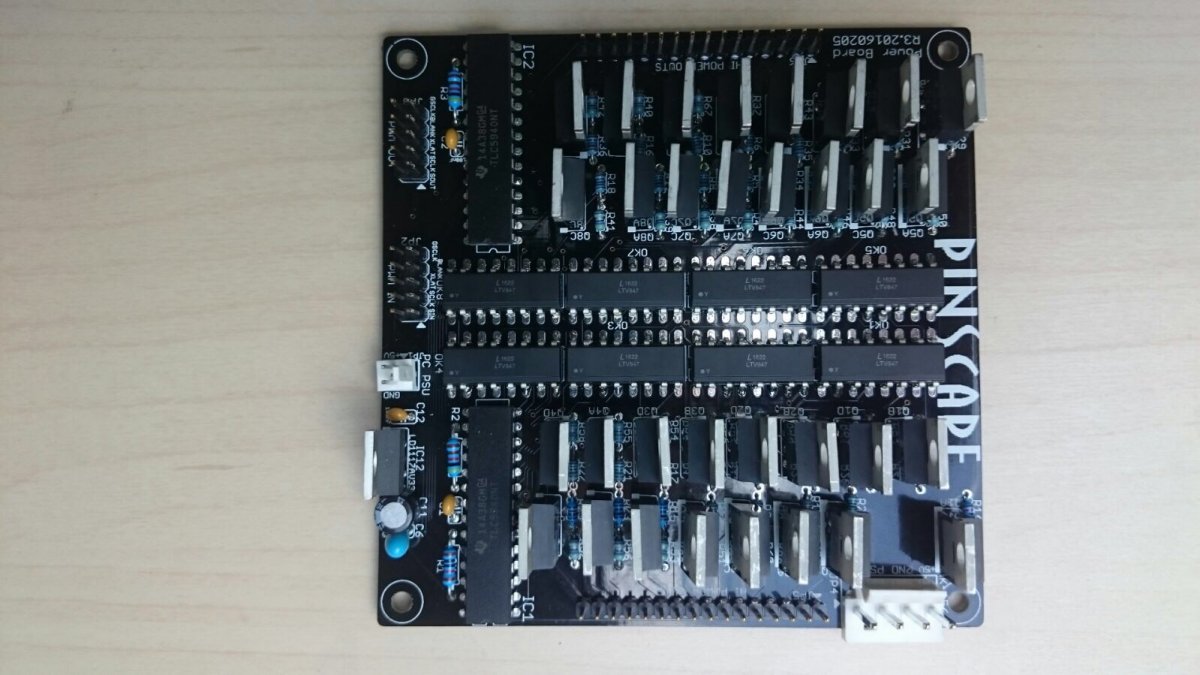
On the power board, the resistor spacing is quite tight around the MOSFETs. Both the 47R and 1K resistors seem like they should be 1/8W rated (size wise), however the parts list references a 1/4W part.

GGS appears to use smaller resistors in these locations (https://germangaming...ard-set_1~7.jpg).

I just wanted to ask here if it's safe to do so? I'll be using the FQP30N06L MOSFET. Thanks!


#783 mjr

mjr

    Pinball Wizard

  • Members
  • PipPipPipPipPip
  • 3,288 posts

  • Flag: United States of America

  • Favorite Pinball: Medieval Madness

Posted 28 October 2019 - 06:01 PM

On the power board, the resistor spacing is quite tight around the MOSFETs. Both the 47R and 1K resistors seem like they should be 1/8W rated (size wise), however the parts list references a 1/4W part.

GGS appears to use smaller resistors in these locations (https://germangaming...ard-set_1~7.jpg).

I just wanted to ask here if it's safe to do so? I'll be using the FQP30N06L MOSFET. Thanks!


1/8W should be fine for those particular resistors.  The parts list uses 1/4W parts, but only because the product line I was using for most of the resistors happen to be spec'd for 1/4W.  The key thing there as you've observed is that the physical form factor - the 5mm lead spacing and <2mm diameter bodies.


#784 llamastick

llamastick

    Neophyte

  • Members
  • Pip
  • 7 posts
  • Location:Sheffield, UK

  • Flag: United Kingdom

  • Favorite Pinball: Star Trek TNG, AC/DC

  • PS3 Gamer Tag: llamastick

Posted 30 October 2019 - 01:20 PM

TV ON Feature - for my SSF Amp Problem

---------------------------------------------------------


Mjr, firstly, a big thank you for Pinscape, and your build guide - which has been my bible throughout my journey. I've learned to surface solder (I have your opto plunger working with the mirrored acrylic :) ), and am almost there with my build. Wouldn't have achieved it without your work.


I have two cheap amps for my SSF. Testing shows they start in Bluetooth mode on power up, and require the 'master volume knob' holding in for 2 seconds or so, to switch them to 'Line In' setting.

I don't want to leave these amps powered on when the rest of the cab is off, I want to use the smart extension socket I have. I also don't want to have to open the coin door, hold in two knobs or 2/3 sec each time I switch my cab on...


So, I thought - what about using the TV ON feature on my expansion board?!


I think my only challenge will be that I need the closing of that switch to be for a few seconds, not a pulse.


Appreciate I might be the only one out there with this issue, but is this a possibility? Maybe a 'duration' parameter to go along side the delay one, on the command line?


Regardless, thanks again for your efforts.


Steve.


#785 mjr

mjr

    Pinball Wizard

  • Members
  • PipPipPipPipPip
  • 3,288 posts

  • Flag: United States of America

  • Favorite Pinball: Medieval Madness

Posted 30 October 2019 - 08:46 PM

llamastick - that sounds like a workable approach, using the TV ON relay.  I could just add a couple of new commands to the PinscapeCmd tool to turn the relay ON and OFF rather than pulsing it, so you could control the timing through a .bat script.


#786 llamastick

llamastick

    Neophyte

  • Members
  • Pip
  • 7 posts
  • Location:Sheffield, UK

  • Flag: United Kingdom

  • Favorite Pinball: Star Trek TNG, AC/DC

  • PS3 Gamer Tag: llamastick

Posted 30 October 2019 - 09:46 PM

llamastick - that sounds like a workable approach, using the TV ON relay.  I could just add a couple of new commands to the PinscapeCmd tool to turn the relay ON and OFF rather than pulsing it, so you could control the timing through a .bat script.


Thanks mjr - I wrote that request at work today ;) so have investigated a little more tonight.

It turns out that the broken English instructions description of a 'long press' to change inputs turns out to be a quick touch of a wire on the two terminals...

I'm going to try hooking it up the the existing functionality of the TV ON, and give it a try - it may suffice. I will report back.


Meanwhile, thank you for a rapid reply, and your willingness to consider a solution.


Will be back after Halloween! :) 


Steve.


#787 dondi

dondi

    Enthusiast

  • Members
  • PipPipPip
  • 144 posts

  • Flag: United States of America

  • Favorite Pinball: Ace of Speed

Posted 02 November 2019 - 12:23 PM

[HELP} regarding powering-on entire system with 1 button push as per Section 12 of the guide.
For my upcoming build I intend on ordering one of MikePinball's PinScape AIOs and for the PC, a Zotac Ultra Small Form Factor PC, which only comes with an external power brick PSU (no powered disk connectors).
So, I could use some help in planning how to achieve similar results in MJR's schematic.


The PC will be plugged-in to a hot power strip and I should be able to tap into the Soft-Power button on the motherboard to turn it on. Everything else will be on a secondary power strip.


Was thinking USB power also is a good indicator that the PC is on and it's time to turn everything else on by somehow using powered USB to fire-off a relay to the "everything else" power strip.

a) My first thought was going directly from the PC to the relay via USB somehow; a USB cable with a breakout terminator (or block board) that connects to the relay. Not sure this will work... not enough power (3.3V?/5V? Safe?) Here are some examples of what I was considering:

- 5V: USB Cable,

- USB screw terminal block

- USB to TTL Serial Converter


Then, I thought that maybe PinScape already does this (I don't know as I have not yet started this project, so not entirely familiar yet, but I've been constantly reading and reading):


b) Since the PinScape will be connected via USB, I was wondering if I could take advantage of this via an output from the PinScape to fire-off the relay instead of directly from the PC? Would this be a good alternate use-case for the PinScape TV Out feature (provided I won't need it -- will be using computer monitors, not TVs)?


If not, is there a way to have the KL/PinScape alternatively fire-off an output to the relay once it gets power?


#788 LynnInDenver

LynnInDenver

    Pinball Fan

  • Members
  • PipPipPipPip
  • 570 posts
  • Location:Denver

  • Flag: United States of America

  • Favorite Pinball: Genie

Posted 02 November 2019 - 12:57 PM

Just get a "green" power strip. What those do is you plug your computer into one outlet, and anything you want to turn on when the PC turns on into the designated outlets. The power strip watches for the PC's outlet to indicate load (the PC has been turned on), and then it applies power to the other outlets. You turn the computer off, and after several seconds, those outlets will also switch off. It's basically designed to make sure you can kill vampire power when the main system is not in use - game console and a television, for instance.


The problem with trying to use USB to trigger the relay when the computer is on, is that a lot of computers still apply power to certain USB ports even when the computer is turned off.


#789 dondi

dondi

    Enthusiast

  • Members
  • PipPipPip
  • 144 posts

  • Flag: United States of America

  • Favorite Pinball: Ace of Speed

Posted 02 November 2019 - 01:19 PM

@LynnInDenver I am familiar with the Smart Powerstrip method, but I think I was more asking whether this could be achieved using the PinScape, trapping for USB power to fire an output to the relay. I think I'd prefer this method. I understand also that there is passive power via USB, but that can be remedied fairly easily. 


#790 MikePinball

MikePinball

    Oak Micros Pinball Products

  • Platinum Supporter
  • 416 posts

  • Flag: United States of America

  • Favorite Pinball: Space Invaders

Posted 02 November 2019 - 04:25 PM

No need to use Pinscape for this although conceptually you could use the TV relay to turn on the contactor for the secondary power. However using a floppy or other power connector on your PC is sufficient per MJR's write up of "Power Switching".


For my cab I think I will avoid the whole problem by using a switch on the power input socket. Yes it means I have to reach behind the cabinet to turn it on and off each time. Leaving a PC and monitors in standby mode actually still uses a little electricity so a overall off switch (or pulling the cable from the wall) is best. I realize that not everyone can reach behind their machine.


powerswitch.jpg


MikePinball (dba Oak Micros).


#791 mjr

mjr

    Pinball Wizard

  • Members
  • PipPipPipPipPip
  • 3,288 posts

  • Flag: United States of America

  • Favorite Pinball: Medieval Madness

Posted 02 November 2019 - 06:46 PM

For my cab I think I will avoid the whole problem by using a switch on the power input socket. Yes it means I have to reach behind the cabinet to turn it on and off each time. Leaving a PC and monitors in standby mode actually still uses a little electricity so a overall off switch (or pulling the cable from the wall) is best. I realize that not everyone can reach behind their machine.


If you really want a hard switch, you can put one in the normal place - it's what they do on the real machines, after all.  


But the thing I don't like about hard power switches is that Windows doesn't like them.  So I suppose it might be better to keep the hard switch in an inconvenient place so that guests don't switch the machine off on you without going through the whole Windows shutdown menu process first.


(And also note that you don't have to leave your monitors on standby with soft power switching to the PC.  If you use a switched power strip for the accessories, the PC will be the only thing on standby.)


(I think I'm also a bit paranoid about hard power switching, because I've had a couple of PCs die from power surges that way.  Probably just random coincidence, but it makes me skittish about it.)


#792 LynnInDenver

LynnInDenver

    Pinball Fan

  • Members
  • PipPipPipPip
  • 570 posts
  • Location:Denver

  • Flag: United States of America

  • Favorite Pinball: Genie

Posted 02 November 2019 - 10:33 PM

If you really want a hard switch, you can put one in the normal place - it's what they do on the real machines, after all. 


Heh. I actually mounted an arcade button in that position on Radiant Silverball, and used it as a replacement for the button on the PC currently installed. So I press it, the computer turns on, I press it again, Windows shuts down and shuts the computer off.


#793 MikePinball

MikePinball

    Oak Micros Pinball Products

  • Platinum Supporter
  • 416 posts

  • Flag: United States of America

  • Favorite Pinball: Space Invaders

Posted 02 November 2019 - 11:34 PM

Heh. I actually mounted an arcade button in that position on Radiant Silverball, and used it as a replacement for the button on the PC currently installed. So I press it, the computer turns on, I press it again, Windows shuts down and shuts the computer off.

I'm doing the same thing. Under cabinet PC on/off pushbutton in the front and hard switch at the rear with power cable.


MikePinball (dba Oak Micros).


#794 dondi

dondi

    Enthusiast

  • Members
  • PipPipPip
  • 144 posts

  • Flag: United States of America

  • Favorite Pinball: Ace of Speed

Posted 03 November 2019 - 06:57 AM

No need to use Pinscape for this although conceptually you could use the TV relay to turn on the contactor for the secondary power. However using a floppy or other power connector on your PC is sufficient per MJR's write up of "Power Switching".


For my cab I think I will avoid the whole problem by using a switch on the power input socket. Yes it means I have to reach behind the cabinet to turn it on and off each time. Leaving a PC and monitors in standby mode actually still uses a little electricity so a overall off switch (or pulling the cable from the wall) is best. I realize that not everyone can reach behind their machine.


powerswitch.jpg

Yes, @MikePinball, I too plan on using the main power switch in the rear of the cabinet to cut-off ALL power, but unfortunately I will have the unique issue of not having Disk Power connectors in my USFF PC. Here is a rough and sketchy diagram of what I was trying to come up with in terms of ideas, but I don't know if any of them will work. Maybe a .BAT script I could use to fire-off an unused output when the PinScape gets USB power? or the TV On feature (not sure if it is designed to do this, or if it can handle it? There are 3 ideas outlined (A, B and C) in the sketch to get the relay to fire-off to power everything else. A colleague of mine also cited NCD.com and Advantech.com for crazy IoT PCB relay boards and such, but this seems to be over my head as I think there is some custom programming involved.

Maybe @MJR has a viable suggestion in my unique scenario? Think he may have missed my original post for help with this here


MyPowerOn.jpg


Edited by dondi, 03 November 2019 - 07:47 AM.


#795 MikePinball

MikePinball

    Oak Micros Pinball Products

  • Platinum Supporter
  • 416 posts

  • Flag: United States of America

  • Favorite Pinball: Space Invaders

Posted 03 November 2019 - 07:41 AM

I like option C the best. But it needs some changes.


Take taps for +19.5V and ground from the PSU before it enters the PC or use a separate 12V power supply. You could use a small buck regulator to convert 19.5V to 12V if you want. Wire through the Pinscape relay into the contactor coil. The negative needs to go back to the 19.5V power supply, not the mains ground as you have shown. The contactor needs to be rated for either 12V or 19.5V (24V should work) depending on what voltage you are driving it with.


MikePinball (dba Oak Micros).


#796 dondi

dondi

    Enthusiast

  • Members
  • PipPipPip
  • 144 posts

  • Flag: United States of America

  • Favorite Pinball: Ace of Speed

Posted 03 November 2019 - 09:35 AM

I like option C the best. But it needs some changes.


Take taps for +19.5V and ground from the PSU before it enters the PC or use a separate 12V power supply. You could use a small buck regulator to convert 19.5V to 12V if you want. Wire through the Pinscape relay into the contactor coil. The negative needs to go back to the 19.5V power supply, not the mains ground as you have shown. The contactor needs to be rated for either 12V or 19.5V (24V should work) depending on what voltage you are driving it with.

@MikePinball There were minor edits to the schematic image as you were posting. The relay in the picture is 12V, so I think that automatically negates options A & B. 
But, if I understand you (as I'm not that fluent with the hard power electrical stuff), you are saying to split, or tap-into the power coming into the PC from the power brick? I was originally looking at DC Power Y-Splitters, but then realized that the power would be in an always-on state, thinking it would basically negate the relay being switched-on by the momentary switch (unless the below is doable, as admittedly, I wasn't figuring-in the use of the PinScape at the time). I will be able to tap into the headers on the motherboard to wire the momentary switch for soft-power in the front of the cab. Not sure I am wholly-absorbing your solution though; given that there will always be 12V power once the Main switch is flipped. ?? or does that even matter if we are going to piggy-back off the PinScape to fire off the relay? Sorry, just a little unclear for me. When I was initially considering tapping the PC power cable, I wasn't thinking about introducing the PinScape as a piggy-back.

Here is an image from the PC user manual for the power:
zotacpower.jpg


You could use a small buck regulator to convert 19.5V to 12V if you want. Wire through the Pinscape relay into the contactor coil.

I may have misunderstood, but if what you suggested above is still workable piggy-backing off the PinScape to trip the relay, then maybe an Option D?? where, instead of tapping-into, or splitting the 19.5V power brick with a step-down regulator, I should maybe take the 12V PSU from the secondary power strip (or use the 12V rail from an ATX PSU) and move to the "Always On" power strip and then route through the PinScape? I think if this is the suggestion, I am still a little unclear how to wire & trigger the relay using the PinScape (i.e., which output to use, etc. Isn't the TV ON output using a lower voltage? 3.3V I believe?) I think this is where I am having my main confusion/misunderstanding: In this Option D scenario, there is constant power (12V) once the Hard MAIN power toggle is flipped, sending 12V to the PinScape in the "usual" way, even if the PC has not yet been turned on. The PC powers-up, activating the PinScape's power sensors, and then, somehow sends an output to the relay once powered... (TV Out?? Custom 12V Output??) Maybe some sort of bat script that says, "When Pinscape gets power, activate output 32 at 12V low side"?

Here is my foggy interpretation of an Option D connected to TV OUT:
MyPowerOnD.jpg


Edited by dondi, 03 November 2019 - 09:41 AM.


#797 MikePinball

MikePinball

    Oak Micros Pinball Products

  • Platinum Supporter
  • 416 posts

  • Flag: United States of America

  • Favorite Pinball: Space Invaders

Posted 03 November 2019 - 05:05 PM

After thinking about it some more, the Pinscape TV relay idea is not going to work for you. We will have to rethink this.


Some clarifications:

  1. The TV on is a relay. Think of it as a switch. So in your diagram you would need power in from the 12V supply, out to the contactor and then back to the supply. The relay on the Pinscape board is rated to switch up to 125V AC or DC at a maximum of 2A. So 12V is just fine,
  2. The TV on relay is turned on for less than a second i.e. a pulse to simulate a TV power on button. You would need a way to hold it on which requires additional circuitry.
  3. The flow of control between the PC, Pinscape, and TV on relay turns out will not work for you. The TV on relay gets fired when it recognizes both that the PC is connected via USB and that a secondary PSU is powered on. But we are trying to use the Pinscape to turn on the secondary power and other power supplies - catch-22.

MikePinball (dba Oak Micros).


#798 mjr

mjr

    Pinball Wizard

  • Members
  • PipPipPipPipPip
  • 3,288 posts

  • Flag: United States of America

  • Favorite Pinball: Medieval Madness

Posted 03 November 2019 - 06:25 PM

dondi - I missed the big constraint you have about the laptop-style power brick.


I'd tell you to go back to the "smart power strip" approach, but I bet you won't be able to find one that works with this setup, because laptop bricks don't tend to draw enough power to trip the smart strip sensors.  


Your idea to experiment with a USB power adapter might be worth a try.  The thing is that USB provides 5V, so you won't be able to operate the 12V contactor with that directly.  So you might try controlling a small 5V relay via the USB adapter, and then controlling the 12V contactor through the 5V relay.  Does that make sense?


#799 MikePinball

MikePinball

    Oak Micros Pinball Products

  • Platinum Supporter
  • 416 posts

  • Flag: United States of America

  • Favorite Pinball: Space Invaders

Posted 03 November 2019 - 10:10 PM

What is the wattage of the power brick @19.5V? I think you might be disappointed with the performance of such a low end CPU. Where do you put the GPU? It looks like a small box with not much room for anything.


Given that you have this power brick, the USB idea might work. Or you could get a more flexible solution (which will take some custom design). My idea is to have a small microcontroller in sleep mode driven by a 5V buck regulator from power brick or elsewhere. Then when the on/off button is pushed, the microcontroller wakes up and does several things. One is to send a 0.5 second pulse (possibly via a relay) that is connected to the PC power on switch. A MOSFET is turned on and this drives contactor for the main power.


A second longer hold of the on/off button turns off the soft-switch/contactor and also send sends another longer (2 second) pulse via the relay to turn off the PC.


The 19.5V power brick is connected to both the PC and the microcontroller. Everything else is on a second power strip that is powered by the 24VDC contactor. The Siemens contactors I am using as noise-makers work just fine @19V. And they are rated at 600VAC @ 10A.


MikePinball (dba Oak Micros).


#800 BorgDog

BorgDog

    We come in peace.. shoot to kill.. shoot to kill.

  • Members
  • PipPipPipPip
  • 1,427 posts
  • Location:Leavenworth, WA

  • Flag: United States of America

  • Favorite Pinball: Alien Star, TNA


Posted 04 November 2019 - 12:29 AM

Not sure if it's come up here, but there is also this:  http://www.danesides.../products/cssc/


basically, it monitors your other power supply and when they shut off it shuts down your computer, which is plugged into always on power.