Jump to content


Photo
- - - - -

WIP: Hi-res alphanumeric rendering with dmdext

dmdext

  • Please log in to reply
109 replies to this topic

#61 ChrissOnline

ChrissOnline

    Hobbyist

  • Members
  • PipPip
  • 17 posts

  • Flag: Germany

  • Favorite Pinball: Timeshock!

Posted 21 July 2019 - 11:05 AM

Well, with F1 i can enter the ROM settings, but when I disable the extern DLL then there is no more DMD (dots) but there are no more alphanumeric display too.... ?!

When I start VPX I see both at the moment, the only thing I can do is hiding the DMD behind the 4 alphanumeric displays.


#62 Thalamus

Thalamus

    Pinball Wizard

  • Platinum Supporter
  • 4,954 posts

  • Flag: Norway

  • Favorite Pinball: GOT, Alien Star, LOTR, TOM

Posted 21 July 2019 - 12:09 PM

Make custom section for the rom is one way to deal with it on.


From now on. I won't help anyone here at VPF. Please ask Noah why that is.


#63 Outhere

Outhere

    Pinball Wizard

  • Platinum Supporter
  • 4,796 posts

  • Flag: United States of America

  • Favorite Pinball: M M

Posted 21 July 2019 - 12:34 PM

Hello. Just found this nice tool and love it!

Is there a way to turn off the Dot-Matrix-Display when running alphanumeric screens? At the moment there are both visible.

I'm sorry if you're referring to a game where the scores on the back glass you need to Use the back glass designer to delete the original score display then use the alphanumeric rendering

https://www.vpforums...=40927&p=414013


Try this

My experience is with Virtual DMD and Pin to DMD

Freezy  1.7.3 ..

https://vpinball.com...on/#post-115676


Edited by Outhere, 14 August 2019 - 11:13 AM.


#64 ChrissOnline

ChrissOnline

    Hobbyist

  • Members
  • PipPip
  • 17 posts

  • Flag: Germany

  • Favorite Pinball: Timeshock!

Posted 21 July 2019 - 01:05 PM

Just to tell what I mean:

Without the new DLL i just see a dot-matrix screen when using extern.dll at the rom.
That's okay, but while using an alphanumeric pinball I want to use the new feature.
It works (look at the end of the pic), BUT I still see the dot-matrix-version of the display-information...'

How to turn the upper part off?
When I drag the alphanumeric-screens to the upper side of the screen (where my DMD-section will be at the grill) then I see the rest of the dotmatrix-version... 

Turning off the extern dll at the rom kills both.

85cgrf8r.jpg


#65 Outhere

Outhere

    Pinball Wizard

  • Platinum Supporter
  • 4,796 posts

  • Flag: United States of America

  • Favorite Pinball: M M

Posted 21 July 2019 - 01:35 PM

Info on new feature and for more info at the top of the page click on this
freezy/dmd-extensions

https://github.com/f...al/AlphaNumeric
https://www.vpforums...e=2#entry419369


Try this

Add this to the bottom of your DmdDevice.ini file


[Rom Name]
virtualdmd enabled = false


Edited by Outhere, 21 July 2019 - 01:37 PM.


#66 ChrissOnline

ChrissOnline

    Hobbyist

  • Members
  • PipPip
  • 17 posts

  • Flag: Germany

  • Favorite Pinball: Timeshock!

Posted 21 July 2019 - 08:07 PM


Try this

Add this to the bottom of your DmdDevice.ini file


[Rom Name]
virtualdmd enabled = false


Nice! I was searching for this codeline! It works! Thanks a lot!


#67 lgrosmax

lgrosmax

    Neophyte

  • Members
  • Pip
  • 2 posts

  • Flag: Canada

  • Favorite Pinball: Funhouse

Posted 14 August 2019 - 06:58 AM

Hi, I'm having some slow down on the Funhouse table of wrd1972 when the alphanumeric is enabled. When the flashers kick in the rom stutter but other tables works fine. Anyone having the same issue?


#68 Thalamus

Thalamus

    Pinball Wizard

  • Platinum Supporter
  • 4,954 posts

  • Flag: Norway

  • Favorite Pinball: GOT, Alien Star, LOTR, TOM

Posted 14 August 2019 - 10:15 AM

I guess so. I saw general slowdown on this build. But, I'm using pindmd3, so I don't know - are you on the same ? Would love to get it to run better, so for now I'm using MJR' dmddevice v 1.7.1.


From now on. I won't help anyone here at VPF. Please ask Noah why that is.


#69 lgrosmax

lgrosmax

    Neophyte

  • Members
  • Pip
  • 2 posts

  • Flag: Canada

  • Favorite Pinball: Funhouse

Posted 14 August 2019 - 03:08 PM

I'm using the virtual dmd on a 3rd screen. I have a 4k tv for playfield and a 2k monitor for the b2s. CPU (amd 2600) and GPU (gtx 1080) usage are low in game but still stutter anyway. Where did you get the MJR dmddevice 1.7.1 Thalamus?


#70 Thalamus

Thalamus

    Pinball Wizard

  • Platinum Supporter
  • 4,954 posts

  • Flag: Norway

  • Favorite Pinball: GOT, Alien Star, LOTR, TOM

Posted 14 August 2019 - 03:23 PM

Via the PinballY repository. Kind of asked if he could fix a known problem since Freezy seems to be more occupied with making a pinball emulator via browser than to close and/or follow up on "bumped" support threads these days. https://github.com/m...nsions/releases


From now on. I won't help anyone here at VPF. Please ask Noah why that is.


#71 Schlabber34

Schlabber34

    Enthusiast

  • Members
  • PipPipPip
  • 311 posts

  • Flag: Germany

  • Favorite Pinball: High Speed

Posted 24 June 2020 - 06:00 PM

@freezy

First of all great stuff! DMD and alphanumeric!! As a fan of the 80's tables this is a must have!

I still have trouble with the dmddevice.ini getting overwritten. What i found out:

It looks like when you start a table the first time the ini is read and everything is fine. Then you start to change something that is saved to the ini correctly. When you close VPX and restart the table the changes are gone and the ini get's overwritten with the old stuff. You can prevent that by making the ini 'read only' and the changes stay after the restart.

To me it looks like that on the second start values are read from cache first and because of the autosave feature the ini gets overwritten immedietly and then dmdext is reading the ini that already contains the old vlues read from cache.

When you load another table inbetween this doesen't happen. I guess because the cash now is filled with info from another table so it skips the load from cache and uses the ini right away.

I hope this makes sense! I'm not an expert on this!

Thanks!

Gesendet von meinem SM-G955F mit Tapatalk

#72 Thalamus

Thalamus

    Pinball Wizard

  • Platinum Supporter
  • 4,954 posts

  • Flag: Norway

  • Favorite Pinball: GOT, Alien Star, LOTR, TOM

Posted 24 June 2020 - 07:19 PM

I've noticed too that the alphanum feature is "dangerous" to use if you don't take regular backups of your ini file. Had it overwritten a few times, and then I just gave up on it. Nice to see that you at least found some pattern to it.


From now on. I won't help anyone here at VPF. Please ask Noah why that is.


#73 Carny_Priest

Carny_Priest

    Pinball Fan

  • Members
  • PipPipPipPip
  • 1,257 posts
  • Location:Austin, TX

  • Flag: United States of America

  • Favorite Pinball: EATPM

Posted 27 June 2020 - 04:03 AM

Can alphanumeric displays be rendered flipped for P2k-style cabinets. I don't see an option on the config dialog, so I'm guessing not.


#74 vothar

vothar

    Enthusiast

  • Members
  • PipPipPip
  • 55 posts

  • Flag: Canada

  • Favorite Pinball: medieval madness

Posted 27 June 2020 - 12:44 PM

@freezy

First of all great stuff! DMD and alphanumeric!! As a fan of the 80's tables this is a must have!

I still have trouble with the dmddevice.ini getting overwritten. What i found out:

It looks like when you start a table the first time the ini is read and everything is fine. Then you start to change something that is saved to the ini correctly. When you close VPX and restart the table the changes are gone and the ini get's overwritten with the old stuff. You can prevent that by making the ini 'read only' and the changes stay after the restart.

To me it looks like that on the second start values are read from cache first and because of the autosave feature the ini gets overwritten immedietly and then dmdext is reading the ini that already contains the old vlues read from cache.

When you load another table inbetween this doesen't happen. I guess because the cash now is filled with info from another table so it skips the load from cache and uses the ini right away.

I hope this makes sense! I'm not an expert on this!

Thanks!

Gesendet von meinem SM-G955F mit Tapatalk

same beaviour for me.. and same use of the 'read only' on the ini...


#75 Carny_Priest

Carny_Priest

    Pinball Fan

  • Members
  • PipPipPipPip
  • 1,257 posts
  • Location:Austin, TX

  • Flag: United States of America

  • Favorite Pinball: EATPM

Posted 05 July 2020 - 10:51 PM

Years later, I've finally gotten around to working with the alphanumeric feature. 


Cab specs - Intel i5 3570k CPU @ 3.40GHz, 16Gb RAM, NVidia 1070 Ti, 3 screen P2k style

Software - VPX 6.1 and whatever B2S Server comes with the 6.0 AiO Installer, SAMBuild_r5046. 

DMDExt - 1.8.1-SNAPSHOT-r35 (I don't think that there was much work done on the alphanum code from the 1.8 release. I know that there have been commits made to the alphanum code since r35)


Pros - 

Custom configuration across four layers - provides a glow effect that is a substantial improvement over B2S's default Dream7 LEDs. Dream7 has four levels of glow effect (None, Low, Medium, High). Dream7 is pretty good, but even High glow effect does not have the intensity, brightness, luminescence reminiscent of a real plasma display. 


Background layer - can be configured to display unlit tubes/filaments - for VPM tables the correct underlying display is used. I haven't tested everything but so far the display options seem accurate (early SS Bally and Williams use displays whose digits have seven segments, early SS Gottlieb use displays whose digits have ten segments, etc.)


I don't have the issues that others have reported about ini getting overwritten or corrupted. It may just be my workflow. I first use Notepad to edit the ini manually. Add a section for a new table (referenced by rom name). Underlying properties are  

alphanumeric enabled = true
virtualdmd enabled = false
alphanumeric style = default
 
Then go into VPM Setup.ext Test - find the rom and set Game Options to enable External DMD 
Run the table from VPX editor and position the DMDext alphanumeric frames 
Exit and close VPX
Edit the ini in Notepad - there should now be additional entries under the table section with positioning of frames.
Fine tune so that size and positioning of frames are consistent. There should be no other edits of clearing of other sections of the ini.
 
Cons
Alphanum frames have a fixed aspect ratio that doesn't fit with B2S stretched to fit 16:9 backglass monitors. This is how most users work with B2S. I know that there are some users that have 4:3 or 5:4 displays or who strive for total fidelity and use separate res files to preserve the aspect ratio of backglasses/translites from the real tables. There is some evidence that the fixed aspect ratio does not work for this scenario either. https://github.com/f...ions/issues/211
 
The recommended protocol calls for going into B2S Designer and deleting out the original LED frames, But if you are going through the trouble of editing backglasses you could simply replace the original LED frames with whatever images one prefers and not have to deal with the scaling issues. This would apply to all early solid states up to the point where the industry moved to what I'll call the true alphanumeric tables (basically, the ones where players could enter their initials for high scores). Prior to the true alphanumerics, the displays used numerals only in-game. They might have used basic alpha characters in diagnostics but at least the numeral digits can be replaced with custom LED images in the Designer. Once the task is supporting a true alphanumeric display with animations and different visual effects beyond numbers, the only choice in Designer are the Dream7 LEDs. So, DMDExt alphanum renders do the most good for true alphanumeric displays up to the point the industry switched over to dot matrix plasma displays. We're talking about a five year stretch from about the mid 80s to the early 90s.
 
The implementation does not support vertical flipping for P2k style cabs. For me personally that is a further restriction as I would be limited to using DMDExt alphanum on 2-screen B2S where the score display is on the backglass and not the third screen. The user base of P2K cabs can probably be counted on one hand, so this is not something that affects most users.
 
Focus is not entirely consistent for me. I see in the log that DMDExt is attempting to move frames on top of the B2S form. Sometimes it works, sometimes it doesn't, Also, I do get the configuration icon but I was only able to get the dialog window once. I don't know underwhat circumstances I was able to bring up the dialog or why I wasn't able to get it any other time. When I got it, I jumped on it and did most of my tweaking. Otherwise, I had to finish my manually editing the ini. I do not currently have a front-end installed. I launch tables from the VPX editor. I do not currently use exclusive full screen.
 
Ok. I did some cursory research and determined what the major manufacturers were using for true alphanumerics:
Bally 6803 MPU starting with Black Belt up to Bally's acquisition by Williams used plasma scoring displays.
Williams System 11 starting with High Speed and into the early WPC tables (FH, BOP, Harley-Davidson) used plasma scoring displays.
Data East starting with Laser War. Checkpoint was Data East's first DMD. Prior to that, plasma scoring displays.
Gottlieb System 80b starting with Chicago Cubs "Triple Play" and into the early System 3 tables (Super Mario Bros. was Gottlieb/Premier's first DMD). The displays were Futaba style vacuum fluorescent displays.
 
All the plasma displays were high voltage, very bright in the familiar orange-red neon color. 
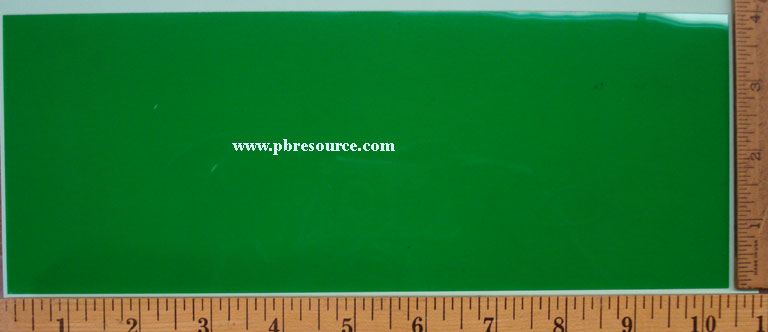
Gottlieb's VFD displays were in blue (cyan) and to my subjective eyes were bright but did not have nearly as much glow as plasma. Further Gottlieb would outfit some tables with a green filter to produce a green display. The Sys80b filter can still be found as a licensed part at The Pinball Resource 
The listing mentions all Sys80b tables but if we are going by images at IPDB and/or Pinside as authorities on which tables were fitted with green filters in the factory then the following had green displays:
 
Sys 80b
Chicago Cubs "Triple Play"
Spring Break
Robo-War
Big House - early production run - photo has green display
Amazon Hunt 3
 
Sys 3
Silver Slugger
Vegas
Cactus Jack's
Class of 1812
 
So, I have three styles set up for the three original factory colors that were manufactured back in the 80s. Credit to topper2k for publishing his style settings. I tweaked from those starting points. My style settings don't include any fantasy settings or other colors although there would be nothing wrong with it. Today there are after-market replacement options such as PinScore's low voltage, high brightness LEDs in a variety of color options. Default stye is the same as freezy's release except that I think bold weight is more accurate. I basically tweaked to reveal the unlit tubes. Of course, all this is subjective and going by photos and faulty memory. I don't have any real tables to compare side-by-side. 
 
[alphanumeric]
enabled = false
style = default
style.default.skewangle = 12
style.default.weight = Bold
style.default.backgroundcolor = #ff000000
style.default.foreground.enabled = true
style.default.foreground.color = #fffbe6cb
style.default.foreground.blur.enabled = true
style.default.foreground.blur.x = 2
style.default.foreground.blur.y = 2
style.default.foreground.dilate.enabled = false
style.default.innerglow.enabled = true
style.default.innerglow.color = #a0dd6a03
style.default.innerglow.blur.enabled = true
style.default.innerglow.blur.x = 15
style.default.innerglow.blur.y = 13
style.default.innerglow.dilate.enabled = true
style.default.innerglow.dilate.x = 15
style.default.innerglow.dilate.y = 10
style.default.outerglow.enabled = true
style.default.outerglow.color = #40b65829
style.default.outerglow.blur.enabled = true
style.default.outerglow.blur.x = 50
style.default.outerglow.blur.y = 50
style.default.outerglow.dilate.enabled = true
style.default.outerglow.dilate.x = 90
style.default.outerglow.dilate.y = 40
style.default.background.enabled = true
style.default.background.color = #2dfffafa
style.default.background.blur.enabled = true
style.default.background.blur.x = 7
style.default.background.blur.y = 7
style.default.background.dilate.enabled = false
style.blue.skewangle = 12
style.blue.weight = Bold
style.blue.backgroundcolor = #ff000000
style.blue.foreground.enabled = true
style.blue.foreground.color = #ff00ffff
style.blue.foreground.blur.enabled = true
style.blue.foreground.blur.x = 2
style.blue.foreground.blur.y = 2
style.blue.foreground.dilate.enabled = false
style.blue.innerglow.enabled = true
style.blue.innerglow.color = #ff0000ff
style.blue.innerglow.blur.enabled = true
style.blue.innerglow.blur.x = 15
style.blue.innerglow.blur.y = 13
style.blue.innerglow.dilate.enabled = true
style.blue.innerglow.dilate.x = 15
style.blue.innerglow.dilate.y = 10
style.blue.outerglow.enabled = true
style.blue.outerglow.color = #ff000080
style.blue.outerglow.blur.enabled = true
style.blue.outerglow.blur.x = 50
style.blue.outerglow.blur.y = 50
style.blue.outerglow.dilate.enabled = true
style.blue.outerglow.dilate.x = 6
style.blue.outerglow.dilate.y = 40
style.blue.background.enabled = true
style.blue.background.color = #2dfffafa
style.blue.background.blur.enabled = true
style.blue.background.blur.x = 7
style.blue.background.blur.y = 7
style.blue.background.dilate.enabled = false
style.green.skewangle = 12
style.green.weight = Bold
style.green.backgroundcolor = #ff000000
style.green.foreground.enabled = true
style.green.foreground.color = #ff00ff00
style.green.foreground.blur.enabled = true
style.green.foreground.blur.x = 2
style.green.foreground.blur.y = 2
style.green.foreground.dilate.enabled = false
style.green.innerglow.enabled = true
style.green.innerglow.color = #eb00ff7f
style.green.innerglow.blur.enabled = true
style.green.innerglow.blur.x = 15
style.green.innerglow.blur.y = 13
style.green.innerglow.dilate.enabled = true
style.green.innerglow.dilate.x = 10
style.green.innerglow.dilate.y = 5
style.green.outerglow.enabled = true
style.green.outerglow.color = #b900fa9a
style.green.outerglow.blur.enabled = true
style.green.outerglow.blur.x = 50
style.green.outerglow.blur.y = 50
style.green.outerglow.dilate.enabled = true
style.green.outerglow.dilate.x = 1
style.green.outerglow.dilate.y = 2
style.green.background.enabled = true
style.green.background.color = #2dfffafa
style.green.background.blur.enabled = true
style.green.background.blur.x = 7
style.green.background.blur.y = 7
style.green.background.dilate.enabled = false


Other display technologies were used over the years. Game Plan used relative low voltage red LEDs. This was prior to true alphanumeric displays. Edittoy did a good representation using custom LED images in his backglass:


https://www.vpforums...showtopic=40650


There were some oddball commercial one-offs and/or home builds that used numitron tubes or nixie tubes but these are definitely outliers:


https://www.ipdb.org...432&picno=46397


https://pinside.com/...all#post-748883


In short, I do like the implementation although for now I'll likely only use it under specific circumstances, for true alphanumeric tables where I don't have a corresponding db2s with three screen support. I'll live with the scaling issue. I position a larger DMDExt frame over the original db2 LED frame and position it so that it does not cover important parts of the backglass artwork at least to the extent that I can.. I'm probably not going to fiddle with the Designer at this point. And if VPE is coming around the corner sooner or later, DMDExt at least in its current form will become obsolete.



#76 Schlabber34

Schlabber34

    Enthusiast

  • Members
  • PipPipPip
  • 311 posts

  • Flag: Germany

  • Favorite Pinball: High Speed

Posted 06 July 2020 - 10:29 AM

If you want to make chsnges and the settings window is hidden, do it from the pinmame rom test! No BG, no PF!

Gesendet von meinem SM-G955F mit Tapatalk

#77 freezy

freezy

    Member title

  • Members
  • PipPipPipPip
  • 685 posts

  • Flag: ---------

  • Favorite Pinball: T2, TOM, AFM

Posted 06 July 2020 - 11:44 AM

Thanks guys for the feedback, glad this feature is actually used! :)


@Schreibi34 could you create a GitHub issue about the .ini that gets overriden? I should be able to just quickly re-read it before writing, that should keep it intact if you've saved it meanwhile with another app.


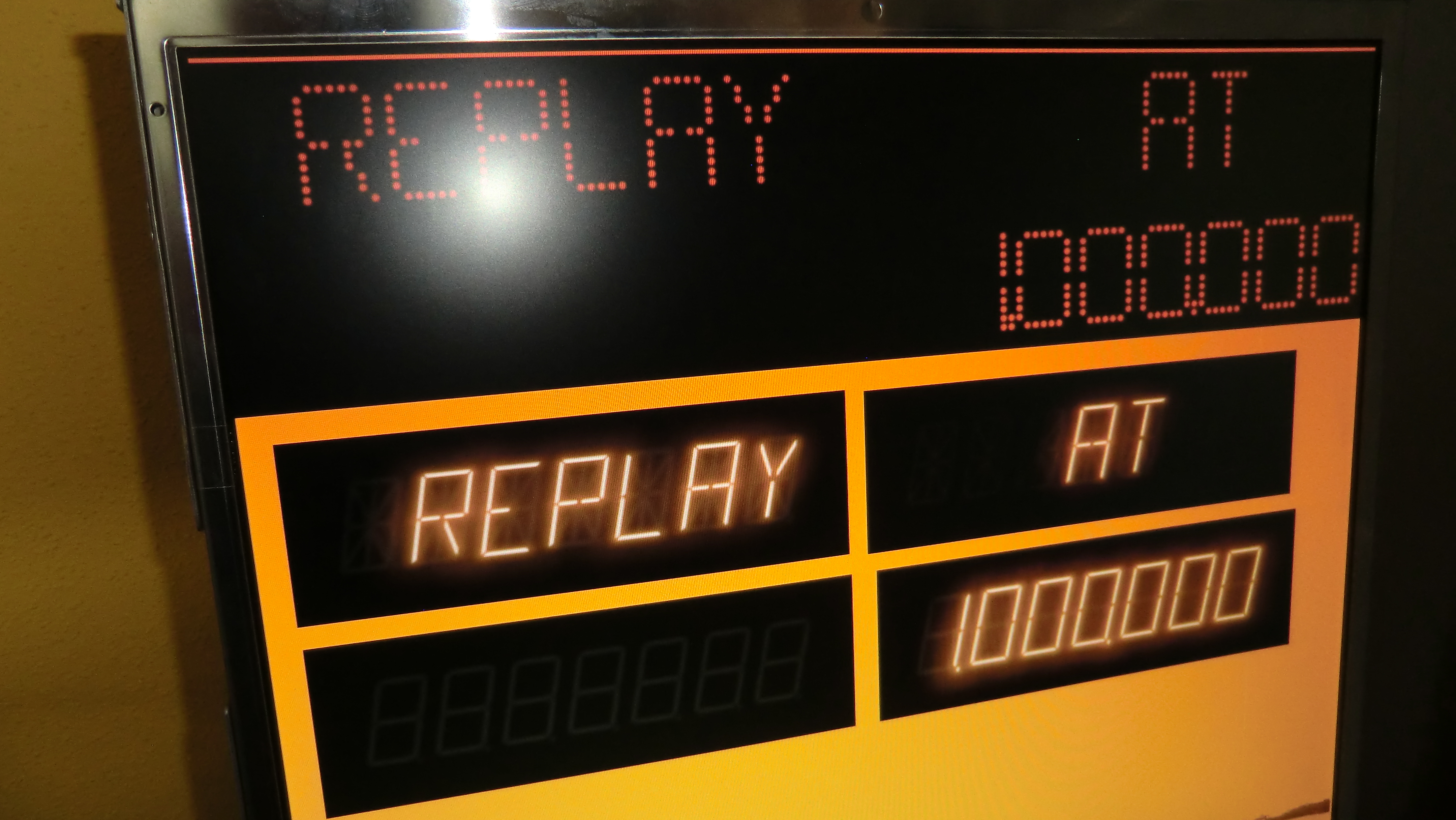
I've recently spent some time (with a lot of help from @ravarcade!) to render this entirely on the GPU in order to make it more customizable and more rapid, but the quality just isn't the same yet. Here's a comparison:


Original:

unknown.png


Shader:


unknown.png


I might spend some time on it in the future, but right now I'm back working on VPE. However during the process my shader skill somewhat developed so you'll might get an updated dot matrix rendering with a nice glow and rounded dots in the near future :)


@Carny_Priest: Awesome findings, would it be okay if I include your styles in the next release?


Edited by freezy, 06 July 2020 - 11:45 AM.


#78 Schlabber34

Schlabber34

    Enthusiast

  • Members
  • PipPipPip
  • 311 posts

  • Flag: Germany

  • Favorite Pinball: High Speed

Posted 06 July 2020 - 02:01 PM

I don't have a github account and i'm not planing to create one. Could someone please copy my stuff from post #71 into a github issue? The logfile shows nothing unusual but if you need it, let me know! I'm not at the cab at the moment!


Thanks!


#79 Schlabber34

Schlabber34

    Enthusiast

  • Members
  • PipPipPip
  • 311 posts

  • Flag: Germany

  • Favorite Pinball: High Speed

Posted 06 July 2020 - 02:19 PM

@freezy


There are two more (smaller) problems with the alphanumeric feature on my cab that prevent proper use in a db2s:


1 - The AN windows don't stay on top of the db2s (same as carny)

2 - In addition to the free aspect ratio it would be cool if we could set the space between the digits. This would help to not overstretch the digits in width while trying to fit them into the db2s score window.


Thanks, man!


#80 Thalamus

Thalamus

    Pinball Wizard

  • Platinum Supporter
  • 4,954 posts

  • Flag: Norway

  • Favorite Pinball: GOT, Alien Star, LOTR, TOM

Posted 06 July 2020 - 06:23 PM

Posted that issue for you : https://github.com/f...ions/issues/245


From now on. I won't help anyone here at VPF. Please ask Noah why that is.


Also tagged with one or more of these keywords: dmdext