- View New Content
-
Getting Started
-
Tutorials
Tutorial Categories
Tutorials Main Page Installation and Setup Downloadable TutorialsROM Adjustments
Number of Balls Adjustments Volume Adjustments
-
Visual Pinball Tables
VP 8 Desktop Tables
All VPM Recreations VP Recreations VP/VPM MODs VP Originals ROMsVP 9 Desktop Tables
All VPM Recreations VP Recreations VP/VPM MODs VP Originals ROMsVP9 Cabinet Tables
All Full Screen Cabinet Full Screen B2S Cabinet Spanned Cabinet Tables Media Packs ROMsVPX Tables
All VPinMAME Recreations VPX- - /VPinMAME - MOD Tables VPX Recreations VPX Originals Media Packs ROMs VR
-
Frontend Media & Backglass
Media Packs
Complete Media Packs Wheel Logos VideosBackglasses
dB2S Animated Backglasses UVP Animated Backglasses Topper Images
- Future Pinball Tables
-
Design Resources
Main Resources
Table Templates Playfield Images Image Library Sound Library Key CodesVP Guides
VP8 Guide - English VP8 Guide - Deutsch VP9 Guide - English VP9.1.x Guide - English VP Object Guide VPM DocumentationFuture Pinball Resources
Playfield Images 3D Model LibraryFuture Pinball Guides
FP Script Guide Big Draco Script Guide FP Table Design Guide FP DMD Guide
- Other Features
- Bug Tracker
- Image Gallery
- Blogs
-
More
My first table (Hogan's Heroes)
Started By
PainkillerAlice
, Nov 15 2009 11:13 PM
366 replies to this topic
#62
Posted 01 February 2010 - 03:39 AM
It might be the anti-aliasing. i used GIMP at first for the image editing and turned AA on, then I reverted to Windows Paint for further editing and reediting. I'll check out that program you put in a link for Steve and see if i can get further on this problem.
Robert I'll go ahead and upload the image as soon as I can put it into photobucket. I am on my other computer for the time being (images and vp in general on my main computer
).
Robert I'll go ahead and upload the image as soon as I can put it into photobucket. I am on my other computer for the time being (images and vp in general on my main computer
Edited by Practicedummy, 01 February 2010 - 03:40 AM.
I could have been smart, but I never learned anything by being smart!
#64
Posted 01 February 2010 - 04:35 AM
QUOTE (rdeejay @ Jan 31 2010, 10:53 PM) <{POST_SNAPBACK}>
Be mindful that if you are editing and saving out the same image all the time don't save it out as jpg, because of the compression it uses the quality will slowly get worse and worse and leave artifacts behind.
How come you switch to paint after using gimp?
GIMP is too complex for me, I am handicapped when it comes to photo and image editing.
Here is the link for the image I am trying to edit: http://i642.photobuc...linkbmpedit.jpg
I could have been smart, but I never learned anything by being smart!
#65
Posted 01 February 2010 - 05:20 AM
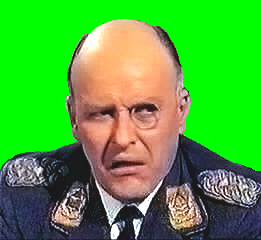
Good luck with that picture. I noticed that a lot of places your green isn't pure green and I'm not talking about near the edges of the Colonel I'm talking about in the middle of the large green areas. This is why you don't use .jpg. And for the edges, the will need quite a bit of cleanup too.
Here's a quickie cleanup, but I think it needs a bit more:
Attached Files
#66
Posted 01 February 2010 - 06:12 AM
probably be better to upload the original image, the modified one i had a look at and the edges are quite bad, selecting the main green or even trying to replace the color leaves a lot of the edge green behind. I also noticed some green artifacts mixed around the forehead as well
#67
Posted 01 February 2010 - 07:29 AM
Here's the original image: http://i642.photobuc...lonel_klink.jpg
I could have been smart, but I never learned anything by being smart!
#68
Posted 01 February 2010 - 07:48 AM
Hope this helps...

Included is the PSD. I left the green layer separate, so you can add/erase anything you may want to edit.

Included is the PSD. I left the green layer separate, so you can add/erase anything you may want to edit.
Attached Files

My Photobucket Resources
Whether You Believe You Can, Or You Can't, You Are Right." - Henry Ford
The future of pinball lives, it just needs to be nurtured!
If you're here to stab me in the back, you're going to have to get in line.
#72
Posted 01 February 2010 - 06:41 PM
phoobie (a freeware art program) will also convert image files from almost any format (including GIF) to any other, it'll also let you resize it to anything you feel like and it also does layering, but yeah always save it in a bitmap that way all the colors stay the same with no washout. and for your info I was watching Hogans heroes today did you know at TVLAND.COM they stream the shows? so maybe you can grab some sounds or pics off of that site, too.
"Don’t let the noise of others’ opinions drown out your own inner voice.
And most important, have the courage to follow your heart and intuition.”
----Steve Jobs
And most important, have the courage to follow your heart and intuition.”
----Steve Jobs
#74
Posted 02 February 2010 - 04:55 PM
Getting ready to set the mini playfield under the main playfield in place. Just need an image and light arrangement for the mini playfield. It is to represent the underground and originally I wanted to use the faces of five of the underground contacts for decals over the lights with their names just below the lights but not sure it will show up well on the mini playfield. The mini playfield is going to be placed just above the flippers to give you an idea of location (bottom height: 0) the main playfield's height will be 60.
I could have been smart, but I never learned anything by being smart!
#75
Posted 07 February 2010 - 08:13 PM
Finally found the image I am going to use for the underground playfield. Here is the link: http://i642.photobuc...mapofeurope.jpg
Going to try to learn how to use an image editing program so I can try to do the editing myself, got GIMP loaded on my computer. Until then I will need help for the image editing.
I could have been smart, but I never learned anything by being smart!
#76
Posted 07 February 2010 - 08:57 PM
Made some images with text in them for the underground playfield drop targets. For some reason the left three are backwards and the right three are normal. All the targets are at an angle, the left three have been rotated counterclockwise about -30 degrees and the right three have been rotated about 30 degrees to get a picture of this. The auto texture coordinates are activated on the front two points only on all the drop targets and the left of the two points are on 0 and the right of the two points are on 1.
I could have been smart, but I never learned anything by being smart!
#77
Posted 07 February 2010 - 10:04 PM
Almost forgot, the underground playfield will be closer to the bottom flippers than this. I just had it in the middle of the table to allow myself to pull the playfield back to the outside of the table without grabbing other objects in the process.
I could have been smart, but I never learned anything by being smart!
#78
Posted 08 February 2010 - 11:48 PM
for proper pic placement of a pic on a drop target u should have three points across the front of the target, turn auto texture coordinate off for all three then set the left most one at '0' , the middle one at '.5' , and the right most point at '1' this way the pic will fit on the target with no drop off at either end(Destruk informed me of this when my peanuts drop target of Lucy was getting truncated on the right side)
Edited by faralos, 08 February 2010 - 11:49 PM.
"Don’t let the noise of others’ opinions drown out your own inner voice.
And most important, have the courage to follow your heart and intuition.”
----Steve Jobs
And most important, have the courage to follow your heart and intuition.”
----Steve Jobs
#79
Posted 11 February 2010 - 01:22 PM
QUOTE (Practicedummy @ Feb 7 2010, 03:57 PM) <{POST_SNAPBACK}>
Made some images with text in them for the underground playfield drop targets. For some reason the left three are backwards and the right three are normal. All the targets are at an angle, the left three have been rotated counterclockwise about -30 degrees and the right three have been rotated about 30 degrees to get a picture of this. The auto texture coordinates are activated on the front two points only on all the drop targets and the left of the two points are on 0 and the right of the two points are on 1. 

LOL, solved the backwards letter problem on the drop targets. I simply rotated the left targets 180 degrees and they flipped to the way they should be. Almost finished getting the screenshots of the underground agents to be used in the under the main playfiled mini-playfield. I am having to go through a lot of my dvds to get to it.
I could have been smart, but I never learned anything by being smart!


Top


Contributor


are all trademarks of VPFORUMS.