Jump to content


Photo

Better Arcade Mode - MOD for Future Pinball


  • Please log in to reply
918 replies to this topic

#481 dejanne

dejanne

    Hobbyist

  • Members
  • PipPip
  • 36 posts

  • Flag: Belgium

  • Favorite Pinball: indiana jones-road girls

Posted 16 August 2013 - 11:17 PM

i use only future pinball modus in bam


 i use future dmd and pinballx


with 9-43 i could open bam menu and change lights and camera setting's  but no animations on some dmd's


with 9-44 i can't open bam when i press q but the animation's on dmd are there now..

i also have those black square's on the playfield that multiply after time!


never had those things with 9-43..


returned to 9-43 and bam is accessible again but the dmd animations are gone  :bye2:


Edited by dejanne, 16 August 2013 - 11:36 PM.


#482 sigma415

sigma415

    Hobbyist

  • Platinum Supporter
  • 48 posts
  • Location:Germany

  • Flag: Germany

  • Favorite Pinball: Monster Bash

Posted 17 August 2013 - 12:23 AM

Same issue here with 9-44: no BAM configuration menu by key Q, but BAM runs without problems for already configured tables. (and with nice DMD animations on some tables like POTC)

I tried to disable opengl32.dll (for PinDMD2) in the FP folder, but still the same problem.

If I revert to 9-43-2, anything is OK.


Win7 x64


Edited by sigma415, 17 August 2013 - 12:25 AM.

 Using Win7 x64, VP 9.9.1 & VP Physmod5 & VP10, unified PinMAME 2.23, PinballX 2.12, PinDMD V2 (Real DMD), I-PAC2 button controller, Ledwiz with DOF R2, Nanotech Plunger

Like to create Real DMD Videos for PinballX: Tommy The Pinball Wizard (Data East 1994).gif


#483 pocketpal

pocketpal

    Hobbyist

  • Members
  • PipPip
  • 25 posts
  • Location:Illinois, USA

  • Flag: United States of America

  • Favorite Pinball: Old Chicago

Posted 17 August 2013 - 01:06 AM


but now bam is unaccesible anymore..

unaccesible ?
What do You mean ?
 
 
I suspect he's experiencing the same thing as I did:  once I installed v0.9-44, FP would display in static cam mode as it should, but 3D stereo view was off when it should be on, and I could not access the BAM menu at all.  I figured it had something to do with the changes made in this version, so I reverted back to v0.9-43 and all was well again.  I had been meaning to report the bug, but forgot.  :blush:
 
I tested 3d stereo modes and all works ok. I can't now test active shutter glasse but i think it is not a problem.
I don't use FP-Intercept (and DMD). Maybe here is problem.
Can You check v0.9-44 without custom opengl32.dll in FP folder?

I don't use anything but FP, BAM, and PinballX - no DMD or LED stuff - and it works the same outside of PinballX, by the way. Neither the tilde key nor Q key bring up the BAM menu for me, and my passive 3D stereo mode appears to be disabled.

pocketpal___mini-pin.png


#484 Lobotomy

Lobotomy

    Enthusiast

  • Members
  • PipPipPip
  • 203 posts

  • Flag: Sweden

  • Favorite Pinball: Terminator 2, High Speed II, Funhouse, Taxi...

Posted 17 August 2013 - 06:33 AM

I've been playing around with my kinect a while now.
(Rav: I got it working after I uninstalled frameworks 4.0 and let the Kinect SDK reinstall it, referring to gopinball thread)

I got a few questions i need help with:
1. Kinect vs 2 PS3cams?, only tried the kinect and i am happy but with some minor, umm, bugs... Mainly the minimum range of the kinect camera, get too close and it looses the face, but the pc kinect is rather expensive. So how is the dual ps3 cams vs xbox kinect?

2: The tables feel like they are not centered, to get the flippers centered i loose almost the whole plunger lane :/

Project: TeraPin

#485 ravarcade

ravarcade

    Enthusiast

  • Members
  • PipPipPip
  • 363 posts

  • Flag: Poland

  • Favorite Pinball: none

Posted 17 August 2013 - 07:12 AM

I've been playing around with my kinect a while now.
(Rav: I got it working after I uninstalled frameworks 4.0 and let the Kinect SDK reinstall it, referring to gopinball thread)

I got a few questions i need help with:
1. Kinect vs 2 PS3cams?, only tried the kinect and i am happy but with some minor, umm, bugs... Mainly the minimum range of the kinect camera, get too close and it looses the face, but the pc kinect is rather expensive. So how is the dual ps3 cams vs xbox kinect?

2: The tables feel like they are not centered, to get the flippers centered i loose almost the whole plunger lane :/

1. Two PS3Eye cams are far better than Kinect: better accuracy, lowes lag, no problem with tracked space. It is ~same like Kinect + no depth limit. 


2.  On real pinball flippers are not centered.


BAM page: http://www.ravarcade.pl

current BAM version: v1.5-317,  released: Oct 11, 2020


#486 Lobotomy

Lobotomy

    Enthusiast

  • Members
  • PipPipPip
  • 203 posts

  • Flag: Sweden

  • Favorite Pinball: Terminator 2, High Speed II, Funhouse, Taxi...

Posted 17 August 2013 - 07:27 AM

[/quote]
1. Two PS3Eye cams are far better than Kinect: better accuracy, lowes lag, no problem with tracked space. It is ~same like Kinect + no depth limit.

2. On real pinball flippers are not centered.[/quote]

1. Sweet! Will hunt for cameras and read a little more on the forums about them! (Unless you got a few pointers) :)
2. I grew up with the classics, and maybe in too old for TRON (thats the table i felt the left flipper feeling)
And you are right, they are not completely centered, but i felt like it was a flipper widht to the left that was wrong.
Guess i need to embrace the future instead of living in the past ;)
Project: TeraPin

#487 Sir Cheddar

Sir Cheddar

    His Sharpness

  • VIP
  • 383 posts

  • Flag: ---------

  • Favorite Pinball: Tales of the Arabian Nights


Posted 17 August 2013 - 12:28 PM

Thanks for all your work on BAM. I got myself a XBox Kinect and placed it between my BG monitor and my DMD monitor. I have a tinted glass in front of them so you don't see much of the Kinect.
Luckily the Kinect does work from behind the glass.

BAM never fails to blow my guests away :)

I upgraded my FPLaunch Pinball FX2 mod to support BAM.

#488 Lobotomy

Lobotomy

    Enthusiast

  • Members
  • PipPipPip
  • 203 posts

  • Flag: Sweden

  • Favorite Pinball: Terminator 2, High Speed II, Funhouse, Taxi...

Posted 18 August 2013 - 02:00 PM

What is the best position for the dual PS3 cameras?
On backbox, on glass or above dmd? :)
My kinect worked best on the glass, but since HT PS3's follow the diodes it should not be any problems having them on top?
Anyway, i want _the_ best pisition :)
Project: TeraPin

#489 ravarcade

ravarcade

    Enthusiast

  • Members
  • PipPipPip
  • 363 posts

  • Flag: Poland

  • Favorite Pinball: none

Posted 18 August 2013 - 07:55 PM


I don't use anything but FP, BAM, and PinballX - no DMD or LED stuff - and it works the same outside of PinballX, by the way. Neither the tilde key nor Q key bring up the BAM menu for me, and my passive 3D stereo mode appears to be disabled.


Same issue here with 9-44: no BAM configuration menu by key Q, but BAM runs without problems for already configured tables. (and with nice DMD animations on some tables like POTC)

I tried to disable opengl32.dll (for PinDMD2) in the FP folder, but still the same problem.

If I revert to 9-43-2, anything is OK.


Win7 x64


i use only future pinball modus in bam


 i use future dmd and pinballx


with 9-43 i could open bam menu and change lights and camera setting's  but no animations on some dmd's


with 9-44 i can't open bam when i press q but the animation's on dmd are there now..

i also have those black square's on the playfield that multiply after time!


never had those things with 9-43..


returned to 9-43 and bam is accessible again but the dmd animations are gone  :bye2:


I was trying to reproduce error. Only way to disable BAM menu (and almost all BAM stuffs) i found is:


Disable "Playfield Reflections (Components)" in preferences of FP.


Please try again v0.9-44 with this option enabled (and report to me if it helps)


BAM page: http://www.ravarcade.pl

current BAM version: v1.5-317,  released: Oct 11, 2020


#490 pocketpal

pocketpal

    Hobbyist

  • Members
  • PipPip
  • 25 posts
  • Location:Illinois, USA

  • Flag: United States of America

  • Favorite Pinball: Old Chicago

Posted 19 August 2013 - 03:18 AM


I was trying to reproduce error. Only way to disable BAM menu (and almost all BAM stuffs) i found is:


Disable "Playfield Reflections (Components)" in preferences of FP.


Please try again v0.9-44 with this option enabled (and report to me if it helps)


Yes indeed, that did the trick!  I disabled that option awhile back because I felt like it interfered with the passive stereo 3D effect, plus I feel like it is too unrealistically reflective anyway.  Therefore, I hope you can fix it to where I can enjoy BAM even with that option disabled.


On an unrelated note, I would like to request a feature:  I would like the ability to toggle stereo 3D on and off with a hotkey.  I like to use the 3D view when playing by myself, but if others want to be able to watch, I need to disable it.  Right now, that is a process that consists of navigating through several menu options, so the ability to assign a key that would simply enable whatever my currently chosen 3D mode might be or disable 3D entirely would be much more elegant.


pocketpal___mini-pin.png


#491 ravarcade

ravarcade

    Enthusiast

  • Members
  • PipPipPip
  • 363 posts

  • Flag: Poland

  • Favorite Pinball: none

Posted 19 August 2013 - 07:07 AM


I was trying to reproduce error. Only way to disable BAM menu (and almost all BAM stuffs) i found is:


Disable "Playfield Reflections (Components)" in preferences of FP.


Please try again v0.9-44 with this option enabled (and report to me if it helps)


Yes indeed, that did the trick!  I disabled that option awhile back because I felt like it interfered with the passive stereo 3D effect, plus I feel like it is too unrealistically reflective anyway.  Therefore, I hope you can fix it to where I can enjoy BAM even with that option disabled.


On an unrelated note, I would like to request a feature:  I would like the ability to toggle stereo 3D on and off with a hotkey.  I like to use the 3D view when playing by myself, but if others want to be able to watch, I need to disable it.  Right now, that is a process that consists of navigating through several menu options, so the ability to assign a key that would simply enable whatever my currently chosen 3D mode might be or disable 3D entirely would be much more elegant.


Thanks for info. It should be easy to fix problem now.


About hot key. Good idea, i will add it ASP. Maybe as "double click" for BAM menu key.


BAM page: http://www.ravarcade.pl

current BAM version: v1.5-317,  released: Oct 11, 2020


#492 pocketpal

pocketpal

    Hobbyist

  • Members
  • PipPip
  • 25 posts
  • Location:Illinois, USA

  • Flag: United States of America

  • Favorite Pinball: Old Chicago

Posted 19 August 2013 - 02:03 PM


On an unrelated note, I would like to request a feature:  I would like the ability to toggle stereo 3D on and off with a hotkey.  I like to use the 3D view when playing by myself, but if others want to be able to watch, I need to disable it.  Right now, that is a process that consists of navigating through several menu options, so the ability to assign a key that would simply enable whatever my currently chosen 3D mode might be or disable 3D entirely would be much more elegant.


About hot key. Good idea, i will add it ASP. Maybe as "double click" for BAM menu key.


Thanks!  I would personally prefer a key that could be defined by the user, though.  While I do want a "3D on/off" button available to others playing my cab, I don't want the BAM menu easily available to them -- especially since the main "others" will be my little children.  ;)


pocketpal___mini-pin.png


#493 Lobotomy

Lobotomy

    Enthusiast

  • Members
  • PipPipPip
  • 203 posts

  • Flag: Sweden

  • Favorite Pinball: Terminator 2, High Speed II, Funhouse, Taxi...

Posted 19 August 2013 - 03:58 PM


On an unrelated note, I would like to request a feature:  I would like the ability to toggle stereo 3D on and off with a hotkey.  I like to use the 3D view when playing by myself, but if others want to be able to watch, I need to disable it.  Right now, that is a process that consists of navigating through several menu options, so the ability to assign a key that would simply enable whatever my currently chosen 3D mode might be or disable 3D entirely would be much more elegant.


About hot key. Good idea, i will add it ASP. Maybe as "double click" for BAM menu key.


Thanks!  I would personally prefer a key that could be defined by the user, though.  While I do want a "3D on/off" button available to others playing my cab, I don't want the BAM menu easily available to them -- especially since the main "others" will be my little children.  ;)


Argh! i got two of those "others" too :P, and i agree, the less they are in the menu's, the happier i am :P


Project: TeraPin

#494 Gilrock

Gilrock

    Enthusiast

  • Platinum Supporter
  • 169 posts

  • Flag: United States of America

  • Favorite Pinball: Time Warp

Posted 19 August 2013 - 07:14 PM

I just setup FP this weekend and had to do a lot of tweaks to get things right.  I was just reading about BAM and see above where it said you gotta enable "Playfield Reflections (Components)" in preferences of FP to get the menu working.  Well that was one of the fixes I had to do...if I left that enabled the ball was eating blocks from the textures as it rolled around.  I'm still using the original program from the website so maybe a mod fixes that issue.


#495 ravarcade

ravarcade

    Enthusiast

  • Members
  • PipPipPip
  • 363 posts

  • Flag: Poland

  • Favorite Pinball: none

Posted 19 August 2013 - 09:11 PM

BAM update.
 
Change log:
1. Bug fix: missing BAM menu and most of BAM work if some options are disabled in FP video/rendering preferences
 
2. HotKey used to disable Stereo 3D mode without entering BAM menu:
On default this key is not assigned. To assign it You have to add in "bam.cfg" line:
3DSwitch = "U"
to use "U" as HotKey
Using this Key You can quickly disable/enable Stereo 3D.
 
3. New render path 
- now works in normal FP mode (without Arcade Mode)
- still all options related to new render path are not saved
- now You can add normal Map to objects
- here is link to simply table with normal map used:
 
Gide how to add normal map:
step 1:
Add files to texture manager. For exampel "tex1.bmp" - color Map and "tex2.bmp" - normal Map
 
step 2:
rename textures in texture manager:
"tex1" -> "tex-ColorMap"
"tex2" -> "tex-NormalMap"
 
(BAM recognize textures names. If model uses texture with name ending "-ColorMap" (like "someName-ColorMap"), BAM looks for texture ending "-NormalMap" ("someName-NormalMap").
 
step 3:
use color texture on model ("tex-ColorMap")
 
Next steps are very imprtant. FP don't load unused textures to gfx card memory. So You have to use "tex-NormalMap" on table.
step 4: 
Create surface (simply) and move it off table
 
step 5:
uncheck "Render object (initial value)" - we don't have to draw this surface
 
step 6:
assign "tex-NormalMap" to this surface. Surface can use 2 textures, so You can add 2 diffrent normal maps.
 
Thats all.
 
Warnings / Notice.
To use normal maps i have to create some data/buffers and send it to gfx card.
If You don't use new render path, these buffers are created anyway. There is small chance that it will "crash" FP right after game load. If You experience any crashes please give me info about Your gfx card, drivers version and os.
 
I will change how some elements are drawed in new render path, so don't modify Yours table to use new features jet.
 
There is still few errors.
 
If You try to use normalMaps and have errors with Yours models i will need info about problems (and some models to tests). Now i don't have any real models to test, so i use simply table surface.
 
--------------------------
here are example of very simple table with Normal Maps:

I just setup FP this weekend and had to do a lot of tweaks to get things right.  I was just reading about BAM and see above where it said you gotta enable "Playfield Reflections (Components)" in preferences of FP to get the menu working.  Well that was one of the fixes I had to do...if I left that enabled the ball was eating blocks from the textures as it rolled around.  I'm still using the original program from the website so maybe a mod fixes that issue.

I think that now released version will work without "Playfield Reflections (Components)" enabled.

"Ball eathing blocks" error is related to nvidia gfx driver bug and occurs without BAM too. In BAM i hoop to eliminate this bug, but it require full BAM operation (BAM menu must be accesible).

If You will get this bug again and BAM menu works normaly, please report to me info about Your gfx card model, drivers version, os, number of monitors.


Edited by ravarcade, 19 August 2013 - 09:14 PM.

BAM page: http://www.ravarcade.pl

current BAM version: v1.5-317,  released: Oct 11, 2020


#496 Lobotomy

Lobotomy

    Enthusiast

  • Members
  • PipPipPip
  • 203 posts

  • Flag: Sweden

  • Favorite Pinball: Terminator 2, High Speed II, Funhouse, Taxi...

Posted 19 August 2013 - 09:39 PM

Argh, been struggling with my HT ps3 cams all night, I just don't get them to work.
It's mostly the fixcam that bothers me, and the 3-point's.
I have removed the IR blocking, but still use the standard lens, should i get the 3.6 mm ones? (using floppy disc as a daylight blocker)
What is the fov on the original lenses? is there some kind of diagram of how much the cams should overlap each others fov?

My IR diodes only have a radiation angle of +25, should i get the +40 ones for better accuracy?


Project: TeraPin

#497 ravarcade

ravarcade

    Enthusiast

  • Members
  • PipPipPip
  • 363 posts

  • Flag: Poland

  • Favorite Pinball: none

Posted 19 August 2013 - 10:04 PM

Argh, been struggling with my HT ps3 cams all night, I just don't get them to work.
It's mostly the fixcam that bothers me, and the 3-point's.
I have removed the IR blocking, but still use the standard lens, should i get the 3.6 mm ones? (using floppy disc as a daylight blocker)
What is the fov on the original lenses? is there some kind of diagram of how much the cams should overlap each others fov?

My IR diodes only have a radiation angle of +25, should i get the +40 ones for better accuracy?

All You have to do is testing.

You don't have to do "fixcam". It will probly work with my default cam settings. Distortions of normal PS3Eye lense is very close to my default settings.

Stander PS3Eye optic have 2 settings. One with wider FOV (~79deg?) is almost same like 4.0mm.

Tracking works in space, where overlap both cams FOV.

I  set both cams to keep center of table edge at horizontal center of cams and to get point at center of table close to bottom edge of cam view.

You have to test Your leds. Rotate led and check if BAM detect point. Wider led view angle will not increase accuracy but will give You better move freedom.


BAM page: http://www.ravarcade.pl

current BAM version: v1.5-317,  released: Oct 11, 2020


#498 Gilrock

Gilrock

    Enthusiast

  • Platinum Supporter
  • 169 posts

  • Flag: United States of America

  • Favorite Pinball: Time Warp

Posted 20 August 2013 - 02:26 PM

I installed BAM last night and it was working fine without me making any changes to my settings.  The one thing I wish is that I could set the Table translation and scale settings differently for each mode.   When I tried Static mode some of the tables seem squished to me because it's trying to view some of the unimportant stuff up near the top of the table so I was stretching that up out of the way to see more of the table.  But then I switch back to Future Pinball mode and the table is stretched off the screen.  It looks like an incredible amount of work went into BAM so great job...I'm just not sure I like the actual playfield area looking 25% shorter from top to bottom.  And I'm not seeing it look like it has the depth like you had in your videos.  I know you were using head tracking and I'm in static mode.  Is it possible to see that kind of depth in Static Mode?  If I hook up a Kinect is it going to magically change to show depth like that?


Thanks,

Gil


#499 ravarcade

ravarcade

    Enthusiast

  • Members
  • PipPipPip
  • 363 posts

  • Flag: Poland

  • Favorite Pinball: none

Posted 20 August 2013 - 02:50 PM

I installed BAM last night and it was working fine without me making any changes to my settings.  The one thing I wish is that I could set the Table translation and scale settings differently for each mode.   When I tried Static mode some of the tables seem squished to me because it's trying to view some of the unimportant stuff up near the top of the table so I was stretching that up out of the way to see more of the table.  But then I switch back to Future Pinball mode and the table is stretched off the screen.  It looks like an incredible amount of work went into BAM so great job...I'm just not sure I like the actual playfield area looking 25% shorter from top to bottom.  And I'm not seeing it look like it has the depth like you had in your videos.  I know you were using head tracking and I'm in static mode.  Is it possible to see that kind of depth in Static Mode?  If I hook up a Kinect is it going to magically change to show depth like that?


Thanks,

Gil

If You play for some time in "Static Cam" mode with head tracking You will never want to see again norma "Future Pinball" mode.


At begin, it is hard to set correctly cams position. If You set in BAM Your "eye" position and in reality You will look at screen from diffret position You will see "distorted" table.

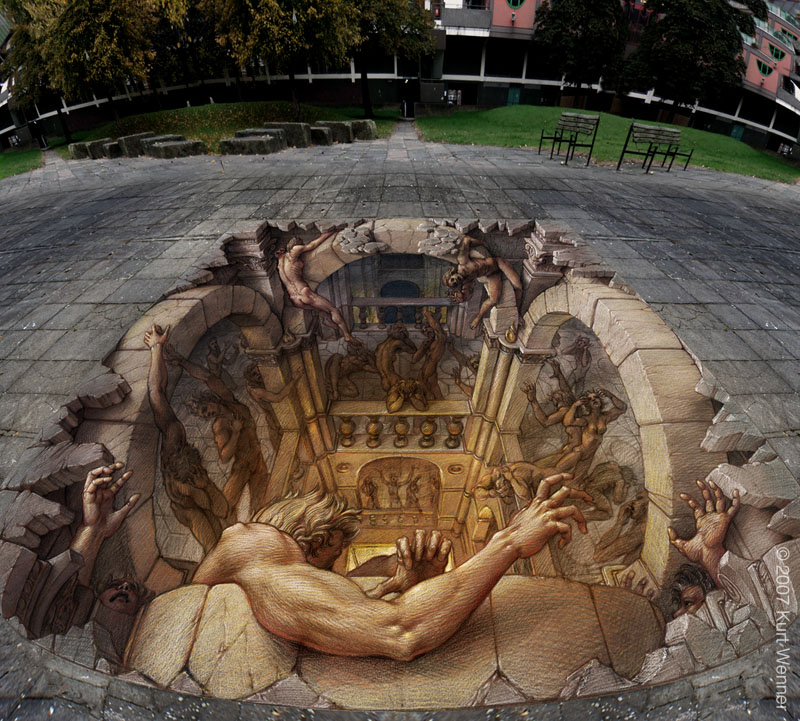
It is like "3d street art":

http://www.streetart..._art_10_3d.jpeg

If You look at this paintg from other point than camera in this photo You will not see "3D".


If You can connect Kinect to Your PC, it is simplest / fastest way to get feel of 3D.


If don't have Kinect You can try with webcam, but to get sensible results You have to learn first how to set cam position (try to use "help view" displayed on right side of BAM menu).


If You don't have webcam or kinect try "HappyCab mode".


One more tip: Close one eye.


BAM page: http://www.ravarcade.pl

current BAM version: v1.5-317,  released: Oct 11, 2020


#500 toxie

toxie

    VPF Veteran

  • VP Dev Team
  • PipPipPipPipPipPip
  • 5,734 posts
  • Location:berlin, germany

  • Flag: Germany

  • Favorite Pinball: AFM

Posted 20 August 2013 - 03:16 PM


- now You can add normal Map to objects
- here is link to simply table with normal map used:
 
Gide how to add normal map:
step 1:
Add files to texture manager. For exampel "tex1.bmp" - color Map and "tex2.bmp" - normal Map
 
step 2:
rename textures in texture manager:
"tex1" -> "tex-ColorMap"
"tex2" -> "tex-NormalMap"
 
(BAM recognize textures names. If model uses texture with name ending "-ColorMap" (like "someName-ColorMap"), BAM looks for texture ending "-NormalMap" ("someName-NormalMap").
 
step 3:
use color texture on model ("tex-ColorMap")
 
Next steps are very imprtant. FP don't load unused textures to gfx card memory. So You have to use "tex-NormalMap" on table.
step 4: 
Create surface (simply) and move it off table
 
step 5:
uncheck "Render object (initial value)" - we don't have to draw this surface
 
step 6:
assign "tex-NormalMap" to this surface. Surface can use 2 textures, so You can add 2 diffrent normal maps.


great idea on how to hack that into the existing engine! really amazing stuff you keep squeezing out of FP:)