
OK, I've done a forum search and looked everywhere (as far as I can make out), can you actually sort the layers in the layer editor? It's driving me bananas and my OCD is really kicking in!
TIA


 40 votes

Hobbyist


Posted 21 August 2021 - 12:41 PM
OK, I've done a forum search and looked everywhere (as far as I can make out), can you actually sort the layers in the layer editor? It's driving me bananas and my OCD is really kicking in!
TIA
Hobbyist
Posted 21 August 2021 - 12:57 PM
OK, I can reproduce the layer manager lock-up now, I have lights and primitives selected on an open layer, I click on + to add a layer, then I click on the name to change it, then I press enter and it locks up
Edited by Sixtoed, 21 August 2021 - 01:00 PM.
t.me/horsepin


Posted 21 August 2021 - 01:06 PM
OK, I can reproduce the layer manager lock-up now, I have lights and primitives selected on an open layer, I click on + to add a layer, then I click on the name to change it, then I press enter and it locks up
Use F2 to rename.
Bump maps are the new auto-tune 
VPX - RSS Updates ---- blog.flippingflips.xyz/en/ -- Visual Pinball No.1 (2021) . Est.2000
Hobbyist
Posted 21 August 2021 - 01:20 PM
OK, I can reproduce the layer manager lock-up now, I have lights and primitives selected on an open layer, I click on + to add a layer, then I click on the name to change it, then I press enter and it locks up
Use F2 to rename.
OK, handy to know, but it still locks up the layer manager as described.
I'll also note that it locks up *just* the layer manager, everything other part still works fine.
Edited by Sixtoed, 21 August 2021 - 01:21 PM.
t.me/horsepin
Posted 21 August 2021 - 06:31 PM
OK, I can reproduce the layer manager lock-up now, I have lights and primitives selected on an open layer, I click on + to add a layer, then I click on the name to change it, then I press enter and it locks up
Use F2 to rename.
OK, handy to know, but it still locks up the layer manager as described.
I'll also note that it locks up *just* the layer manager, everything other part still works fine.
Try saving the table to a new file. I'm pretty sure there's not a bug in VP (although I haven't tested I know nothing's been changed there since adding F2). It's more likely your table file.
Bump maps are the new auto-tune
VPX - RSS Updates ---- blog.flippingflips.xyz/en/ -- Visual Pinball No.1 (2021) . Est.2000
VPF Veteran


Posted 23 August 2021 - 09:07 AM
I'm trying the latest revision, 292, and I'm getting this error about the script, but I haven't even opened the script. The script pops up for a second, white, without text, and then VPX quits. It has happened two times in about 1 hour of testing a table. I don't know how to reproduce it, I was simply shooting balls with the mouse to test lanes and loops. I put the crash.txt here in case it has any meaning to you.
Crash report VPX rev292 (84e7240)============Process: VPinballX.exeReason: 0xC0000005 - EXCEPTION_ACCESS_VIOLATION at 0023:00504CE7Attempt to read from 0x00000000Thread ID: 0x2634 [9780]Call stack==========00504CE7 VPinballX.exe (0x0019E604 0x004F85D0 0x00000000 0x00000000)004F87B4 VPinballX.exe (0x03284E3C 0x1C7E40E8 0xFFFFFFFF86664004 0x09b447f8)722154C5 vbscript.dll DllGetClassObject + 0x1C55 (0x1C7E40E8 0x09AC95E0 0x09B447F8 0x0019e7b8)722153EB vbscript.dll DllGetClassObject + 0x1B7B (0xFFFFFFFF86664004 0x09AC95E0 0x0386D2E8 0x0019e7b8)7220BD43 vbscript.dll (0x0019E9A0 0xFFFFFFFF96EEC9F2 0x09BDAFF0 0x0019e9a0)722079BE vbscript.dll (0x0019E9A0 0x0019E8C8 0x722077F0 0x1c877200)722078D5 vbscript.dll (0x0019E9A0 0x00000000 0x09BDAFF0 0x00000000)7220AE55 vbscript.dll (0x00000000 0xFFFFFFFF96EEC442 0x09BDB010 0x00000000)722079BE vbscript.dll (0x00000000 0x00000000 0x09B447F8 0x0386a630)722078D5 vbscript.dll (0x00000000 0x00000000 0x09BDB010 0x09bdb010)7220D35A vbscript.dll (0x1C877AC0 0x00000000 0x00000000 0x00000000)721F69DF vbscript.dll (0x1C7D0340 0x00000514 0x006262B4 0x00000400)004B4130 VPinballX.exe (0x00000514 0x0019EC74 0x0D2F1ED0 0x00005c1c)Environment===========Date/time: 4/8/2021, 21:17:46:342Number of CPUs: 16Processor type: 586System: Windows 10 (10.0 19043)Memory status=============Total Reserved: 173632K (169M) bytesTotal Commited: 792992K (774M) bytesTotal Free: 3227616K (3151M) bytesLargest Free: 2095480K (2046M) bytesRegisters=========EAX=00000000 EBX=0019E550 ECX=00000000 EDX=00000000ESI=00000002 EDI=03284E3C EBP=00000000 ESP=0019EC50 EIP=00533CB5FLG=00010202 CS=0023 DS=002B SS=002B ES=002B FS=0053 GS=002BMini dump saved successfully.
Is this still happening with the current rev? If yes, could you please retry to repro with the debug build from jsm with the .pdbs included? Thanks!
ping 
Grand Schtroumpf




Posted 23 August 2021 - 09:47 AM
I'm trying the latest revision, 292, and I'm getting this error about the script, but I haven't even opened the script. The script pops up for a second, white, without text, and then VPX quits. It has happened two times in about 1 hour of testing a table. I don't know how to reproduce it, I was simply shooting balls with the mouse to test lanes and loops. I put the crash.txt here in case it has any meaning to you.
Crash report VPX rev292 (84e7240)============Process: VPinballX.exeReason: 0xC0000005 - EXCEPTION_ACCESS_VIOLATION at 0023:00504CE7Attempt to read from 0x00000000Thread ID: 0x2634 [9780]Call stack==========00504CE7 VPinballX.exe (0x0019E604 0x004F85D0 0x00000000 0x00000000)004F87B4 VPinballX.exe (0x03284E3C 0x1C7E40E8 0xFFFFFFFF86664004 0x09b447f8)722154C5 vbscript.dll DllGetClassObject + 0x1C55 (0x1C7E40E8 0x09AC95E0 0x09B447F8 0x0019e7b8)722153EB vbscript.dll DllGetClassObject + 0x1B7B (0xFFFFFFFF86664004 0x09AC95E0 0x0386D2E8 0x0019e7b8)7220BD43 vbscript.dll (0x0019E9A0 0xFFFFFFFF96EEC9F2 0x09BDAFF0 0x0019e9a0)722079BE vbscript.dll (0x0019E9A0 0x0019E8C8 0x722077F0 0x1c877200)722078D5 vbscript.dll (0x0019E9A0 0x00000000 0x09BDAFF0 0x00000000)7220AE55 vbscript.dll (0x00000000 0xFFFFFFFF96EEC442 0x09BDB010 0x00000000)722079BE vbscript.dll (0x00000000 0x00000000 0x09B447F8 0x0386a630)722078D5 vbscript.dll (0x00000000 0x00000000 0x09BDB010 0x09bdb010)7220D35A vbscript.dll (0x1C877AC0 0x00000000 0x00000000 0x00000000)721F69DF vbscript.dll (0x1C7D0340 0x00000514 0x006262B4 0x00000400)004B4130 VPinballX.exe (0x00000514 0x0019EC74 0x0D2F1ED0 0x00005c1c)Environment===========Date/time: 4/8/2021, 21:17:46:342Number of CPUs: 16Processor type: 586System: Windows 10 (10.0 19043)Memory status=============Total Reserved: 173632K (169M) bytesTotal Commited: 792992K (774M) bytesTotal Free: 3227616K (3151M) bytesLargest Free: 2095480K (2046M) bytesRegisters=========EAX=00000000 EBX=0019E550 ECX=00000000 EDX=00000000ESI=00000002 EDI=03284E3C EBP=00000000 ESP=0019EC50 EIP=00533CB5FLG=00010202 CS=0023 DS=002B SS=002B ES=002B FS=0053 GS=002BMini dump saved successfully.
Is this still happening with the current rev? If yes, could you please retry to repro with the debug build from jsm with the .pdbs included? Thanks!
ping
It is not happening anymore. I'm using revision 300.
If you want to check my latest uploads then click on the image below:

Hobbyist


Posted 23 August 2021 - 10:04 AM
I realized on the Beta version (I am on the 297 ) - Attack from Mars is causing some RED flashing from the middle of the screen up to the top and on the full width of the screen. I'll try to post a video - it works perfectly on the 10.6. As point of reference I didn't change anything on the Video setting (1070 GTX)
I wonder if other people experienced similar issues
Enthusiast

Posted 23 August 2021 - 12:41 PM
Hi all... all my probs of search are gone. i have done a restoration point... so thanks @Wiesshund for your advice. 
I found a bug in the interface when I want to select several identical objects (eg lights to change identical parameters) and I suddenly make a mistake when I have 3 or 4 already selected, I select a wall by mistake, so I deselect my wall to continue my selections, and there I realize that VPX no longer realizes that the selected objects are identical, I lose the display of the parameters, and therefore have to redo my selection without making a mistake. I don't know if this has already been declared.(not tried in the 300)
Thanks for all
JPJ
Grand Schtroumpf
Posted 23 August 2021 - 01:26 PM
I found a bug in the interface when I want to select several identical objects (eg lights to change identical parameters) and I suddenly make a mistake when I have 3 or 4 already selected, I select a wall by mistake, so I deselect my wall to continue my selections, and there I realize that VPX no longer realizes that the selected objects are identical, I lose the display of the parameters, and therefore have to redo my selection without making a mistake. I don't know if this has already been declared.(not tried in the 300)
Yes, that bug has been since the beginning of 10.7, I guess it is due to the new interface, I hope it can be fixed
If you want to check my latest uploads then click on the image below:
VPFroggie

Posted 23 August 2021 - 05:25 PM
Don't know if someone already noticed that (I use VPX_7_beta_rev297_rc)
If I select Left flipper, I can see these position values

If I select Right flipper, I can see these ones

And if I select both flippers, I can see Right flipper values, should't these areas be blank ?

Edited by batch, 23 August 2021 - 05:26 PM.
Enthusiast


Posted 25 August 2021 - 06:23 PM
Hello, I have been playing around with the new GetInPlayState property of Lights objects. It returns a 1 or a 0 during light sequences which is very helpful. However if light.state=2 (blinking) then GetInPlayState returns a 2. I was hoping it would return a 1 or a 0 in that situation too, as one might be interested in the physical on or off condition of the light as it is in the blinking state. Thanks for your consideration.
spaghetti code
Posted 26 August 2021 - 06:20 AM
This is a known issue in 10.7. if you select multiple objects of the same type you will see the values of the first element you selected.Don't know if someone already noticed that (I use VPX_7_beta_rev297_rc)
If I select Left flipper, I can see these position values
If I select Right flipper, I can see these ones
And if I select both flippers, I can see Right flipper values, should't these areas be blank ?
Neophyte

Posted 26 August 2021 - 02:10 PM
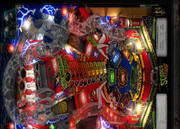
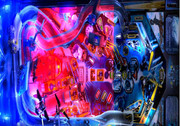
I wanted to report on the10.7 a weird behavior I didn't have on the 10.6 version. It is doing on some (not all) tables like the Scared Stiff below. I've it as well on Tron as well.
Drivers (GTX 1070) are up to date.
Behavior is a clear split between the upper part of the playfield and the lower part which is visually more red. Actually it's more a red flickering which is synchronized with one of the flasher. Otherwise it's working without any graphical glitches.
Scared Stiff https://streamable.com/6h0h3u
Tron Legacy https://streamable.com/u4dz5s
Edited by ffarges, 27 August 2021 - 04:29 PM.
Hobbyist


Posted 26 August 2021 - 04:40 PM
I have some weird behaviour I noticed since upgrading to 10.7. This is primarily with kickers not working on some tables (The kickers continually activate and don't work as expected).Where can I log bugs for 10.7?
You would log bugs right here
but you would need to state exact table, version, download source etc for it to be helpful, as that is not an issue i think i have seen anyone else run into, and i have not seen it myself, but i also do not have 7000 tables, so someone will have to try and reproduce the issue
I have some weird behaviour I noticed since upgrading to 10.7. This is primarily with kickers not working on some tables (The kickers continually activate and don't work as expected).Where can I log bugs for 10.7?
I guess you mean the plunger, if so, then it is not a bug, it is a new feature that someone requested. In the first betas this new feature was turned on as default, and it broke most of the tables. The plunger is a little slower, and if it is used as an auto plunger then it will fire continuously. So the best is to turn off this feature in the Preferences, Keys Nudge and DOF, and it is located in the middle of that window, and it is called "Enable 1s Plunger Retract"
Edited by anber500, 26 August 2021 - 05:20 PM.
Grand Schtroumpf
Posted 26 August 2021 - 05:55 PM
That's a plunger used at the left So just disable what I wrote and it will be gone
Edited by jpsalas, 26 August 2021 - 05:56 PM.
If you want to check my latest uploads then click on the image below:
Hobbyist
Posted 27 August 2021 - 12:29 AM
@JP, Would it cause any damage if it's removed? Does it do anything? It doesn't function properley as a kickback.
I assume some code changes will be needed then.
Enthusiast


Posted 27 August 2021 - 12:48 AM
@JP, Would it cause any damage if it's removed? Does it do anything? It doesn't function properley as a kickback.
I assume some code changes will be needed then.
You do not need to remove anything, just turn off the function in the preferences like JP said.
The Gamer

Posted 28 August 2021 - 04:32 PM
Crash report VPX rev297 (df2e000)
============
Process: vpinballx.exe
Reason: 0xC0000005 - EXCEPTION_ACCESS_VIOLATION at 0023:5B684C50
Attempt to read from 0xFFFFFFFF
Thread ID: 0x1EA0 [7840]
Call stack
==========
5B684C50 DUI70.dll DirectUI::Value::Release + 0x0 (0x0019F35C 0x005CD06E 0x776820C0 0x00000001)
005CD06E vpinballx.exe (0x00000001 0x0019FB28 0x0019FB28 0x6e756f53)
0042EFC9 vpinballx.exe (0x000807E0 0x0019FB28 0x0019FB28 0xffffffffffac11d4)
00429CC6 vpinballx.exe (0x00000111 0x00000001 0x000607D4 0x000807e0)
0042E460 vpinballx.exe (0x00427DB0 0x000807E0 0x00000111 0x00000001)
77692536 user32.dll EnumChildWindows + 0xC66 (0x000807E0 0x00000111 0x00000001 0x000607d4)
77691CA0 user32.dll EnumChildWindows + 0x3D0 (0x03CD6080 0x00000000 0x00000111 0x00000001)
77686905 user32.dll wvsprintfA + 0x2D5 (0x000807E0 0x00000111 0x00000001 0x000607d4)
7769EDEB user32.dll AddClipboardFormatListener + 0x4B (0x776868E0 0x000807E0 0x00000111 0x00000001)
77695DAA user32.dll GetClassLongW + 0x7AA (0xFFFFFFFFAAD4CBA0 0x00007FF9 0x00000111 0x00000001)
77695189 user32.dll GetSystemMetricsForDpi + 0x1449 (0x03CD6080 0x00000000 0x000607D4 0x00000000)
776937CF user32.dll SendMessageW + 0x6F (0x000807E0 0x00000111 0x00000001 0x000607d4)
776B819B user32.dll LoadCursorFromFileW + 0x1DFB (0x03CC66B0 0x00000000 0x00000000 0x033bbbb8)
776B7EA0 user32.dll LoadCursorFromFileW + 0x1B00 (0x033BBBB8 0x00000000 0x03CC66B0 0x00000202)
776B73A8 user32.dll LoadCursorFromFileW + 0x1008 (0x03CC66B0 0x00000000 0x00000202 0x00000000)
776B6842 user32.dll LoadCursorFromFileW + 0x4A2 (0x000607D4 0x00000202 0x00000000 0x0008002d)
7769EDEB user32.dll AddClipboardFormatListener + 0x4B (0x776B67F0 0x000607D4 0x00000202 0x00000000)
77695DAA user32.dll GetClassLongW + 0x7AA (0xFFFFFFFFAAD4CB40 0x00007FF9 0x00000202 0x00000000)
77693B1A user32.dll DispatchMessageW + 0x24A (0x000C06CE 0x00000000 0x000807E0 0x00000000)
77697D18 user32.dll IsDialogMessageW + 0x108 (0x000807E0 0x0019EA64 0x000C06CE 0x00000001)
776827BE user32.dll DialogBoxIndirectParamAorW + 0x25E (0x00000000 0x00000001 0x00400000 0x77690810)
77682674 user32.dll DialogBoxIndirectParamAorW + 0x114 (0x000C06CE 0x00427DB0 0x00000000 0x00000003)
77682592 user32.dll DialogBoxIndirectParamAorW + 0xuser32.dl
Environment
===========
Date/time: 28/8/2021, 18:25:54:648
Number of CPUs: 16
Processor type: 586
System: Windows 10 (10.0 19043)
Memory status
=============
Total Reserved: 106216K (103M) bytes
Total Commited: 361236K (352M) bytes
Total Free: 3726788K (3639M) bytes
Largest Free: 2095460K (2046M) bytes
Registers
=========
EAX=00610077 EBX=099AFE50 ECX=FFFFFFFF EDX=0019E24C
ESI=099F5EA0 EDI=0054210A EBP=0019EB08 ESP=0019EAE0 EIP=776BC5AC
FLG=00210246 CS=0023 DS=002B SS=002B ES=002B FS=0053 GS=002B
Mini dump saved successfully.


Community Forum Software by IP.Board
Licensed to: VPForums.org
 are all trademarks of VPFORUMS.
 Top
Top

