Jump to content


Photo
- - - - -

Anyone have a 21:9 playfield?


  • Please log in to reply
38 replies to this topic

#1 BoltBait

BoltBait

    Software Developer

  • Members
  • PipPipPip
  • 399 posts
  • Location:Sacramento, CA

  • Flag: United States of America

  • Favorite Pinball: Elvira, Whitewater, Big Bang Bar, Fun House and All the old EM tables of the 70s that I played as a kid (including Buccaneer, Spirit of 76, and King Kool)

Posted 04 October 2025 - 09:21 PM

I'm currently running a 16:9 playfield which works great.


However, I'm considering revamping my cabinet with a 21:9 playfield. But, before I do, I'd like to hear from anyone who's already built one. 


How well does Visual Pinball run at 21:9 (UWQHD: 3440x1440).


How I built my B2S Pinball Cabinet, step-by-step, with pictures!  Full-sized cabinet for ~$700. Believe me, if I can do it, so can you!

"Making anything with your hands goes wonderfully with whatever in your life you would consider your grind." ~Nick Offerman


#2 BoltBait

BoltBait

    Software Developer

  • Members
  • PipPipPip
  • 399 posts
  • Location:Sacramento, CA

  • Flag: United States of America

  • Favorite Pinball: Elvira, Whitewater, Big Bang Bar, Fun House and All the old EM tables of the 70s that I played as a kid (including Buccaneer, Spirit of 76, and King Kool)

Posted 13 October 2025 - 03:21 AM

Hmm.... it's been over a week and no one's responded.


Has no one even considered using an ultrawide monitor for their playfield?


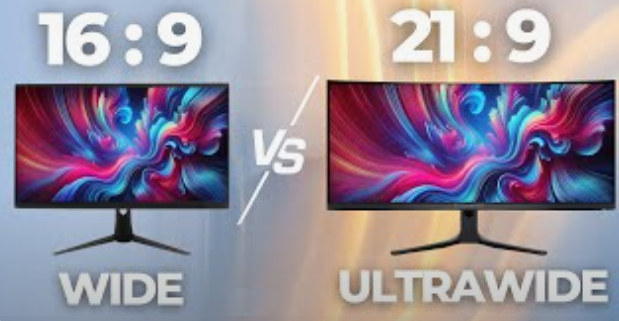
UltraWide.png


Would Visual Pinball run at that resolution?


How I built my B2S Pinball Cabinet, step-by-step, with pictures!  Full-sized cabinet for ~$700. Believe me, if I can do it, so can you!

"Making anything with your hands goes wonderfully with whatever in your life you would consider your grind." ~Nick Offerman


#3 Tesla

Tesla

    Pinball Fan

  • Silver Supporter
  • 1,004 posts
  • Location:Texas, USA

  • Flag: United States of America

  • Favorite Pinball: Star Trek - TNG

Posted 13 October 2025 - 04:03 AM

It just seems too wide (or too long as we use them).


For the old (real arcade) tables like F14 or T2, seems like 16:9 is about right.

For a Wide-Body (like StarTrek-TNG) I think people are using 16:9 or 16:10.


Mine is 16:9, and I can play any table (regular or wide-body)

Regular: I trim the view at the bottom (just barely see the drain-hole). I trim the top a bit if no playfield or ramps up there. That gets the rest to just about the left/right edges.

Wide-Body: IIRC, those completely fit fine will all/most in view (like ST-TNG or Space-Invaders) . Like even the whole lower Instruction-Card ... with really no extra space on L/R boarders.


What are you trying to accomplish? Do you play the classic-tables from 70's, 80's and 90's like me?

I'm assuming you have 1080p now and thinking of upgrading. While I run 1440p (and it is nice) I would suggest you skip 1440p and go to 4K. You might need a better computer or video card to run it (so put your budget toward that). Or put toward it being an OLED.


https://www.vpforums...c=3569&p=548314


I saw your website. I like how your Build-Guide ended-up being words and pics and I didn't have to watch a video (like for tips or if I was trying to replicate it).

I like the words (specific parts, details, build-tips) , closeup-pics, etc. I'm sure it took significant time to create the website, but it sure turned-out nice.


Anyway, a better way to ask this question might be to tell us what you are trying to do and then we might be able to help with some advice (even if we have to extrapolate). If you just want to add something cool, you might look-into adding a 3rd-Screen DMD or some DOF-Devices.


As for the Replys ... Personally, to me the forum seems rather slow now (compared to like 2023). There is a lot going on here in the USA now-days (with the government and all). I think many people have had to put their hobbies aside and take care of more important things (life, their family, jobs, surviving, etc.). This hobby (at least with the cabinets) is more of a luxury. They might just play the pinball games you can find on Steam or other places and devices. If they do actually get VPX running, they play on their desktop, maybe even just with a (spun vertical to Portrait) monitor ... like I used to. Anyway, all my forums (AVS, Dell, Audi, Mac, etc.) seems slower.


Edited by Tesla, 15 October 2025 - 05:10 PM.


#4 deadmanworking

deadmanworking

    Enthusiast

  • Members
  • PipPipPip
  • 188 posts

  • Flag: Germany

  • Favorite Pinball: Pinbot, Attack From Mars, Cactus Canyon

Posted 13 October 2025 - 08:01 AM

Hey man, I was researching the same question when doing my 2:3 custom cab build. It seemed attractive at the time since after measuring my real machine and translating it to the smaller scale the playfield length seemed way to short. However my understanding at the time from reading the forums (and also my experience installing 1000+ tables) is that the tables are designed for a 16:9 aspect ratio. So you can definitely stretch them to fit your additional screen estate but it will look out of proportion and thinly stretched. So pop bumpers and holes will look very weird.
Not sure if this perspective skew is compensated for better in the 10.8 POV (camera) setting or in upcoming versions but this dissuaded me from trying with ultra wide ;)
In the end I "compromised" with a normal 16:9 27" monitor which I later updated to OLED to run on 1440p and 116fps, which was the most worthwhile update regarding graphics and performance. And to make use of the additional space lengthwise I added two apron speakers, and a 5 flasher bar at the top. Very happy with the result and not missing a larger playfield now.

#5 BoltBait

BoltBait

    Software Developer

  • Members
  • PipPipPip
  • 399 posts
  • Location:Sacramento, CA

  • Flag: United States of America

  • Favorite Pinball: Elvira, Whitewater, Big Bang Bar, Fun House and All the old EM tables of the 70s that I played as a kid (including Buccaneer, Spirit of 76, and King Kool)

Posted 13 October 2025 - 10:04 PM

What are you trying to accomplish? Do you play the classic-tables from 70's, 80's and 90's like me?

I'm assuming you have 1080p now and thinking of upgrading. While I run 1440 (and it is nice) I would suggest you skip 1440p and go to 4K.


I was considering the following for the playfield:


https://www.amazon.com/dp/B0BX2CLB9D


The size is 18" x 37" which I think is closer to an actual pinball machine. (At 40" diag, this is the largest flat computer monitor I could find.)


I currently have a 42" TV which has several problems I would like to correct:

  • It has horrible burn in (it is a really old TV which has gotten worse over time)
  • It doesn't turn on by itself (its old) when given power by the power strip
  • The size is all wrong for a proper lockdown bar (its too wide)
  • The top and bottom of tables gets cut off (I'd like to see the whole instruction card and top ramps, etc.)


Before I spend $400 on a new monitor and build a new B2S box, I'd like to know if Visual Pinball will even run at that resolution.  (I will be reusing the controller, buttons, legs, etc. from the existing build.)


I do plan on buying a new PC/video card for the new build. So, performance shouldn't be a problem.  I also want a real lockdown bar this time.


How I built my B2S Pinball Cabinet, step-by-step, with pictures!  Full-sized cabinet for ~$700. Believe me, if I can do it, so can you!

"Making anything with your hands goes wonderfully with whatever in your life you would consider your grind." ~Nick Offerman


#6 Tesla

Tesla

    Pinball Fan

  • Silver Supporter
  • 1,004 posts
  • Location:Texas, USA

  • Flag: United States of America

  • Favorite Pinball: Star Trek - TNG

Posted 14 October 2025 - 04:08 AM

It's hard for me to wrap my head around this, because I must be able to play Wide-Bodies (like Star Trek - The Next Generation or Twilight Zone) and for it to look as good as possible. Since smaller things usually fit inside bigger things, seems like any other Standard width table, should fit fully within that infrastructure (maybe just with thicker side boarders you ignore).


https://www.ipdb.org...chtype=advanced


While I am posting online resources, a lot of thought has been put into this dilemma and written-down here:

http://mjrnet.org/pi...php?sid=cabBody


And ignoring the new Mini, to sell empty kits in only two sizes, I would tend to pick (or copy) one of those. Might also be good the know the Sizes, Specs, and Aspect-Ratios of the Display-Panels that he installs in the pre-builts:

https://virtuapin.ne...e=index&cPath=9


Finally, what's the deal with wanting to rebuild the Back-Box? Is that just a separate thing you want and now would just be a good time to do it also?


#7 deadmanworking

deadmanworking

    Enthusiast

  • Members
  • PipPipPip
  • 188 posts

  • Flag: Germany

  • Favorite Pinball: Pinbot, Attack From Mars, Cactus Canyon

Posted 14 October 2025 - 05:07 AM

@Boltbait yes it will work. But since your resolution is now around 1000 pixels higher than a 16:9 playfield, for most tables this area will simply be black (for wide bodies even more), or you will have extremely stretched out graphics if you try to fill the whole screen. As I said the tables are not designed for this resolution and using a larger length will jot result in the table elements rearranged authentically, they will just be horribly stretched.
Try to load up a tree wide body table like Future Spa and you can see the effect when you try to stretch the playfield to the full length - only in your case it will be much more pronounced.
Seeing that your buying on Amazon maybe you should just give it a go and try it out?

#8 Tesla

Tesla

    Pinball Fan

  • Silver Supporter
  • 1,004 posts
  • Location:Texas, USA

  • Flag: United States of America

  • Favorite Pinball: Star Trek - TNG

Posted 14 October 2025 - 02:43 PM

One other thought...


If I was going to build a whole new cabinet (with new more-updated parts) ... going along with the idea of using a 4K 16:9 display for the main-playfield ... I would build it to last 5-7 years (with only minor upgrades toward the end if needed).


As the years go-on ... more playing and actual using with less tinkering. <smile>


#9 barneyrfd

barneyrfd

    Enthusiast

  • Members
  • PipPipPip
  • 129 posts

  • Flag: Canada

  • Favorite Pinball: Too hard to pick just one...

Posted 14 October 2025 - 03:56 PM

For me its more important that my balls are nice and round so I shrink the width of the playfield using F12 to provide that symmetrical sizing.  On my 42" screen that usually leaves about a 1" black strip on either side of the playfield monitor but I'm ok with that cause the balls are round and the whole game just looks "right", you actually don't even notice the black strips once game play starts. 


#10 Tesla

Tesla

    Pinball Fan

  • Silver Supporter
  • 1,004 posts
  • Location:Texas, USA

  • Flag: United States of America

  • Favorite Pinball: Star Trek - TNG

Posted 14 October 2025 - 06:39 PM

For me its more important that my balls are nice and round so I shrink the width of the playfield using F12 to provide that symmetrical sizing.  On my 42" screen that usually leaves about a 1" black strip on either side of the playfield monitor but I'm ok with that cause the balls are round and the whole game just looks "right", you actually don't even notice the black strips once game play starts. 


I think I do a similar thing on that.


So, I've been updating my VPX setup and config notes (in case I ever have to rebuild one again, like years from now). For example, I just created a new doc for the initial setup of DOF (and getting my first Device working).


Anyway, I came across this ( I think relevant) part in my notes:


In VPX-Editor/Prefs/Video, below where you select resolution for main Playfield monitor,
Check-mark to Enable the option for "Always use FS (FullScreen) Backdrop Settings".
That will get rid of the BackDrop graphics (floor, etc.) on a cabinet-like build.
Below that, I select "Don't Stretch the Ball".
 
For an example VPX-Table (ie. F14-Tomcat) in my Cabinet ~ 
VPX-Editor / Backglass View / (FS) Full-Screen CAMERA view for Cabinet
Initial/Starter POV = 3, 20, 40, Rotation=0 ~ All 3 Scales (X,Y,Z) to Always = 1 ~ Finally, set Offsets X&Y, then Z (is Zoom)
 
VPX Table-Properties is accessed with top-left menu-icon that looks like Pinball-Cabinet 
- In VP-Table Editor / Table Properties / User / Ball / Reflection AND Trail-Motion-Blur are BOTH set to OFF
- In VP-Table Editor / Table Properties / Visuals / Reflect Elements on Playfield / IS UNCHECKED and OFF
* Even with above 3-things disabled, the ball itself still reflects lights. 
I also like to verify my directB2S file is running in EXE-MODE (in B2S-Server options)
 
I like these for best table look and performance. This all goes a long way I think. This includes having a properly written ScreenRes.txt file (used by a majority of your Tables) and good .RES files (for the unique ones).  This is on a 16:9 1440p @ 75Hz playfield monitor with an Intel-i7 and GTX-1070.
 

Edited by Tesla, 14 October 2025 - 08:28 PM.


#11 barneyrfd

barneyrfd

    Enthusiast

  • Members
  • PipPipPip
  • 129 posts

  • Flag: Canada

  • Favorite Pinball: Too hard to pick just one...

Posted 14 October 2025 - 11:05 PM

It's just a fact you can't get the same width to length ration of a real standard body or wide body with a 16:9 monitor.  Something has to be adjusted somewhere, it's just a matter of what looks ok to you for your setup.


#12 BoltBait

BoltBait

    Software Developer

  • Members
  • PipPipPip
  • 399 posts
  • Location:Sacramento, CA

  • Flag: United States of America

  • Favorite Pinball: Elvira, Whitewater, Big Bang Bar, Fun House and All the old EM tables of the 70s that I played as a kid (including Buccaneer, Spirit of 76, and King Kool)

Posted 14 October 2025 - 11:21 PM

I would build it to last 5-7 years (with only minor upgrades toward the end if needed).


As the years go-on ... more playing and actual using with less tinkering. <smile>


I've been enjoying my pin cab for 7 years without any tinkering. I play nearly every day.  I have a full arcade (with arcade machines, racing simulator, pool table, ping pong, etc.) and I play pinball 10x everything else combined.


So, I think it is time to upgrade my pinball experience.


If you've read my blog: https://boltbait.com/pinball/ you can see that my machine isn't that great.  It was my first try and honestly, I did everything wrong. 


I want to create something special this time. For example, I want:

  • a real lockdown bar https://virtuapin.ne...&products_id=63
  • I want a screen that will come on when it receives power (I figure if I use a computer monitor, that's covered).
  • I want a better quality screen than that old TV I'm currently using.
  • I want a better "coin door"
  • I want to create a better "backglass" with a bigger monitor and better speakers.
  • etc.

Since I play so much pinball, I'm willing to spend a little more money putting this together.  But, I'm not willing to buy a turn-key model (for $5K+).


Now, the first thing I looked at was the screen.  I started looking at the 21:9 screens as the one I found https://www.amazon.com/dp/B0BX2CLB9D (the largest flat, 21:9 monitor I could find) has a width of 18" which is really near the 22" lockdown bar.  This screen should give me more top/bottom screen real-estate so I can the full instruction cards and top ramps, etc.   But, I really wanted to know if Visual Pinball will run at that resolution before spending any money.


Or, maybe I should be looking at a widebody lockdown bar (at 25") and choose a 16:9 TV screen to match.  I don't know.  I know some modern TV's will turn on when they receive power.  This is one major inconvenience I really want to tackle in the new build. 


I also want to redesign my backglass.  Maybe go to a third screen for the DMD... not sure on this one.


Edited by BoltBait, 14 October 2025 - 11:22 PM.

How I built my B2S Pinball Cabinet, step-by-step, with pictures!  Full-sized cabinet for ~$700. Believe me, if I can do it, so can you!

"Making anything with your hands goes wonderfully with whatever in your life you would consider your grind." ~Nick Offerman


#13 Tesla

Tesla

    Pinball Fan

  • Silver Supporter
  • 1,004 posts
  • Location:Texas, USA

  • Flag: United States of America

  • Favorite Pinball: Star Trek - TNG

Posted 15 October 2025 - 02:44 AM

> Or, maybe I should be looking at a widebody lockdown bar (at 25") and choose a 16:9 TV screen to match. 


Now you're talking. Copy the VirtuaPin WideBody or follow the thread of the guy here building-into this one


https://www.tukkari....n-flat-pack-kit

 
> I also want to redesign my backglass.  Maybe go to a third screen for the DMD... 
 
I would (I love mine). 3-screens seems to be a very common config.
 
Also think about SSF-7.1 audio (3 pairs/sets of speakers and a Sub-Woofer). Sounds trivial but it really adds to the realism. Also, some entry-level DOF (like Replay-Knocker and maybe the Flippers).
 
Monitor will run you $500 (closer to $1000 for OLED). Nice computer and video-card to run this fast-game/simulation at 4K and good-FPS ... I'm thinking $2000. Run from Pinscape-class controller with Nudge-support.

Edited by Tesla, 15 October 2025 - 03:21 AM.


#14 Tesla

Tesla

    Pinball Fan

  • Silver Supporter
  • 1,004 posts
  • Location:Texas, USA

  • Flag: United States of America

  • Favorite Pinball: Star Trek - TNG

Posted 15 October 2025 - 03:14 AM

But, I really wanted to know if Visual Pinball will run at that resolution before spending any money.


Why wouldn't it run? (It's just a video game or really ... more like a simulation of a real-life machine). People play Windows Direct-X video-games at all sorts of crazy resolutions. The Windows-OS is specifically designed to handle that strangeness. We don't use Scaling (but Windows has it). The POV settings are in VPX.


Personally, I don't think anyone has tried, (and I don't think those ultra-wide monitors spin-to-Portrait on the desktop), but you are welcome to buy one and try it. Lay it on the kitchen-table with 2nd (BackGlass) monitor near it, and get your keyboard. Try F14-Tomcat (or T2), then Star Trek - TNG.


Are you reading what others are posting here in your thread? Remember, none of this works without VPX (and all the other sub-pieces, like oh, I don't know ... at least MAME, some ROMs, and a Table).


As @DeadManWorking said:  "the tables are designed for a 16:9 aspect ratio". < This kinda says it all (unless you are going to program your own tables).


I was taught by the elders here years-ago (and totally get-it and agree) ... you have to keep the (whole) Table (and balls) in correct Aspect and Scale (at all costs). Otherwise, it looks more like a video game than a simulation of a real-machine.


We are just trying to help you. Also, I'm hoping others with the same questions will read this later (and get their answer). 


I get that you want to build something Unique, but it needs to be viable. I would advise a safer-route, sticking to established methods and practices.


Edited by Tesla, 15 October 2025 - 03:37 AM.


#15 gtxjoe

gtxjoe

    VPF Veteran

  • VIP
  • 5,133 posts

  • Flag: United States of America

  • Favorite Pinball: Medieval Madness, AbraCadabra


Contributor

Posted 15 October 2025 - 03:26 AM

Tables are not built for a 16:9 display. They are built to actual pinball playfield dimensions (like 20.25 x 42 for Bally)

POV feature is then used to fit the table to whatever monitor dimension. Yes, 16:9 is the most popular with some black on the sides to be accurate scale, but there is nothing to prevent you from setting it up to scale on a 21:9 monitor with some black on the top or bottom of the monitor

#16 Tesla

Tesla

    Pinball Fan

  • Silver Supporter
  • 1,004 posts
  • Location:Texas, USA

  • Flag: United States of America

  • Favorite Pinball: Star Trek - TNG

Posted 15 October 2025 - 03:50 AM

> They are built to actual pinball playfield dimensions (like 20.25 x 42 for Bally)


I suppose a better explanation and even more as expected. It's actually pretty amazing how yall keep everything sized properly and in-proportion (as the pieces go from reality to virtual).


So, Wide-Bodies would then be created to match THEIR (less skinny-looking) dimensions, I'm guessing.


16:9 sounds weird, but it's very close to 16:8 (which is 2:1). On a 32-incher, you would only have to trim-off about 1.5-inches to make it 2:1 (16:8).


Edited by Tesla, 15 October 2025 - 05:14 PM.


#17 deadmanworking

deadmanworking

    Enthusiast

  • Members
  • PipPipPip
  • 188 posts

  • Flag: Germany

  • Favorite Pinball: Pinbot, Attack From Mars, Cactus Canyon

Posted 15 October 2025 - 06:15 AM

@Boltbait I checked out your build documentation, not sure why you are saying you did everything wrong :) Building a cab must have been way more difficult back than compared to now. I just finished my minicab build and I'm really seeing a lot of parallels there (starting off with two spare monitors, and developing the build as you go along etc)

You can check out my build log here, I'm using all Arnoz Dude Cab's parts for controllers and now also DOF flashers and strobes, 3 amps with exciters and bass shakers for SSF, OLED screen etc. For your upgrade I'd definitely recommend going with a full sized decased PC, it's just way more cost efficient than a mini PC .. also, yes, choosing a computer monitor should solve your power-up problem. I later switched in a smart power strip as well, so all monitors and other components power up/down when the PC is switched on or off on the main switch on the undercab. Very handy..


#18 Tesla

Tesla

    Pinball Fan

  • Silver Supporter
  • 1,004 posts
  • Location:Texas, USA

  • Flag: United States of America

  • Favorite Pinball: Star Trek - TNG

Posted 15 October 2025 - 05:46 PM

@Boltbait I checked out your build documentation, not sure why you are saying you did everything wrong :) Building a cab must have been way more difficult back than compared to now. 


Agreed (not sure why he said that either) ... it looks fine to me (especially for 7-years old). 


Until 2022, I was on the side-lines playing Visual-Pinball-9/10 and FarSight Studio/Arcooda "The Pinball Arcade" with 2 monitors on my desk (one spun to Portrait). I even kept some old monitors and TVs (in the garage) to maybe use one day (but ultimately didn't as they either got obsolete or needed to be fixed first). If I wanted to fix a LCD or Plasma-TV, I would fix the old-one I (finally) mounted to the wall in our bedroom  ... now a year-later has decided that it wants to shut-itself-down after 30-minutes Powered-On <sadness>


Actually, now that the wife and I see how cool and fun these virtual-pinball-cabinets can be ... maybe before I die (or don't care any more) I could just buy a VirtuaPin pre-built (I just wish the lead-time wasn't 5-months). Maybe it will just be a nice pre-made empty flat-pack cabinet, and all new nice maxed-out parts, OLED, and whatever I want. And I'll just assemble it myself real quick (sorta like a custom-PC build).

Like @Rait is doing here: https://www.vpforums...topic=55426&hl=


We'll see in a few years (when I get tired of my current one or it needs something major like a screen or new computer/gpu). Or, do I finally build-or-buy the Upright Multi-Arcade MAME cabinet we have always wanted? First-World problems and decisions huh? <smile>


Edited by Tesla, 15 October 2025 - 10:54 PM.


#19 licwip

licwip

    Enthusiast

  • Platinum Supporter
  • 170 posts

  • Flag: United States of America

  • Favorite Pinball: Space Cadet

Posted 19 October 2025 - 10:36 PM

Isn't that 21:9 monitor curved? If so, forget it. You'll never get it to look right. 


#20 BoltBait

BoltBait

    Software Developer

  • Members
  • PipPipPip
  • 399 posts
  • Location:Sacramento, CA

  • Flag: United States of America

  • Favorite Pinball: Elvira, Whitewater, Big Bang Bar, Fun House and All the old EM tables of the 70s that I played as a kid (including Buccaneer, Spirit of 76, and King Kool)

Posted 20 October 2025 - 04:38 AM

Isn't that 21:9 monitor curved? If so, forget it. You'll never get it to look right. 


It is NOT curved. As I said above: 


I was considering the following for the playfield:


https://www.amazon.com/dp/B0BX2CLB9D


The size is 18" x 37" which I think is closer to an actual pinball machine. (At 40" diag, this is the largest flat computer monitor I could find.)


Thanks, everyone, for your feedback.  I'd still like to see pictures of anyone who's built a 21:9 cabinet.


For the mean time, I need to put this project on hold for about a month due to traveling, etc.  But, mid November, I'm going to start getting serious about my next build.


How I built my B2S Pinball Cabinet, step-by-step, with pictures!  Full-sized cabinet for ~$700. Believe me, if I can do it, so can you!

"Making anything with your hands goes wonderfully with whatever in your life you would consider your grind." ~Nick Offerman