


Hi,
So multiple people requested a more sophisticated virtual DMD when using dmdext. I was a bit hesitant at first, because the current virtual DMD is a simple 128x32 bitmap, rendered entirely by a GPU shader, so it's very fast and lightweight. And doing more complex stuff would exceed my shader-writing skills.
However, when I recently started working on a proper segmented display rendering, I noticed that we can actually go pretty fast with Skia using OpenGL. So here we go, a beta version of DmdDevice.dll that uses a new renderer per default:
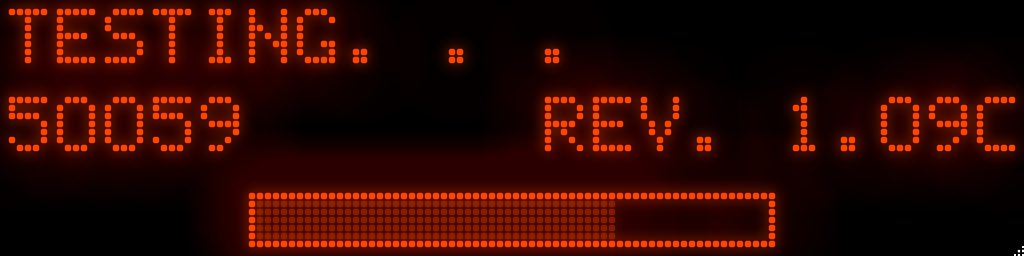
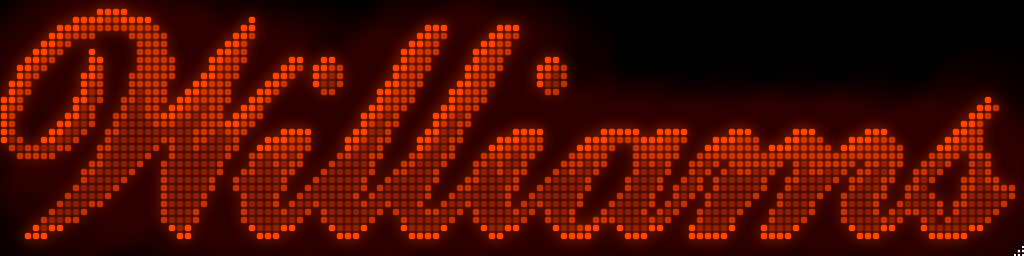
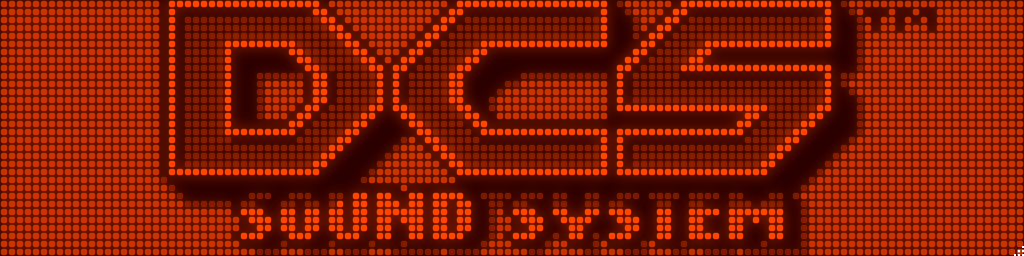
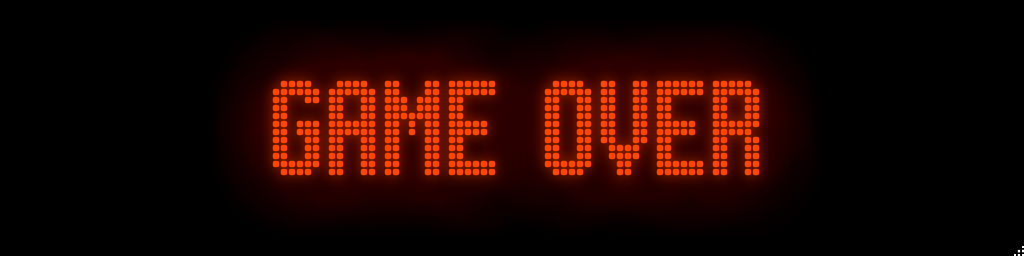
There is currently support for four layers, an always-on background layer, inner and outer glowing, and the foreground layer. All these can be customized:
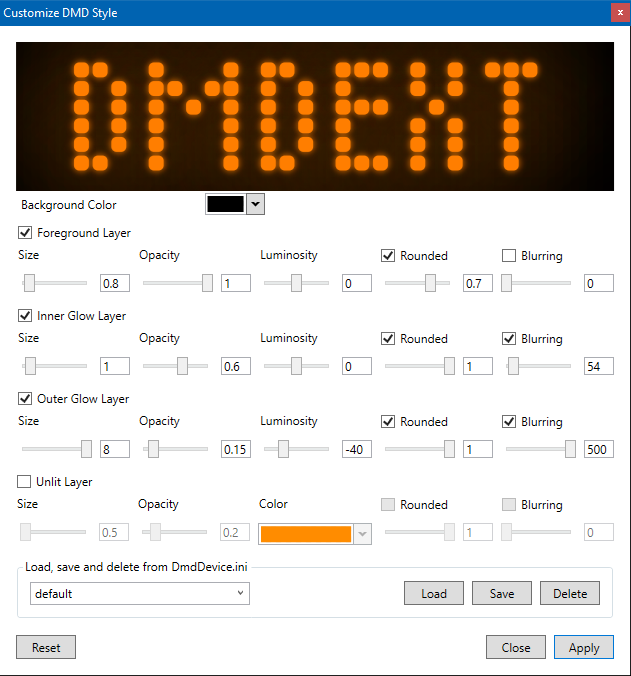
You'll get that dialog by clicking on the top right corner of the DMD. The principle is the following:
- You can save and load "styles" to DmdDevice.ini.
- Styles are global, as in not linked to a game (they are defined under [virtualdmd]).
- You can, however, assign a style to a given game to get different styles for different games.
- When you click on "Apply" and a style is selected, that style is saved for the currently running game.
Basically you can do everything by just using the GUI. But if you want to start with an existing style, the style in the screenshots is the following:
[virtualdmd]
; ...your existing params
style = default
style.default.backgroundcolor = #ff000000
style.default.foreground.enabled = true
style.default.foreground.size = 0.8
style.default.foreground.opacity = 1
style.default.foreground.luminosity = 0
style.default.foreground.rounded.enabled = true
style.default.foreground.rounded = 0.7
style.default.foreground.blur.enabled = false
style.default.innerglow.enabled = true
style.default.outerglow.enabled = true
style.default.background.enabled = false
style.default.innerglow.size = 1
style.default.innerglow.opacity = 0.6
style.default.innerglow.luminosity = 0
style.default.innerglow.rounded.enabled = true
style.default.innerglow.rounded = 1
style.default.innerglow.blur.enabled = true
style.default.innerglow.blur = 54
style.default.outerglow.size = 8
style.default.outerglow.opacity = 0.15
style.default.outerglow.luminosity = -40
style.default.outerglow.rounded.enabled = true
style.default.outerglow.rounded = 1
style.default.outerglow.blur.enabled = true
style.default.outerglow.blur = 500
style.default.foreground.unlit = false
style.default.foreground.unlit.color = #00000000
style.default.innerglow.unlit = false
style.default.innerglow.unlit.color = #00000000
style.default.outerglow.unlit = false
style.default.outerglow.unlit.color = #00000000
Copy + paste this into DmdDevice.ini, or you can start creating your own style directly.
If you find that you created a new, cooler style, please share it here so others can use it and with your permission I might include it in dmdext's DmdDevice.ini.
You can grab a first build here. There is some more info in the PR, please have a quick look. Windows 7 users, please let me know if it actually works, it might not. Comments, feedback and suggestions are of course appreciated. 
Cheers!
-freezy.
 Top
Top




 Contributor


 Answered

 are all trademarks of VPFORUMS.