
- View New Content
-
Getting Started
-
Tutorials
Tutorial Categories
Tutorials Main Page Installation and Setup Downloadable TutorialsROM Adjustments
Number of Balls Adjustments Volume Adjustments
-
Visual Pinball Tables
VP 8 Desktop Tables
All VPM Recreations VP Recreations VP/VPM MODs VP Originals ROMsVP 9 Desktop Tables
All VPM Recreations VP Recreations VP/VPM MODs VP Originals ROMsVP9 Cabinet Tables
All Full Screen Cabinet Full Screen B2S Cabinet Spanned Cabinet Tables Media Packs ROMsVPX Tables
All VPinMAME Recreations VPX- - /VPinMAME - MOD Tables VPX Recreations VPX Originals Media Packs ROMs VR
-
Frontend Media & Backglass
Media Packs
Complete Media Packs Wheel Logos VideosBackglasses
dB2S Animated Backglasses UVP Animated Backglasses Topper Images
- Future Pinball Tables
-
Design Resources
Main Resources
Table Templates Playfield Images Image Library Sound Library Key CodesVP Guides
VP8 Guide - English VP8 Guide - Deutsch VP9 Guide - English VP9.1.x Guide - English VP Object Guide VPM DocumentationFuture Pinball Resources
Playfield Images 3D Model LibraryFuture Pinball Guides
FP Script Guide Big Draco Script Guide FP Table Design Guide FP DMD Guide
- Other Features
- Bug Tracker
- Image Gallery
- Blogs
-
More

Submitter

SUPPORT TOPIC File Information
- Submitted: Dec 07 2022 03:14 PM
- Last Updated: Sep 12 2025 06:08 AM
- File Size: 12.16MB
- Views: 10588
- Downloads: 3,683
-
Author(s):
jpsalas
Halen - Manufacturer: Williams
- Year: 1978
-
IPDB Link:

- Permission to MOD?: Unspecified
Previous Versions
-
25 Jan 2025
 Pokerino (Williams 1978) 5.5.1
Download Pokerino (Williams 1978) 6.0.0
 50 Votes
poker pokerino williams 1978
 8
8
Based on the table by Williams from 1978
Thanks to Halen for the playfield and plastics graphics.
Thanks to Eala Dubh Sidhe's code for the captive balls, which I took from the old vp table.
The real table used staged flippers (dual leaf switches) which allows the inner flippers to operate first, or all four flippers to operate, depending on how far the flipper buttons are pressed. I have added the possibility to use those in the script. So if you own a cabinet with those switches the table will use them as default.
If you have normal flipper switches, or you use a keyboard, then you may change that at the top of the script. You may disable the staged flippers and both flippers will operate from one single button by setting the constant StagedFlipperMod = 0, or you may use the extra buttons, which they are the A and ' keys. You may also change them for the Magnasave buttons if you prefer.
Thanks to Halen for the playfield and plastics graphics.
Thanks to Eala Dubh Sidhe's code for the captive balls, which I took from the old vp table.
The real table used staged flippers (dual leaf switches) which allows the inner flippers to operate first, or all four flippers to operate, depending on how far the flipper buttons are pressed. I have added the possibility to use those in the script. So if you own a cabinet with those switches the table will use them as default.
If you have normal flipper switches, or you use a keyboard, then you may change that at the top of the script. You may disable the staged flippers and both flippers will operate from one single button by setting the constant StagedFlipperMod = 0, or you may use the extra buttons, which they are the A and ' keys. You may also change them for the Magnasave buttons if you prefer.
What's New in Version 6.0.0 (See full changelog)
- 6.0.0 Updated September 2025
- - Moved LUT to User Options (F12)
- - Added some extra options to the User Options (F12)
- - Updated physics to my latest rev 4.3.1. mostly bouncier rubbers and harder flippers.
- 5.5.1 Updated 25.01.2025
- - Fixed missing sound on the spinner and lanes. Thanks ketayeyen for the info.
- - Fixed staged flippers. Now they are off by default, and if you want them then just turn on the variable StagedFlipperMod = 1 at the beginning of the script.
- - Fixed the ball bouncing on the flippers.
- - Removed the old fading lights routine.
- - Changed the backdrop letters to lights (game over, tilt, etc)
- - Fixed the environment image, which was not active.
- - Adjusted the plunger, just the visuals
- - Reduced the flipper reflections. It was more visible in cabinet mode (FS).
- 5.5.0 Updated 14.12.2024
- - New playfield mesh to avoid the ball getting stuck on top of the flippers.
- - Fixed my ball spin control, which were too aggressive, and it killed the ball's acceleration, making the ball too slow, getting stuck on ramps, and also being unable to climb the ramps on many tables.
- - Updated for VPX8 (adjusted reflections, equirectangular ball, linked flashers to lights, incandescent lights)
- - Updated physics to my Rev3. Including physics materials, flipper code and slingshot shapes.
- - Updated LUT images and display system, 10 darker shades and 10 warmer shades.
- - some graphical changes (playfield mesh with holes, metal wall guides, lights warmer)
- - added a screenshot for scutters file explorer handler
- 1.0.1 Updated 08.12.2022
- - Replaced the broken credits bulb on the apron :)
- - Fixed the DOF for the staged flippers (I hope)
- 1.0.0 Released 07.12.2022
Screenshots


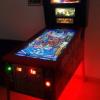

I played this last month at Free Play Florida in Orlando. Great to see a virtual version now. Thanks JP!

Thank you, JP ! this table needed an update! And you did it! Regards!

Muy bonita mesa, muchas gracias JP por el trabajo, Halen y quienes colaboraron. 

Thank you JP!

Thanks you JP, always love your releases :-)

great table!
On these "chubby" tables I've been putting a lock bar to fill it better in the cabinet game mode, so there's no need to stretch the table and it's practically adjusted to the monitor.
just to clear the doubt... does this table not have sounds? just mechanical sounds really?
hugs

Merci JP d'enrichir notre bibliotheque de belle trouvaille, continu t'es un dieu

Thank you kindly, JP!

Many thanks !
Other files you may be interested in ..
- 18,499 Total Files
- 57 Total Categories
- 882 Total Authors
- 26,070,371 Total Downloads
- Hyperball Galactic Latest File
- Patrick37 Latest Submitter
user(s) are online (in the past 15 minutes)
members, guests, anonymous users


 are all trademarks of VPFORUMS.
Siempre un paso adelante, gracias maestro por su aporte a la comunidad
Saludos.