
- View New Content
-
Getting Started
-
Tutorials
Tutorial Categories
Tutorials Main Page Installation and Setup Downloadable TutorialsROM Adjustments
Number of Balls Adjustments Volume Adjustments
-
Visual Pinball Tables
VP 8 Desktop Tables
All VPM Recreations VP Recreations VP/VPM MODs VP Originals ROMsVP 9 Desktop Tables
All VPM Recreations VP Recreations VP/VPM MODs VP Originals ROMsVP9 Cabinet Tables
All Full Screen Cabinet Full Screen B2S Cabinet Spanned Cabinet Tables Media Packs ROMsVPX Tables
All VPinMAME Recreations VPX- - /VPinMAME - MOD Tables VPX Recreations VPX Originals Media Packs ROMs VR
-
Frontend Media & Backglass
Media Packs
Complete Media Packs Wheel Logos VideosBackglasses
dB2S Animated Backglasses UVP Animated Backglasses Topper Images
- Future Pinball Tables
-
Design Resources
Main Resources
Table Templates Playfield Images Image Library Sound Library Key CodesVP Guides
VP8 Guide - English VP8 Guide - Deutsch VP9 Guide - English VP9.1.x Guide - English VP Object Guide VPM DocumentationFuture Pinball Resources
Playfield Images 3D Model LibraryFuture Pinball Guides
FP Script Guide Big Draco Script Guide FP Table Design Guide FP DMD Guide
- Other Features
- Bug Tracker
- Image Gallery
- Blogs
-
More

Submitter

SUPPORT TOPIC File Information
- Submitted: Jun 23 2020 10:28 PM
- Last Updated: Jul 24 2020 02:59 PM
- File Size: 354.06MB
- Views: 19031
- Downloads: 3,451
-
Author(s):
ClarkKent
Ninuzzo
unclewilly - Manufacturer: Capcom
- Year: 1996
-
IPDB Link:

- Permission to MOD?: Yes, with approval
Previous Versions
-
01 Jul 2020
 Big Bang Bar 2.4.2
-
24 Jun 2020
Big Bang Bar 2.4.1
-
23 Jun 2020
Big Bang Bar 2.4
Download Big Bang Bar 2.4.6
 32 Votes
bbb
 2
2
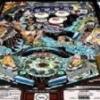
mod by ClarkKent
based on unclewilly and Ninuzzoversion
Clark's changelog:
*) added scanned playfield (high resolution Cruse scan)
*) added scanned plastics (bought a plastics set by crowd funding, scanned it and revised the graphical data)
*) added scanned apron decals
*) repostitioned every single object to be aligned with the scanned playfield
*) reworked almost every primitive to look like as close as possible to the original design with the help of hundreds of photos
*) redesigned the capcom specific gates, return lanes, scoop, protectors and several other small objects
*) redesigned all wire ramps so that they can even be used on the real machine (which are already integrated in a private BBB build)
*) redesigned the main plastic ramp to have the full functionality and looks of the real ramp
*) new dancer and animation from Flupper
*) added several new sound samples
*) adjusted physics
*) many changes and improvements were done with the help of three BBB owners making photos, measuring things and giving advices
*) this construction should be as close as possible to the real thing, down to each screw
*) thanx to everybody who was helping in this projec
unclewilly added alien lock mirror animation
based on unclewilly and Ninuzzoversion
Clark's changelog:
*) added scanned playfield (high resolution Cruse scan)
*) added scanned plastics (bought a plastics set by crowd funding, scanned it and revised the graphical data)
*) added scanned apron decals
*) repostitioned every single object to be aligned with the scanned playfield
*) reworked almost every primitive to look like as close as possible to the original design with the help of hundreds of photos
*) redesigned the capcom specific gates, return lanes, scoop, protectors and several other small objects
*) redesigned all wire ramps so that they can even be used on the real machine (which are already integrated in a private BBB build)
*) redesigned the main plastic ramp to have the full functionality and looks of the real ramp
*) new dancer and animation from Flupper
*) added several new sound samples
*) adjusted physics
*) many changes and improvements were done with the help of three BBB owners making photos, measuring things and giving advices
*) this construction should be as close as possible to the real thing, down to each screw
*) thanx to everybody who was helping in this projec
unclewilly added alien lock mirror animation
What's New in Version 2.4.6 (See full changelog)
- 2.4.6
- *) correct green targets at the main ramp added. Thanx to Flupper for some help on the round one
- *) correct sized apron, missing metal parts added, corrected hight, fully correct positioned and sized decals, wire adjusted
- *) ball guides adjusted, all ball guides named correctly as seen in the manual.
- *) slingshot- and returnlanes adjusted
- *) plunger lane metal ramp corrected
- *) intersection ramp adjusted, missing metal holder added, correct coil type added
- *) all wire ramps adjusted to the intersection ramp corrections
- *) screw threads in the transparent posts added
- *) screw washers added as seen on the real machine
- *) metal protectors adjusted
- *) gate wires corrected
- *) several textures improved
- and several other small adjustments to increase level of details.
- 2.4.2
- Changelog:
- *) fixed diverter movement
- *) fixed ball shadow (JP)
- *) fixed mirror texture (and separated the primitives group)
- *) added an invisible wall at the right gate to prevent ball stuck
- *) added new and correct flipper finger decals redraws (made for real BBB)
- *) added new targets qualify mode decal AW00187-11 decal redraws (made for real BBB)
- *) added new scanned target decals AW00187-1 to 8
- *) added new scanned spinner decal AW00187-9 to 10
- *) added ramp decal AW00187-12 redraw (also made for real BBB)��
- reduced mirror animation texture size. should work for everyone now



Hi UW,
thank You for this great release! The quality of the playfield and plastics scans is incredible.
The above mentioned Sol51 was introduced by DJRobX to VPinMame, if I am remembering correctly. It still is somewhat artificial but works in most cases.
Michael

works fine on my cabinet......

Looks very Nice. But when I play the ball jerky.

Thank you for the update.

welcome back SCOTT!!!

If you haven't downloaded this table, whatcha waiting on!!! One of the best tables around. Who new!

One of my favorite tables, thanks so much for your continuing upgrades !!!
Thank you unclewilly and everyone for your expertise and amazing work!!

Thank you for this nice table!
Other files you may be interested in ..
- 18,368 Total Files
- 57 Total Categories
- 872 Total Authors
- 25,418,727 Total Downloads
- Riviera Pinball (Chicago Coin 1973) Latest File
- Flying Dutchman Latest Submitter
user(s) are online (in the past 15 minutes)
members, guests, anonymous users


 are all trademarks of VPFORUMS.
UncleWilly or CK, this is a fantastic update to BBB!
If you check Sol 51, you can activate and de-activate the flippers based on its state.
Something like this: